If you need to delete a created entity, please note that only the master admin has permission to perform this action.
Please follow the steps below to proceed to delete a User:
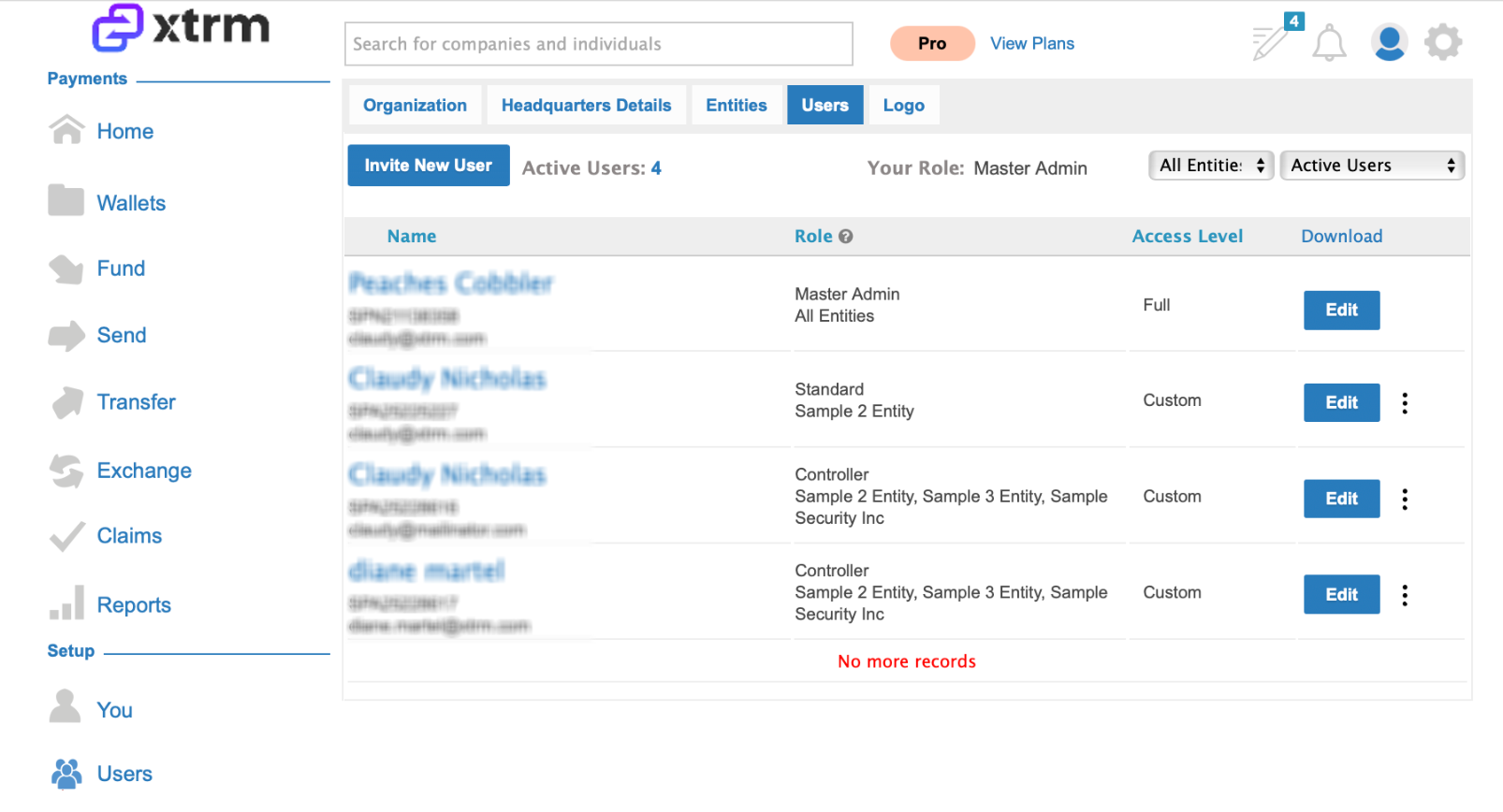
1. Navigate to Users, locate a user and click on Edit
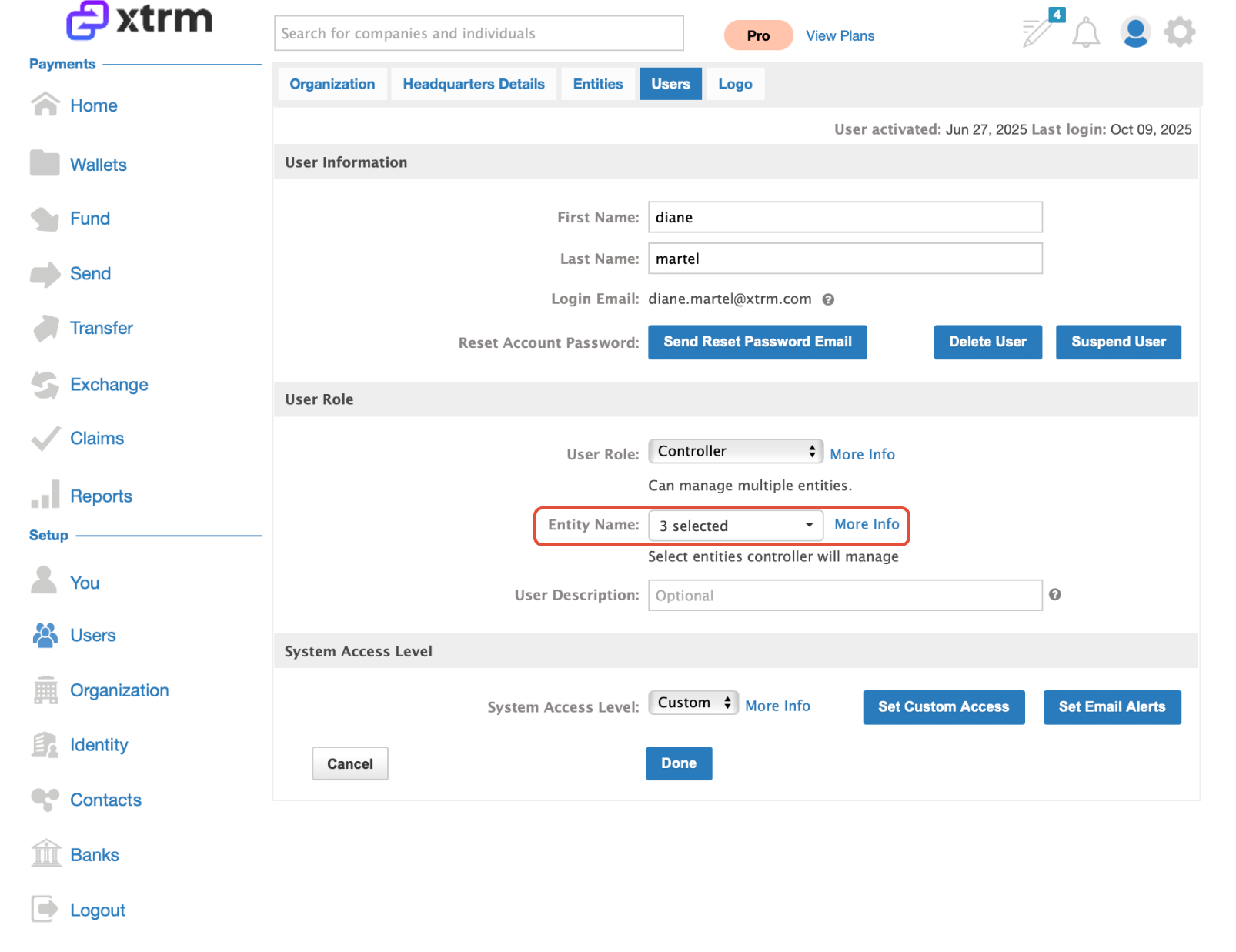
2. If the user is listed in more than one entity, deselect the specific User from the list of Entities and click on Delete or Suspend user.
Please follow the steps below to proceed to delete an Entity:
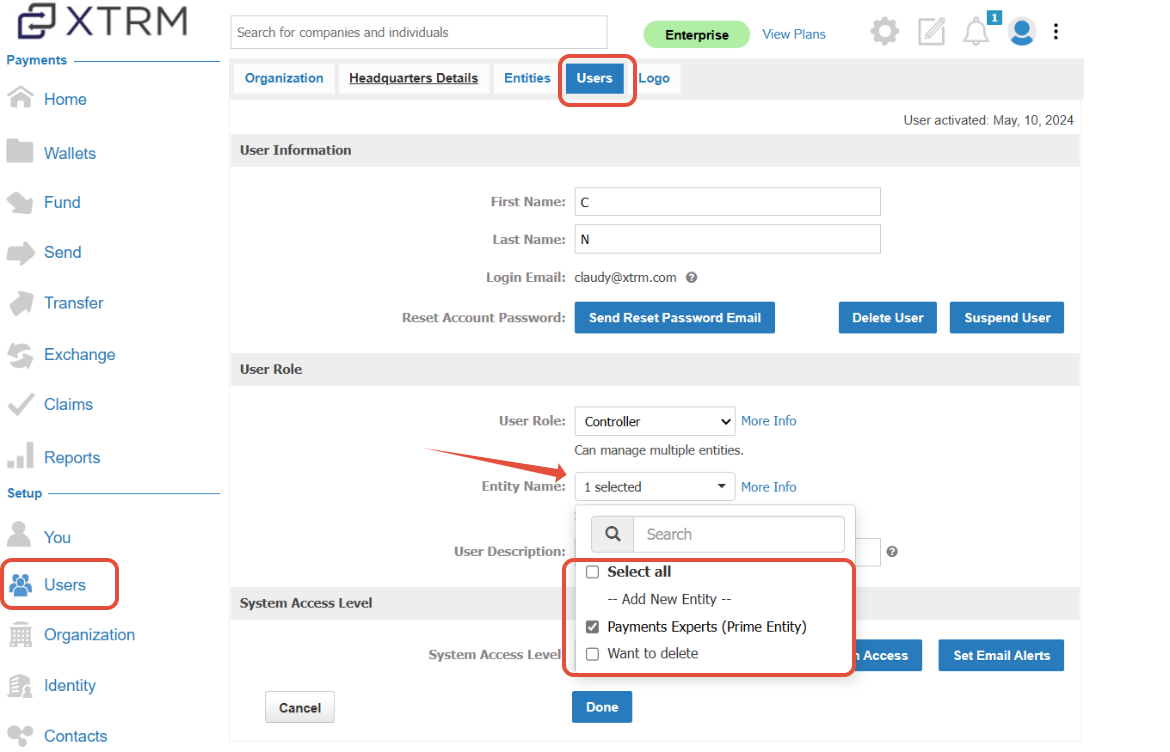
1. Edit Users under the entity by assigning them to the "Prime Entity" account.
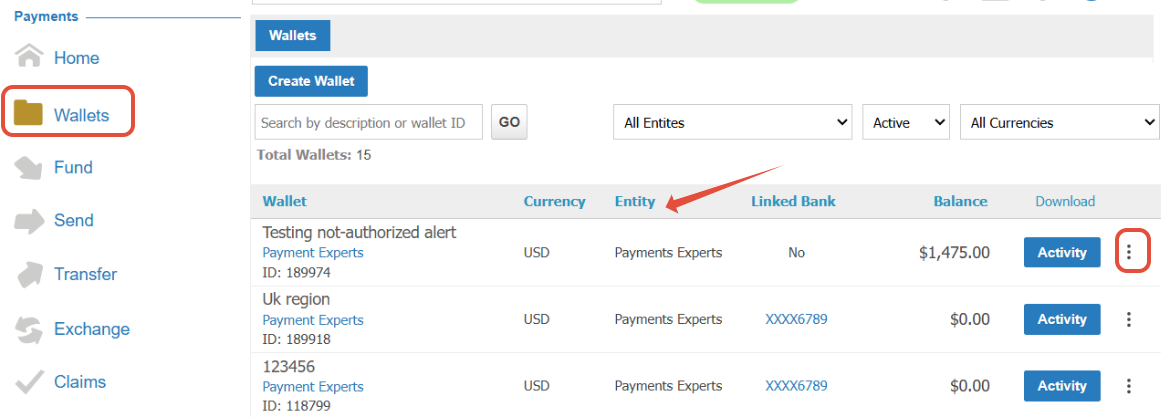
2. Edit the wallets, and assign the wallet to the Prime Entity.
3. Once the above steps have been completed, the Master Admin should navigate to "Organization." select "Entities." Locate the specific Entity, click on the ellipsis (⋮), and select "Delete."
Was this article helpful?
That’s Great!
Thank you for your feedback
Sorry! We couldn't be helpful
Thank you for your feedback
Feedback sent
We appreciate your effort and will try to fix the article