Xtrm allows companies to request and issue payments via Bank Checks (Paper Checks) directly from their digital wallet balances. Bank check transfers offer a secure alternative for paying vendors, employees, or recipients who prefer paper payment instruments.
Overview & Delivery Details
Issuance Type: Physical paper bank check mailed directly to the designated recipient's postal address.
Processing Time: Standard domestic and international postal mailing times apply (typically 2 to 7 business days depending on destination).
Fund Deduction: Wallet funds are reserved immediately upon submitting the check request.
How to Request a Bank Check Transfer
1. Navigate to Transfer:
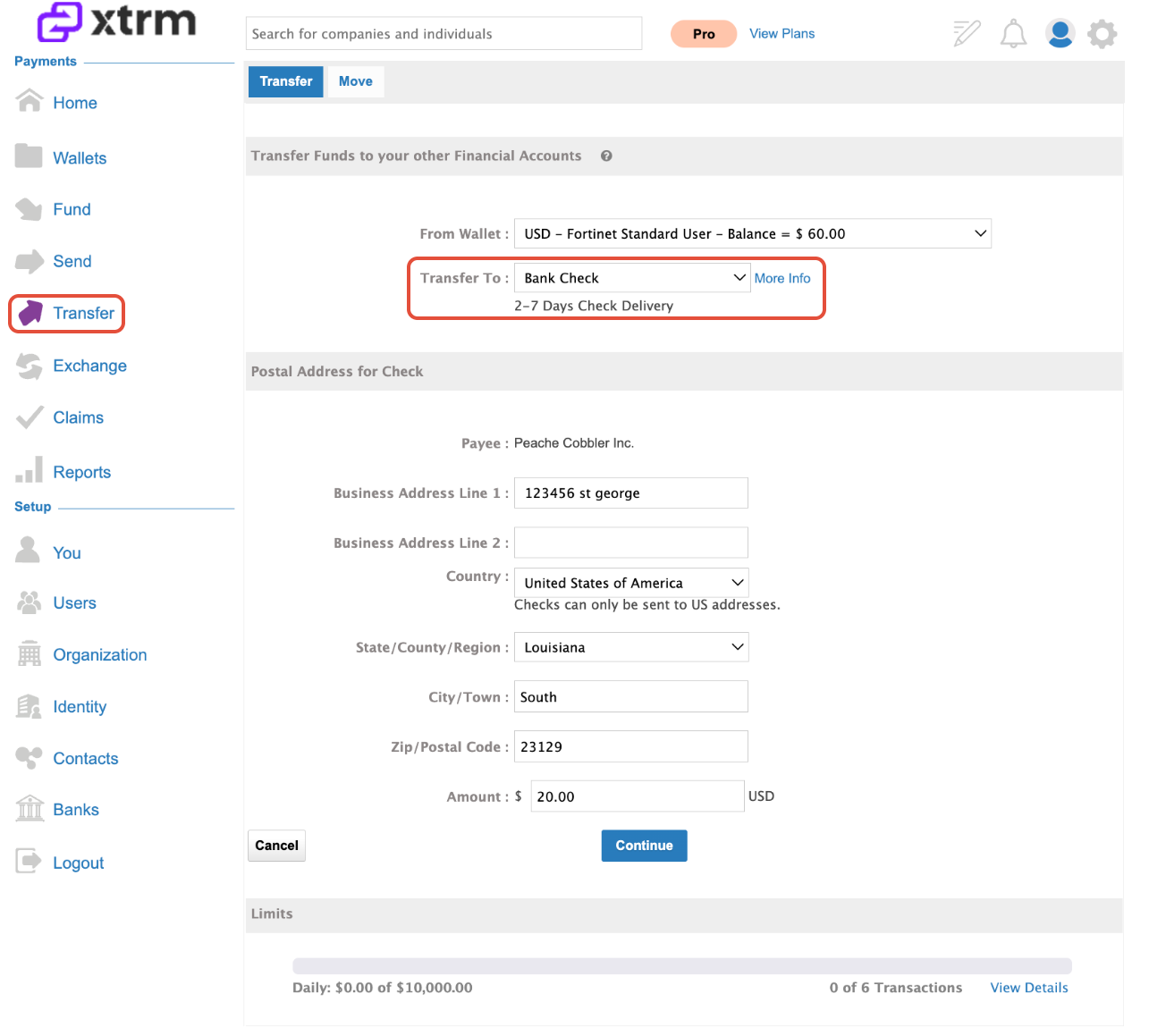
Log into your Xtrm account and click Transfer from the left-hand navigation menu.
2. Select Check Option:
From the Transfer To dropdown menu, select Bank Check.
3. Enter Recipient & Address Details:
Specify the recipient details:
Provide a complete and verified USA physical mailing address (P.O. Boxes may cause delivery delays or rejections depending on carrier requirements).
4. Enter Amount & Continue:
Enter the payment amount.
5. Verify and Submit:
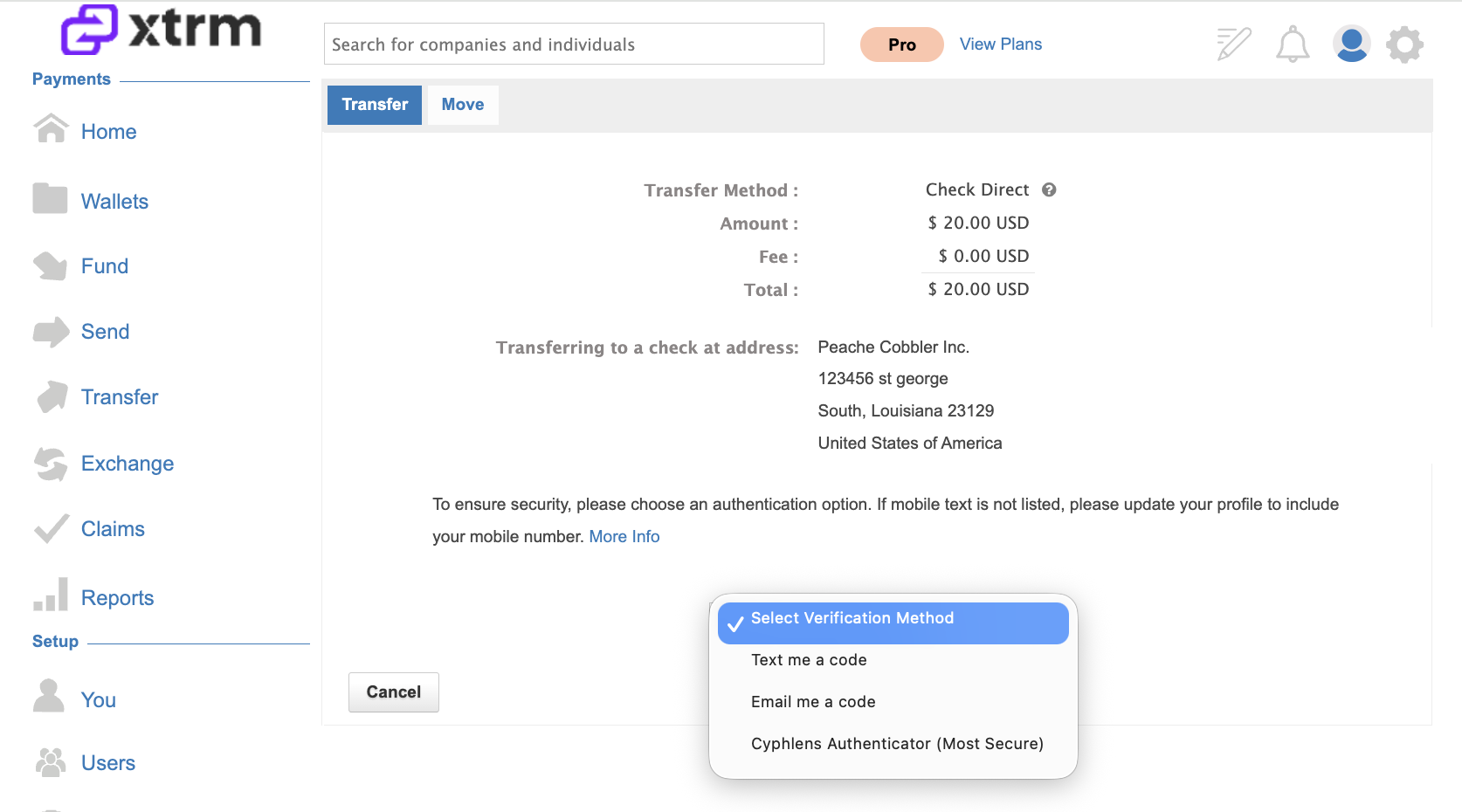
Review the transfer summary, including applicable postal/issuance fees, and click Submit to finalize the check issuance request.
6. Verify and Complete:
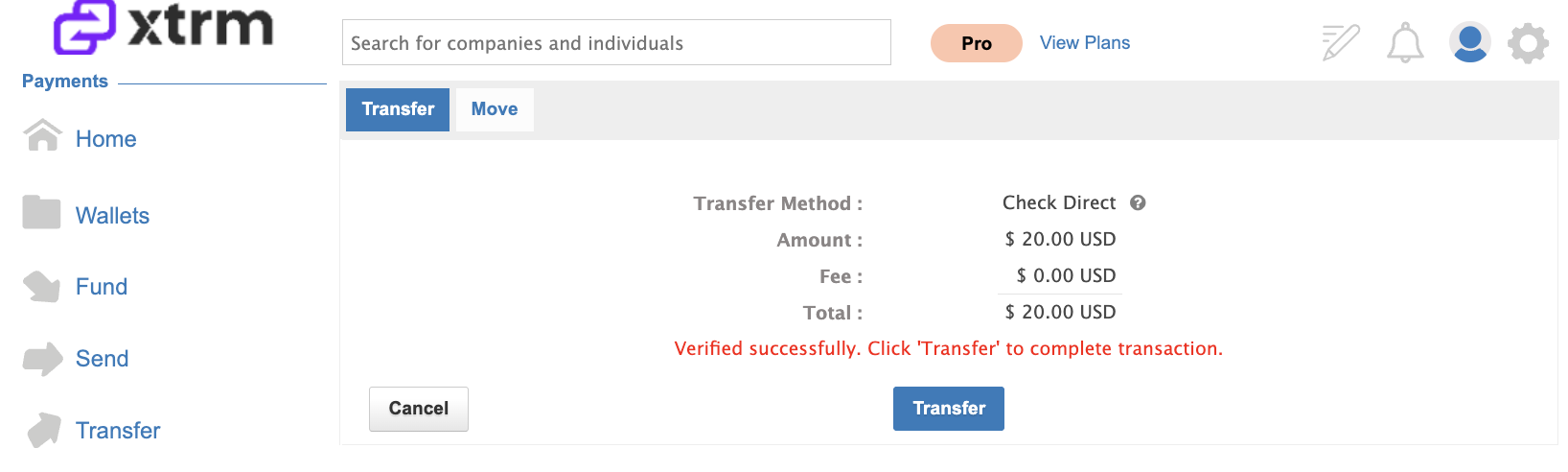
Enter the security code, then click Transfer to complete the transaction.
7. View Wallet Record:
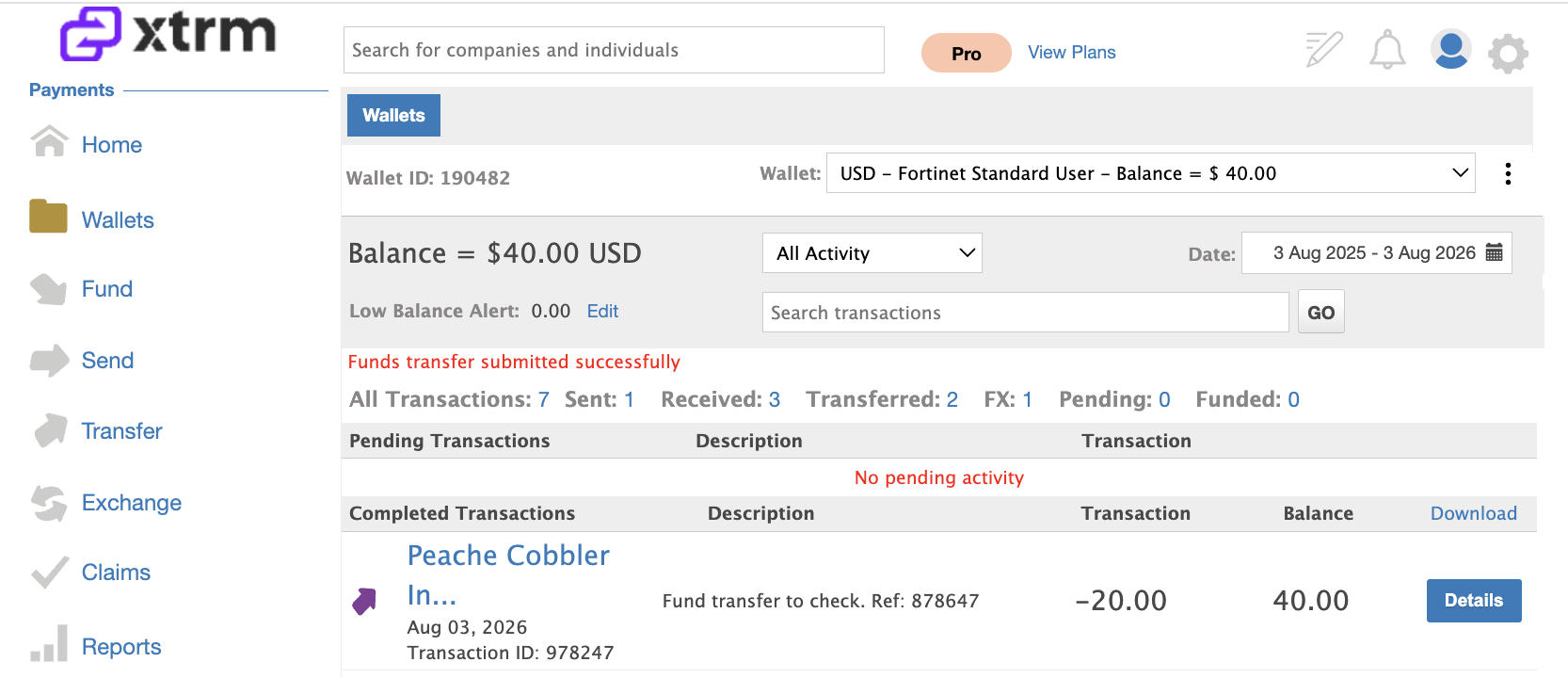
After the transaction is completed, you’ll be redirected to Wallets, where the successful transaction will be displayed.
7. Check Delivery & Arrival:
Checks will be mailed via USPS and typically take between 2 to 7 business days to arrive.


Managing Issued Checks
Tracking Status: You can track the issuance and clearing status of your check by going to Wallets → Transaction History.
Cancellations / Stop Payments: If a check is lost in transit or needs to be canceled, reach out to [email protected]
Was this article helpful?
That’s Great!
Thank you for your feedback
Sorry! We couldn't be helpful
Thank you for your feedback
Feedback sent
We appreciate your effort and will try to fix the article