Overview
Transferring funds from your Xtrm digital wallet directly to your bank account is a fast and secure way to withdraw your earnings, incentives, or rewards. You can transfer funds electronically via ACH, Wire, Instant Transfer or Rapid Bank Transfer once you have linked a valid bank account to your profile.
Prerequisites Before Transferring
Verified Account: Ensure your personal profile is completed to 100% to meet standard compliance and identity requirements.
Linked Bank Account: You must have at least one active bank account linked under your profile settings.
Sufficient Balance: Verify that your wallet balance covers both the transfer amount and any applicable processing or currency conversion fees.
- Formatting Assistance: A complete formatting guide to help you link your bank account accurately can be found in our Help Center under TRANSFER007 — Bank Account Formatting Guide.
How to Link your Bank Account and Initiate a transfer
Go to xtrm.com and sign in to your Personal Account.
In the main menu, click Transfer or Send Funds and select Link Bank Account
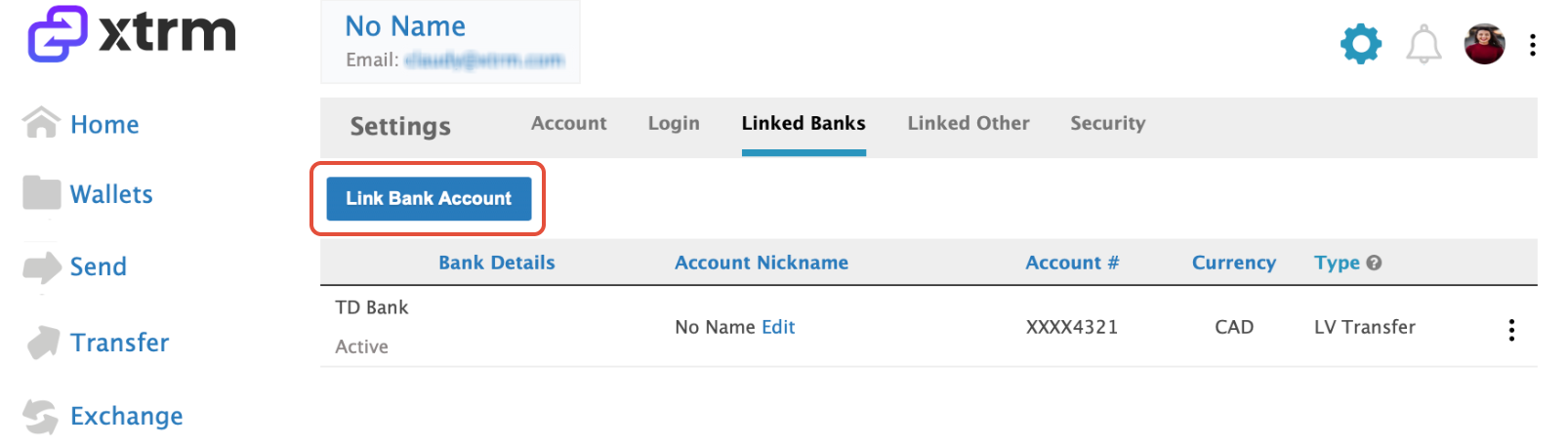
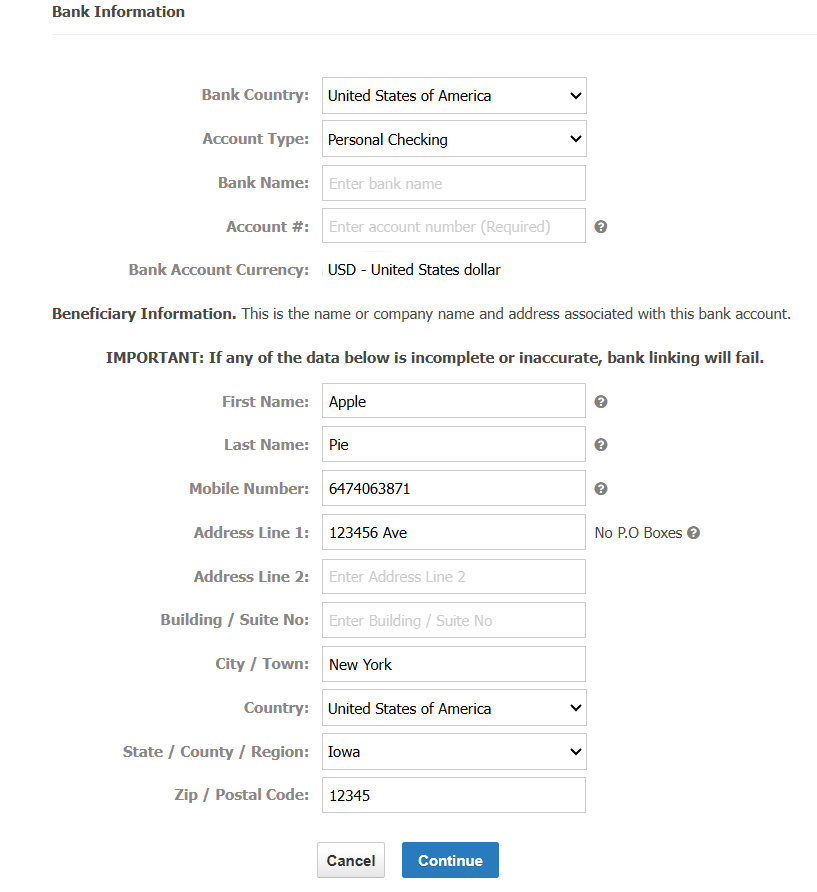
Enter in the bank account details, then click Continue.
Troubleshooting "Pending" Transfer Status
If the status of your transfer shows as Pending, please review the following steps:
Don't Be Alarmed: A temporary pending status is part of standard bank processing and verification.
Re-Check Account Details: Delete the linked bank account, re-link it, and double-check that all routing, account numbers, and account holder details are correct.
Verify Linking (After 24 Hours): If the status remains "Pending" after 24 hours, check your Linked Bank Accounts section to verify whether the bank account has been successfully verified.
Incorrect Details Notification: If the bank details you provided are incorrect, Xtrm or the receiving bank will notify you to make the necessary updates before funds are processed.
Choose the Source Wallet (e.g., USD, EUR, GBP) you wish to transfer funds from.
Select your linked Destination Bank Account from the list.
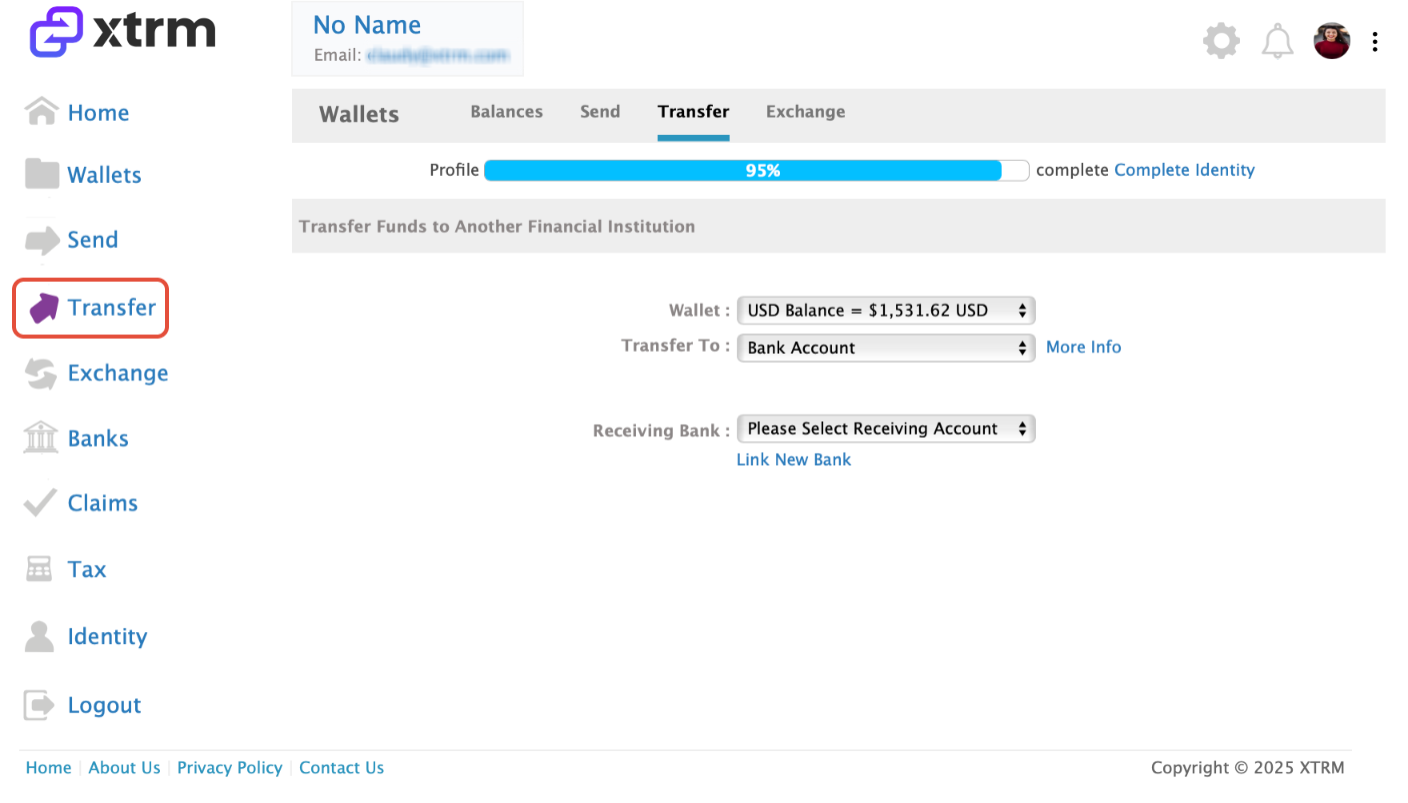
Input the amount you wish to withdraw. The system will automatically display applicable transfer fees, exchange rates (if transferring across currencies), and the final net amount to be deposited.
Double-check all transfer details and click Confirm or Submit Transfer. You will receive an on-screen confirmation and a transaction receipt via email.
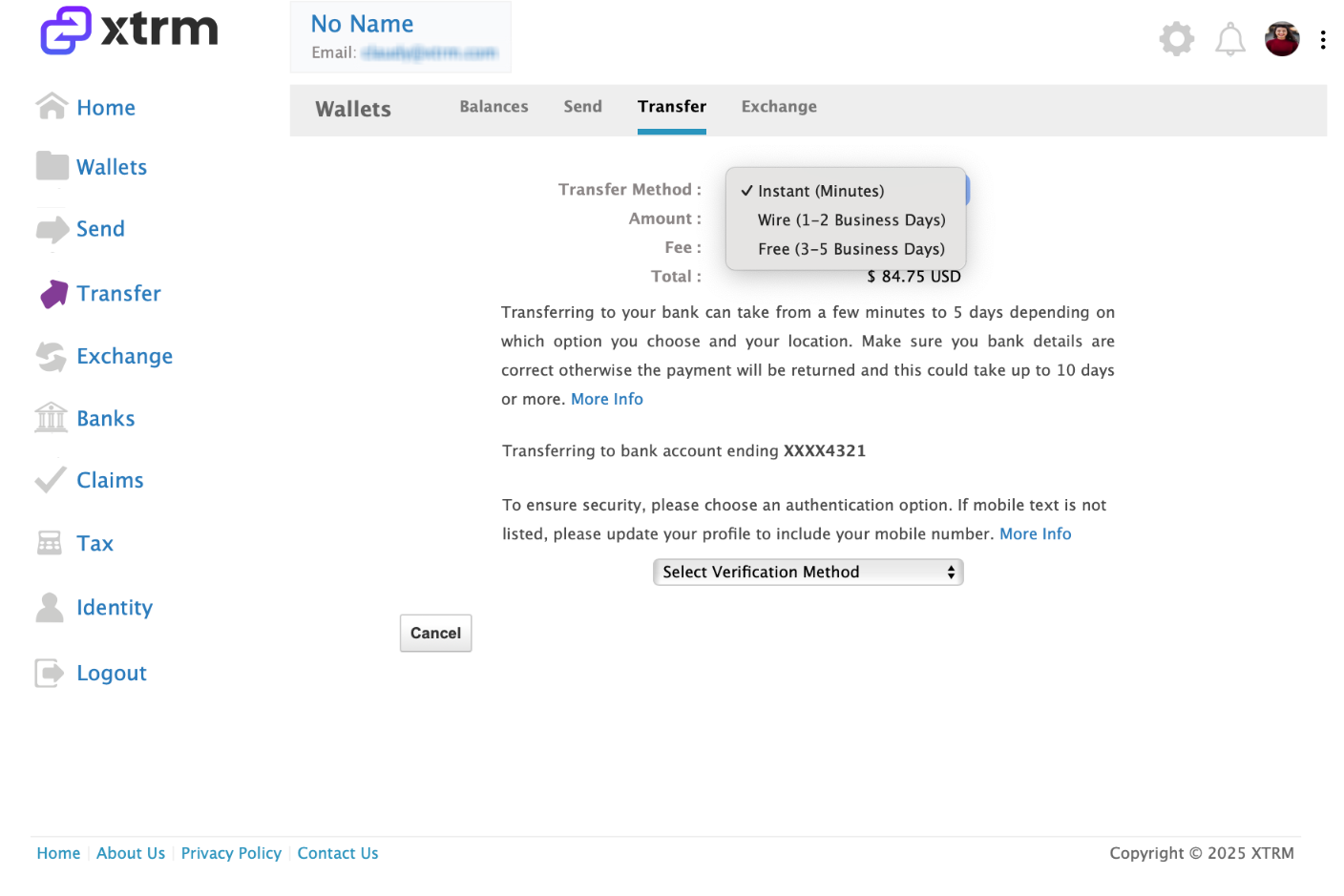
If the Instant Transfer option is not supported by your receiving bank, the Rapid Bank Transfer option is available. This method utilizes your linked bank debit card and is strictly available within the United States.
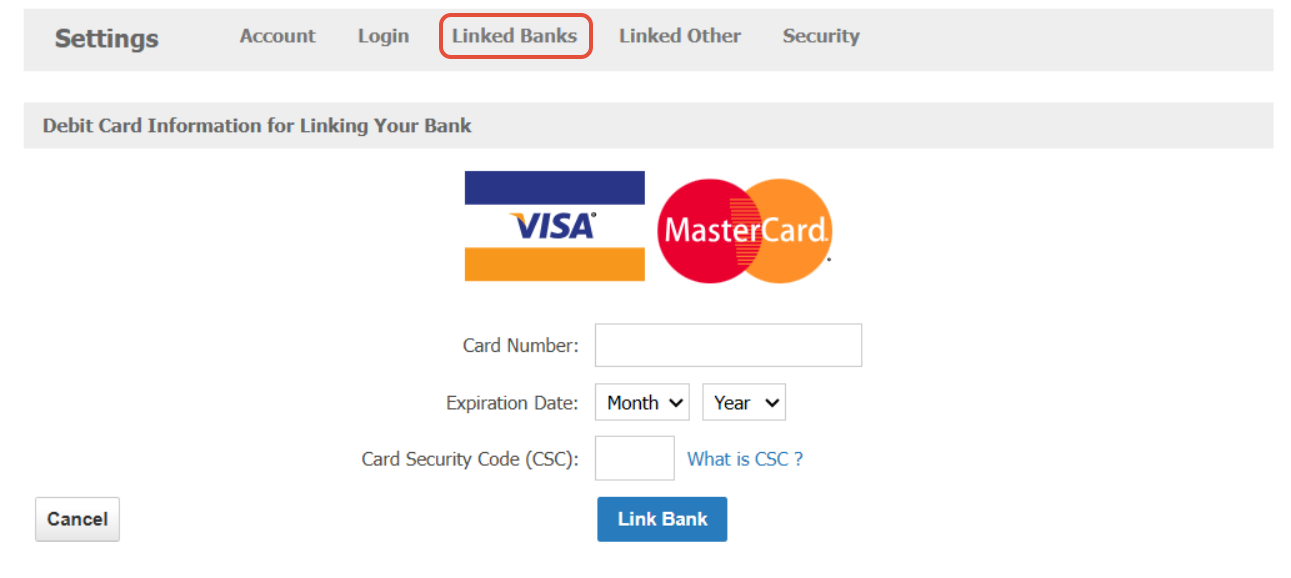
Once processed, the transfer will display on your bank statement under either the remitter's name or Xtrm Inc., depending on your financial institution's reporting format.
Rapid Bank Transfer

Standard Bank Transfer

Processing Timeframes
Rapid / Instant Transfer (US): Immediate to same-day delivery (via supported bank debit cards).
Standard ACH / Direct Deposit (US): 1 – 3 business days.
International Wire Transfer: 2 – 5 business days (depending on receiving bank and country location).
Tip: Bank processing times do not run on weekends or public holidays. If a transfer is submitted on a Friday, processing begins the following business day.
Was this article helpful?
That’s Great!
Thank you for your feedback
Sorry! We couldn't be helpful
Thank you for your feedback
Feedback sent
We appreciate your effort and will try to fix the article