How to Change the Master Admin
1. Self-Serve: If You Are the Current Master Admin
If you are the current Master Admin and want to transfer the role to another user, follow these steps:
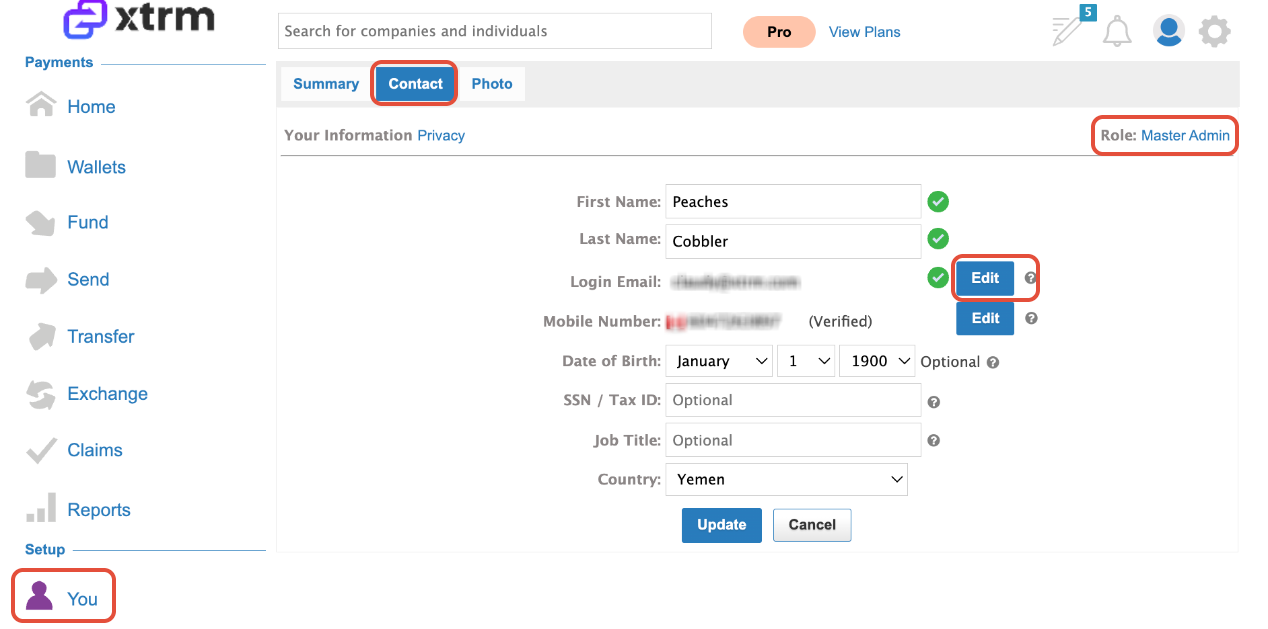
Log in and navigate to “You” in the left menu.
Note: If the new Master Admin is already a user, you may need to delete their existing account first.
Edit Login Email
In the Contact menu, click Edit next to the Login Email.
Important: The email must be associated with the company domain (not a consumer email). Typically, the person with financial sign-off should be designated as the Master Admin.
Review the document Understanding the Role of a Master Admin before assigning the new Master Admin.
3. Click Edit
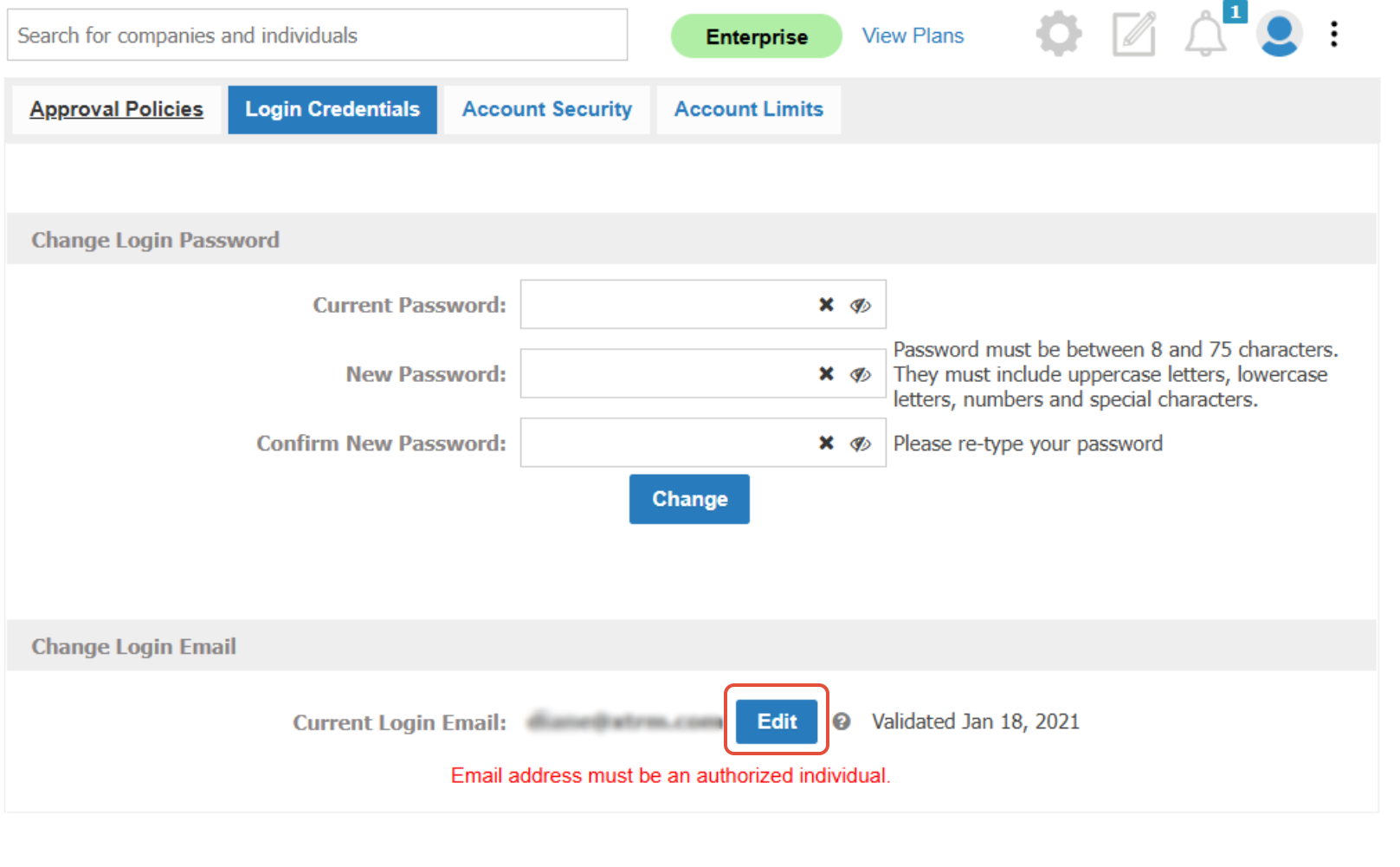
4. Add the New Master Admin Email
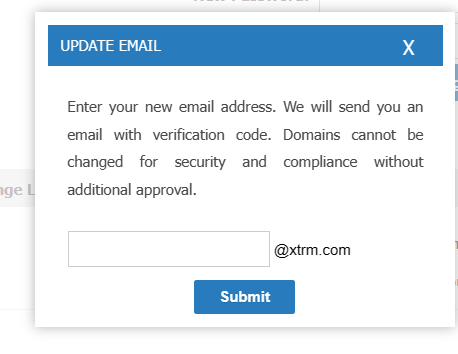
Click Edit, enter their email address, and click Submit.
5. Validate the New Master Admin
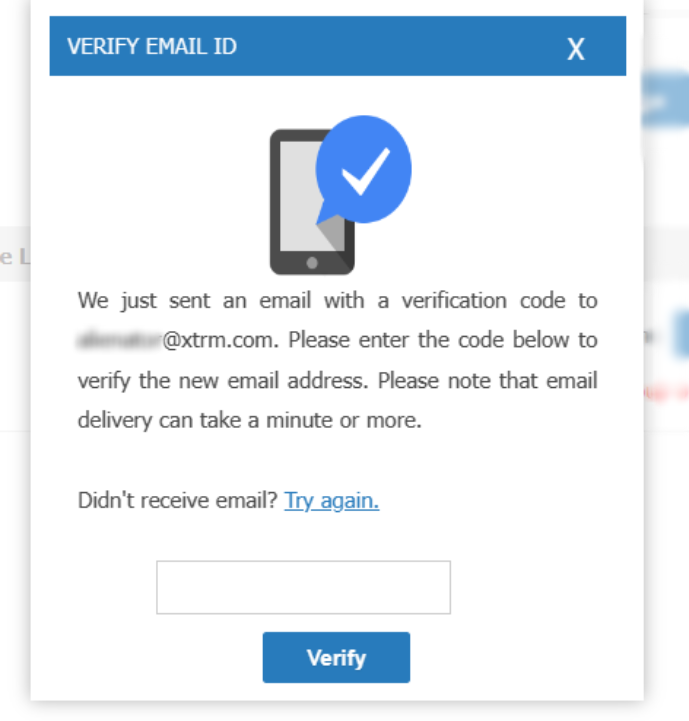
The new Master Admin will receive a code. Enter this code to validate the account.
6. Update Contact Information
Once logged in, the new Master Admin should update the Contact page with their name and mobile number to receive OTP codes via SMS.
2. If the Current Master Admin Is No Longer Available
There is only one Master Admin globally for each Xtrm account, though any number of sub-account admins can be assigned. The Master Admin is typically a signatory authority for the global organization account.
When deciding who should be the Master Admin for your company account, keep in mind that Xtrm is a financial services platform regulated similarly to a bank. We recommend selecting someone with financial signatory authority within your company—often a member of the executive team or finance group.
The Master Admin is not solely responsible for day-to-day account management. They can delegate responsibilities to regional sub-account managers, including Manager Admins and Standard Admins.
For more information, see HERE.
If the current Master Admin is unavailable, please contact support@xtrm.com.
To process the change, Xtrm will require the following details for the New Master Admin:
Full Legal Name
Business Email
Mobile Phone Number (for login authentication)
Verification Documents (provide one of the following):
New Master Admin Driving License
New Master Admin Passport
Business Document that includes the Tax ID
Support will assist you in updating the Master Admin role to the new user once all details are verified.
Was this article helpful?
That’s Great!
Thank you for your feedback
Sorry! We couldn't be helpful
Thank you for your feedback
Feedback sent
We appreciate your effort and will try to fix the article