Xtrm provides your organization with unique Funding Bank Details (routing numbers, account numbers, or IBANs) to transfer funds directly into your Xtrm wallets via Wire Transfer or EFT/ACH.
By configuring currency-specific default wallets, inbound transfers automatically route and credit the intended wallet balance without manual intervention.
Prerequisites: To enable and view your unique Funding Bank Details, your company must complete the Advanced Services Profile, undergo Remitter Onboarding, and receive final approval from Xtrm.
Remitter Onboarding and Completing Advanced Services Profile.
1. Where to View Your Unique Funding Bank Details
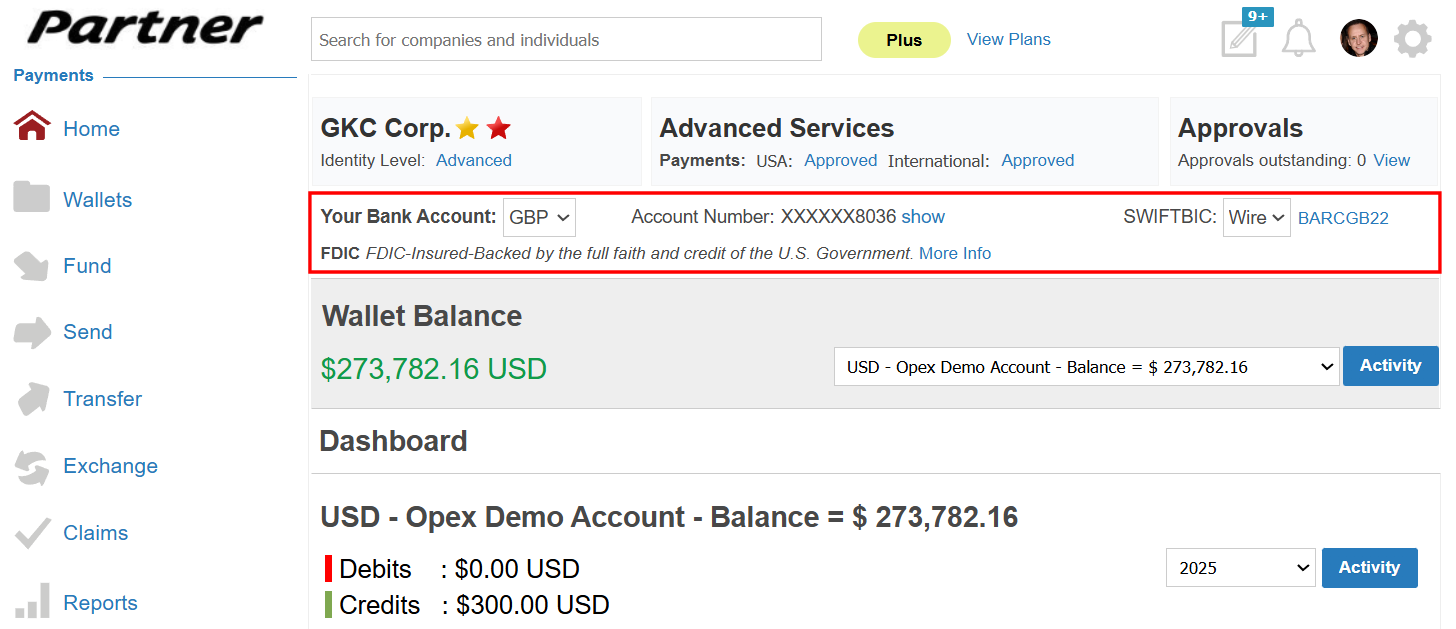
Once approved for Advanced Services, you can access your currency-specific banking instructions in two places within your dashboard:
Home Dashboard Summary: A quick reference card displayed at the top of your main dashboard.
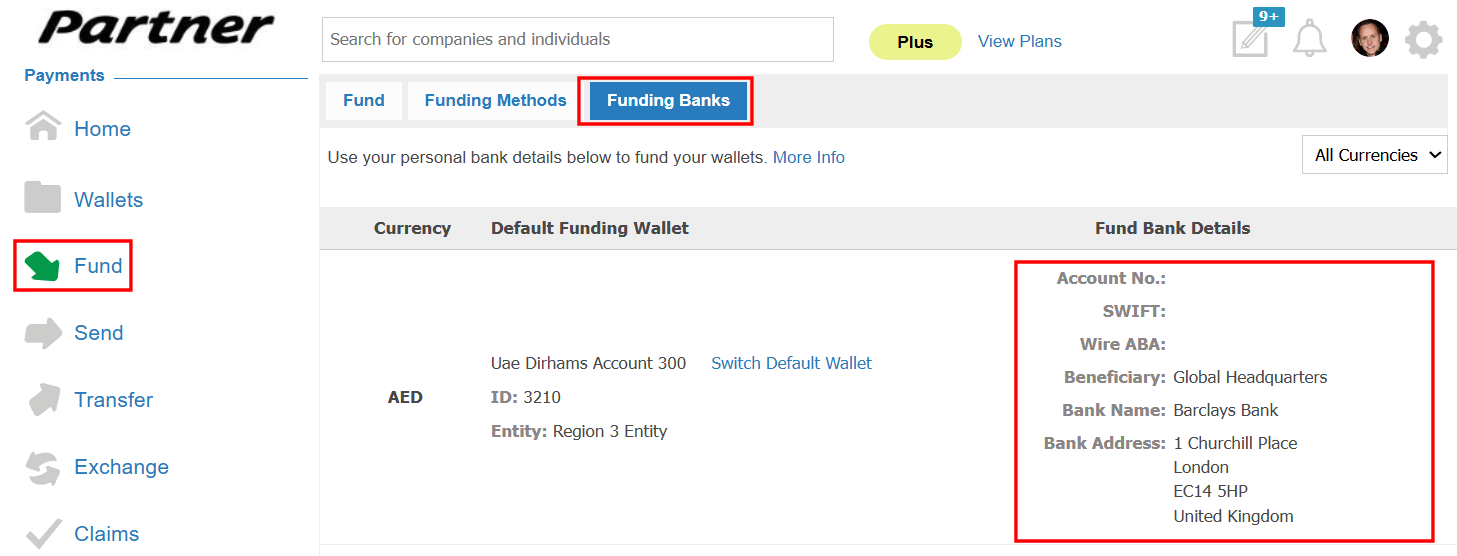
Dedicated Funding Section: For complete banking instructions (including routing numbers, IBANs, and wire codes):
Log in to your Xtrm Company Account.
2. Select Fund from the left-hand navigation menu.
3. Click Funding Banks.
4. Select your target currency to reveal the exact account numbers and routing details needed to initiate a Wire Transfer or ACH/EFT from your corporate bank.
2. Setting Currency-Specific Default Funding Wallets
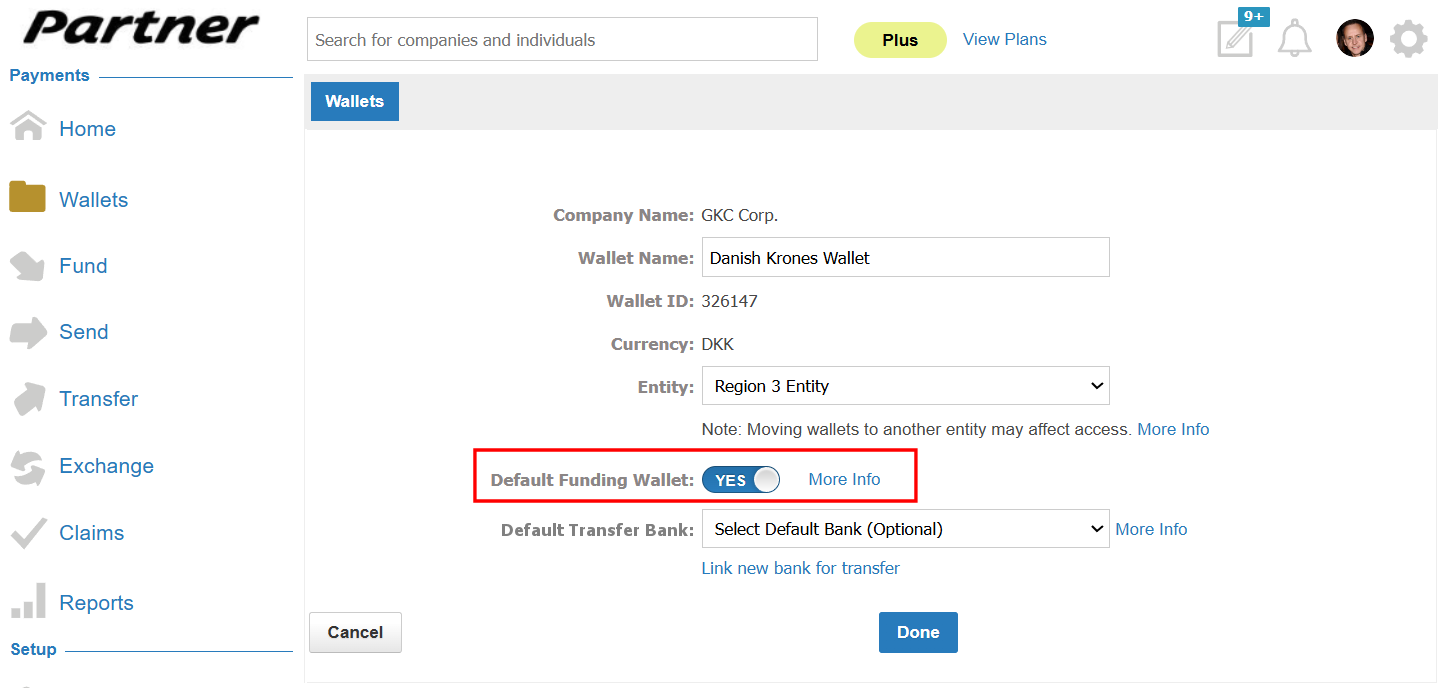
Assigning a Default Funding Wallet ensures that incoming bank transfers automatically post to the correct wallet balance whenever funds are received—unless a specific wallet ID is explicitly provided in an API call or mass payment file.
Rule: Only one default wallet per currency can be active at a time (e.g., one default USD wallet, one default EUR wallet).
How to Set or Change a Default Wallet
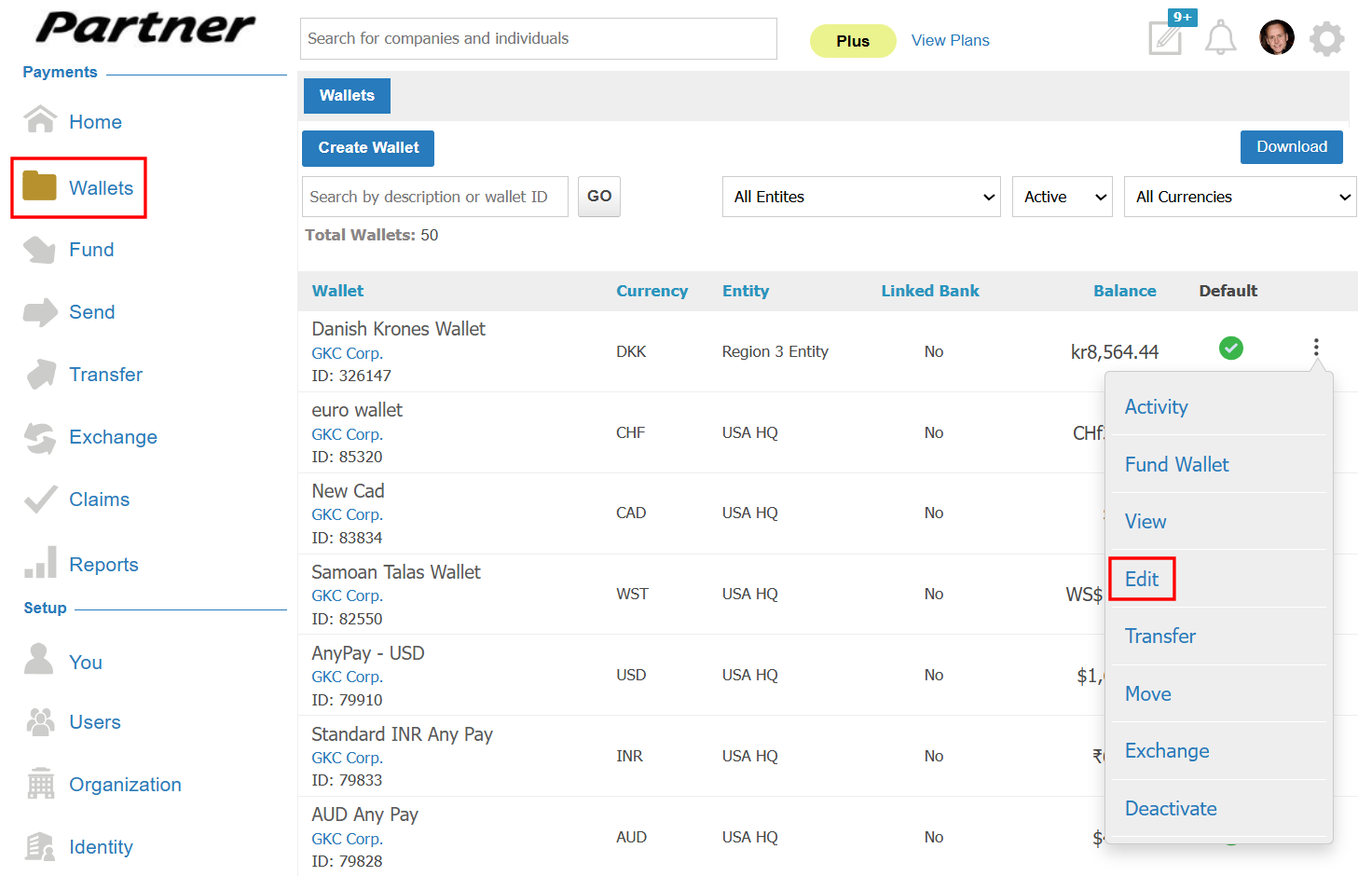
Toggle Default Funding Wallet to Yes, then click Done to save your changes.
How Inbound Funds Are Automatically Routed
When funds are received through an Inbound Bank Transfer (Wire or ACH), the funds are automatically routed to the appropriate Xtrm Wallet based on the information provided with the transaction.
Inbound Bank Transfer (Wire / ACH) → Unique Xtrm Funding Bank Account
Wallet ID Provided
- Funds are credited directly to the specified Wallet ID.
No Wallet ID Provided
- Funds are automatically credited to the default Wallet associated with the transaction currency.
- Note: Providing a Wallet ID ensures that inbound funds are allocated to the intended wallet. If no Wallet ID is provided, Xtrm will use the currency-based default wallet for allocation.
Was this article helpful?
That’s Great!
Thank you for your feedback
Sorry! We couldn't be helpful
Thank you for your feedback
Feedback sent
We appreciate your effort and will try to fix the article