Xtrm Organization IDs or company account numbers start with SPN. Individual or personal account numbers begin with PAT.
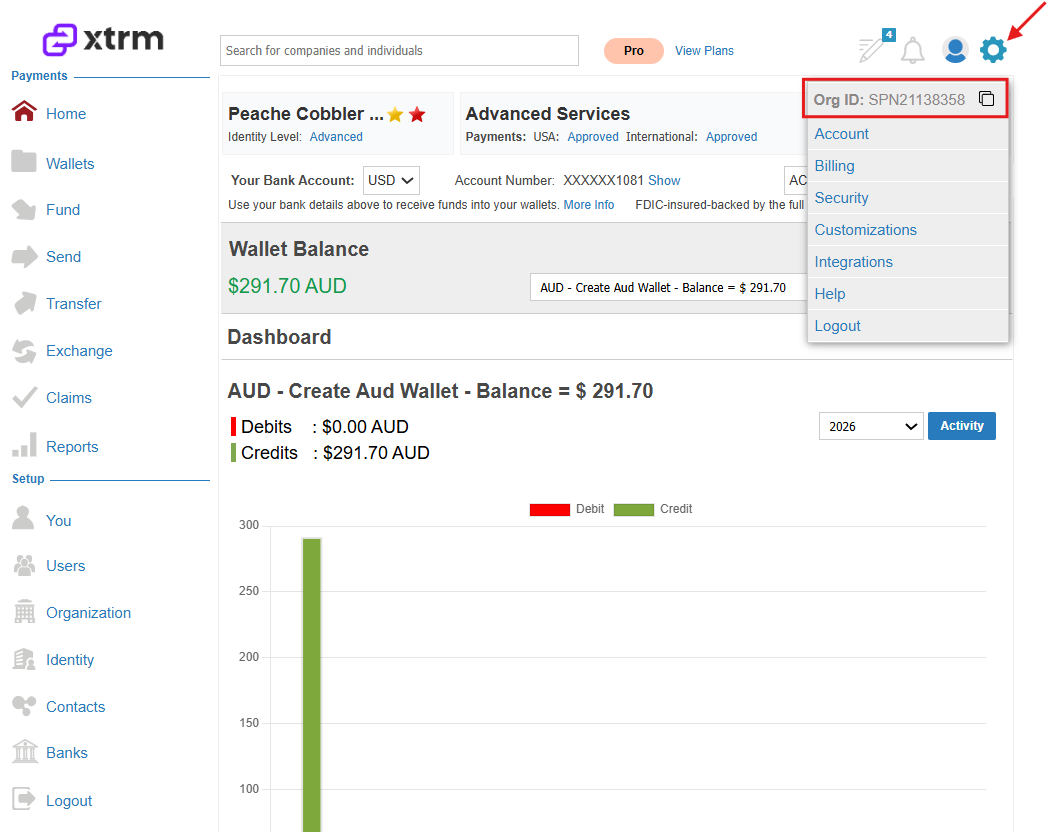
There are two places where you can locate the SPN or Organization ID:
- Click on the Settings cog, where you can click to Copy the Organization ID/SPN associated with the company account.
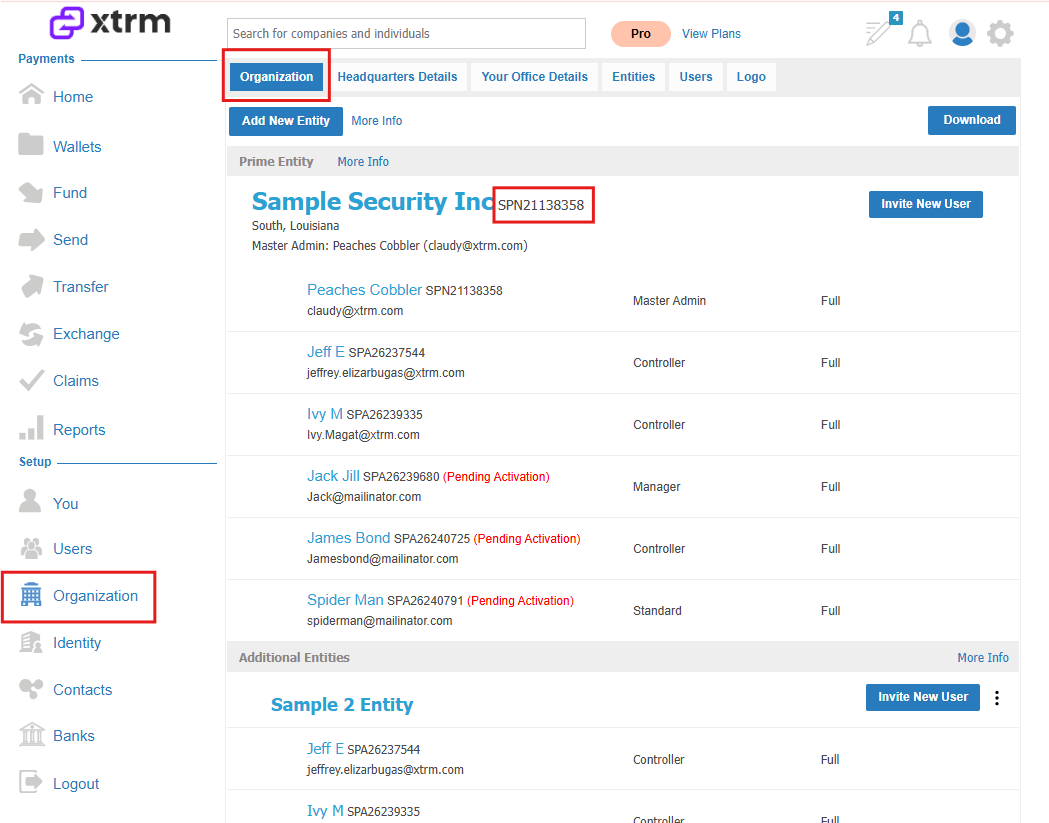
2. Alternatively, you can follow the steps below to locate the SPN under the Organization tab.
- Log in to Xtrm.com
- Click on Organization
- View your organization/company account number
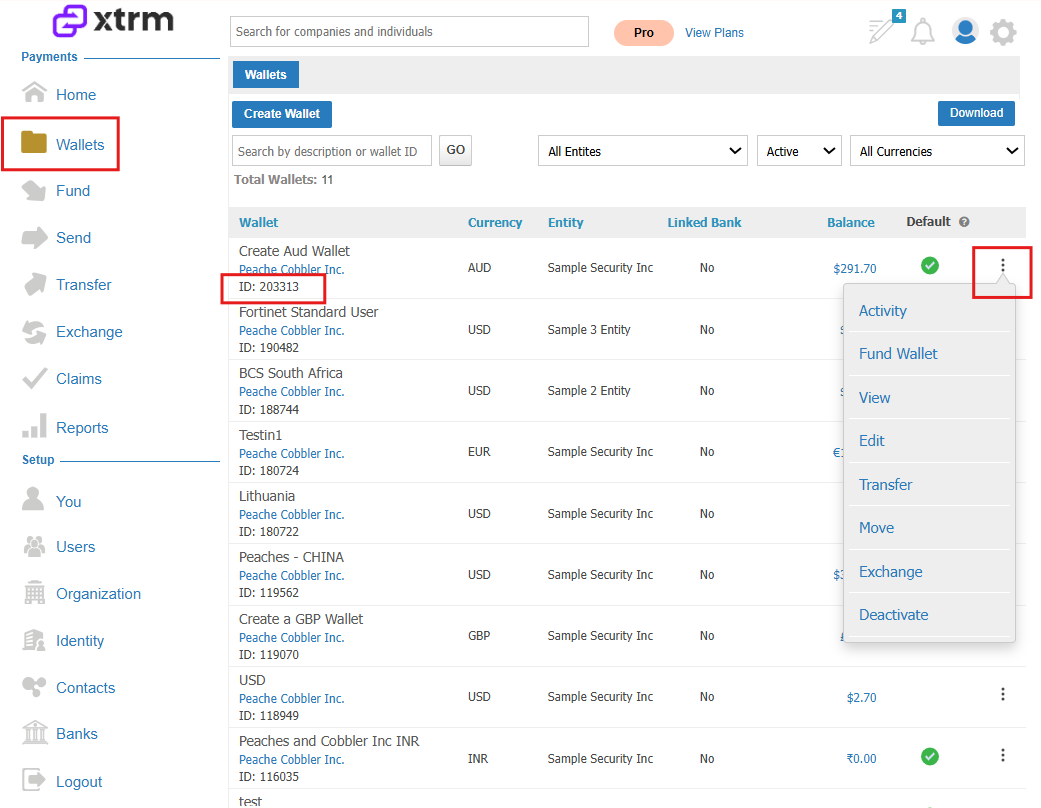
To locate your Wallet ID, click on Wallets, you will find your wallet ID numbers and access your wallet activity.
You can track every transaction in your wallet, including all debits and credits, currency exchanges, wallet funding, and wallet transfers.
Was this article helpful?
That’s Great!
Thank you for your feedback
Sorry! We couldn't be helpful
Thank you for your feedback
Feedback sent
We appreciate your effort and will try to fix the article