Overview
Transferring funds directly to another Xtrm account holder is an instant, cost-effective way to send money across the globe. Whether sending funds to family, friends, or business associates, peer-to-peer (P2P) transfers move funds immediately between digital wallets with zero processing delays.
Prerequisites Before Sending
Verified Account: Ensure your personal profile is completed to 100% to adhere to global financial transfer compliance.
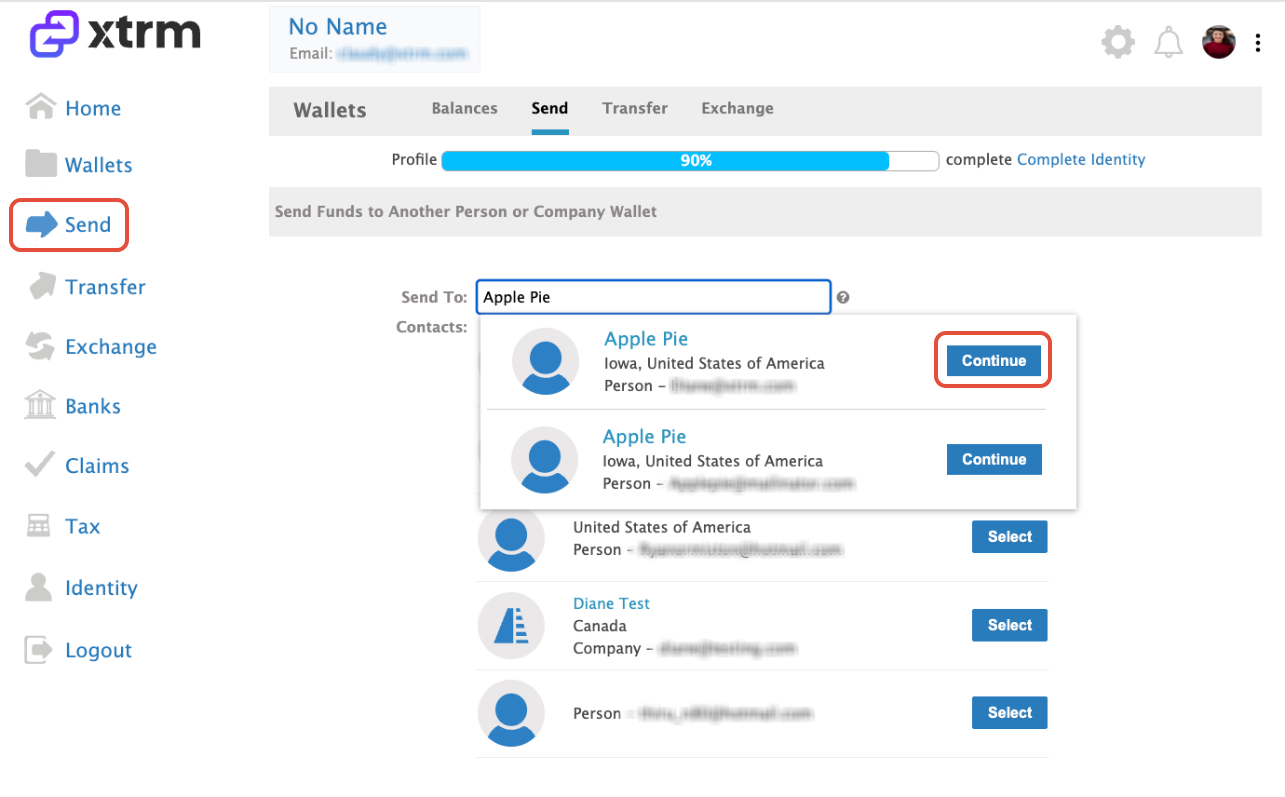
Recipient Details: You need the recipient’s registered email address, mobile number, or Xtrm Account Number.
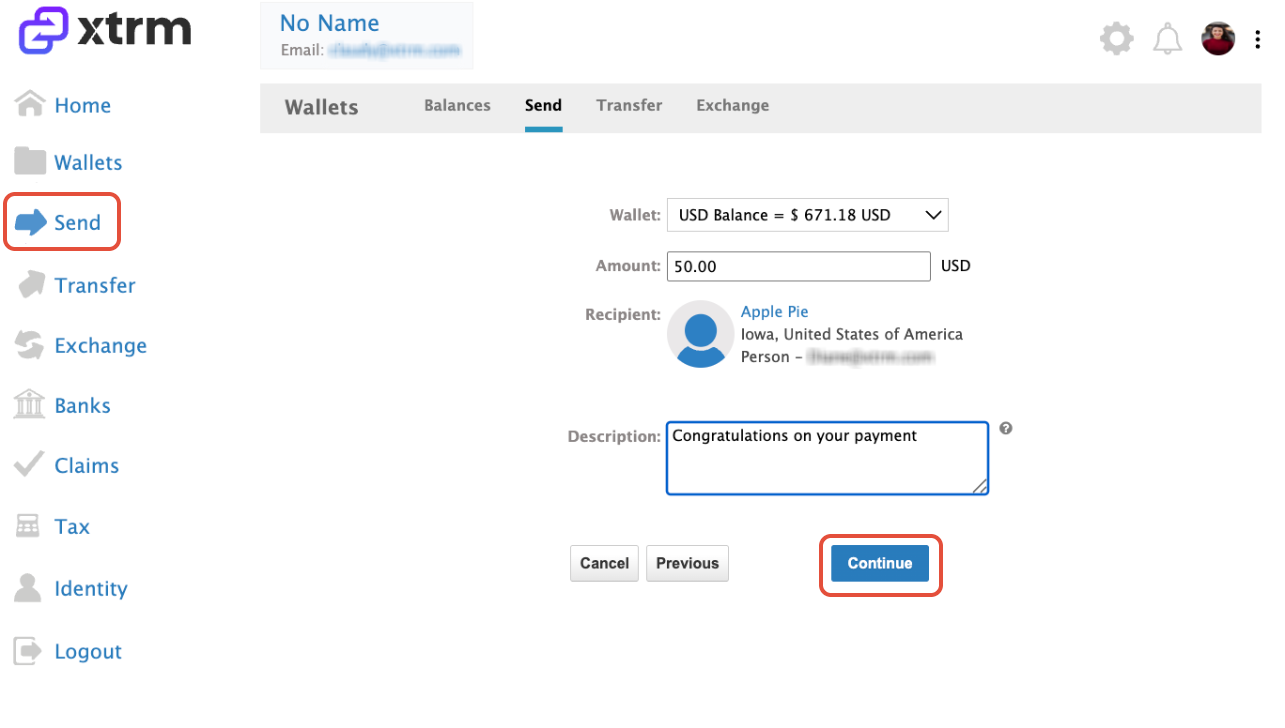
Sufficient Balance: Confirm that your source wallet balance covers the total transfer amount.
Step-by-Step Instructions
Key Things to Know
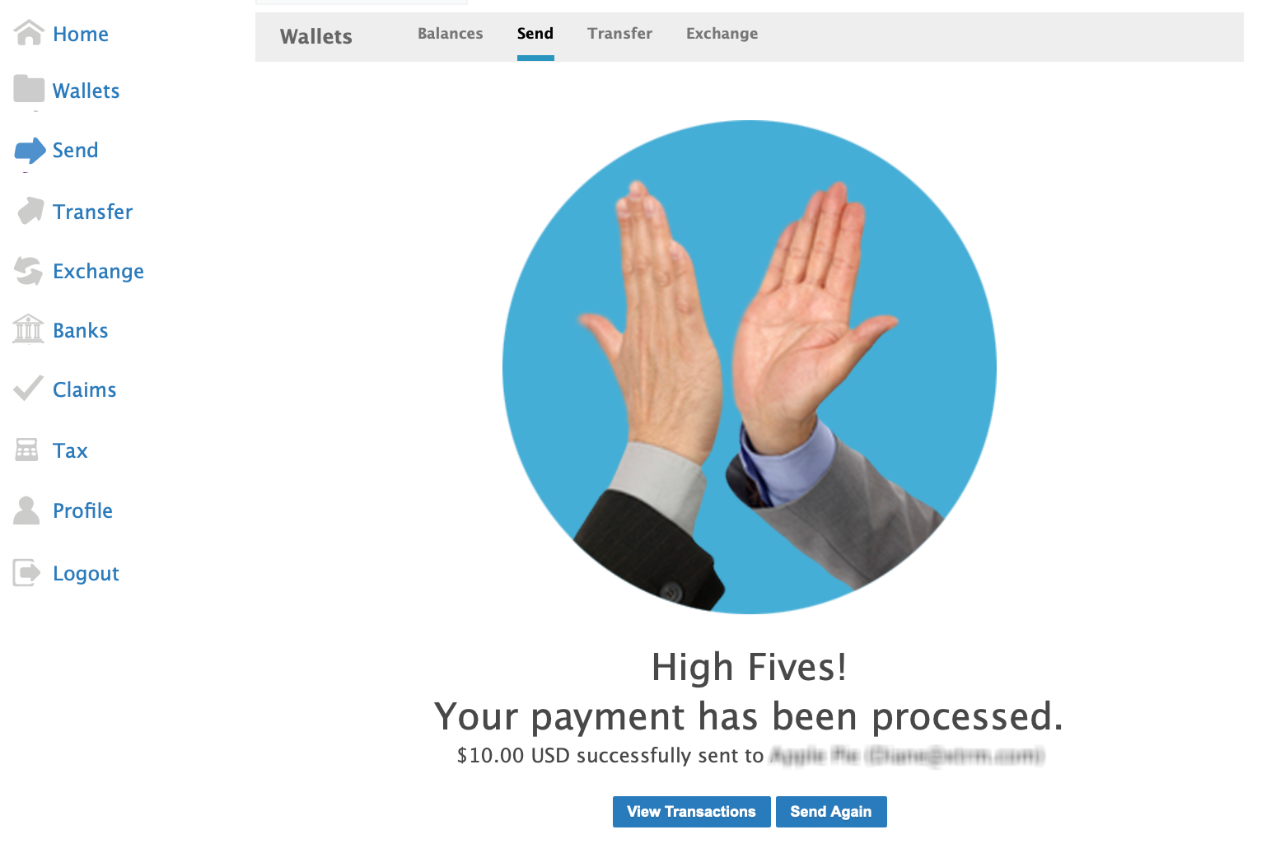
Instant Wallet Availability: Transferred funds are available in the recipient's Xtrm wallet immediately upon confirmation.
Unregistered Recipients: If you send funds to an email address that is not yet registered on Xtrm, the recipient will receive an invitation email to create a free account and claim their funds.
Currency Conversion: If you send funds from a wallet currency that differs from the recipient's default currency, standard real-time conversion rates will apply.
Was this article helpful?
That’s Great!
Thank you for your feedback
Sorry! We couldn't be helpful
Thank you for your feedback
Feedback sent
We appreciate your effort and will try to fix the article