Overview
The Currency Exchange feature allows users to Buy and Sell supported currencies in real time using live foreign exchange (FX) rates. To protect both users and the platform from market volatility, each exchange quote is locked for 1 minute, during which the user must review and accept the rate to complete the transaction. If the quote expires, a new rate must be requested.
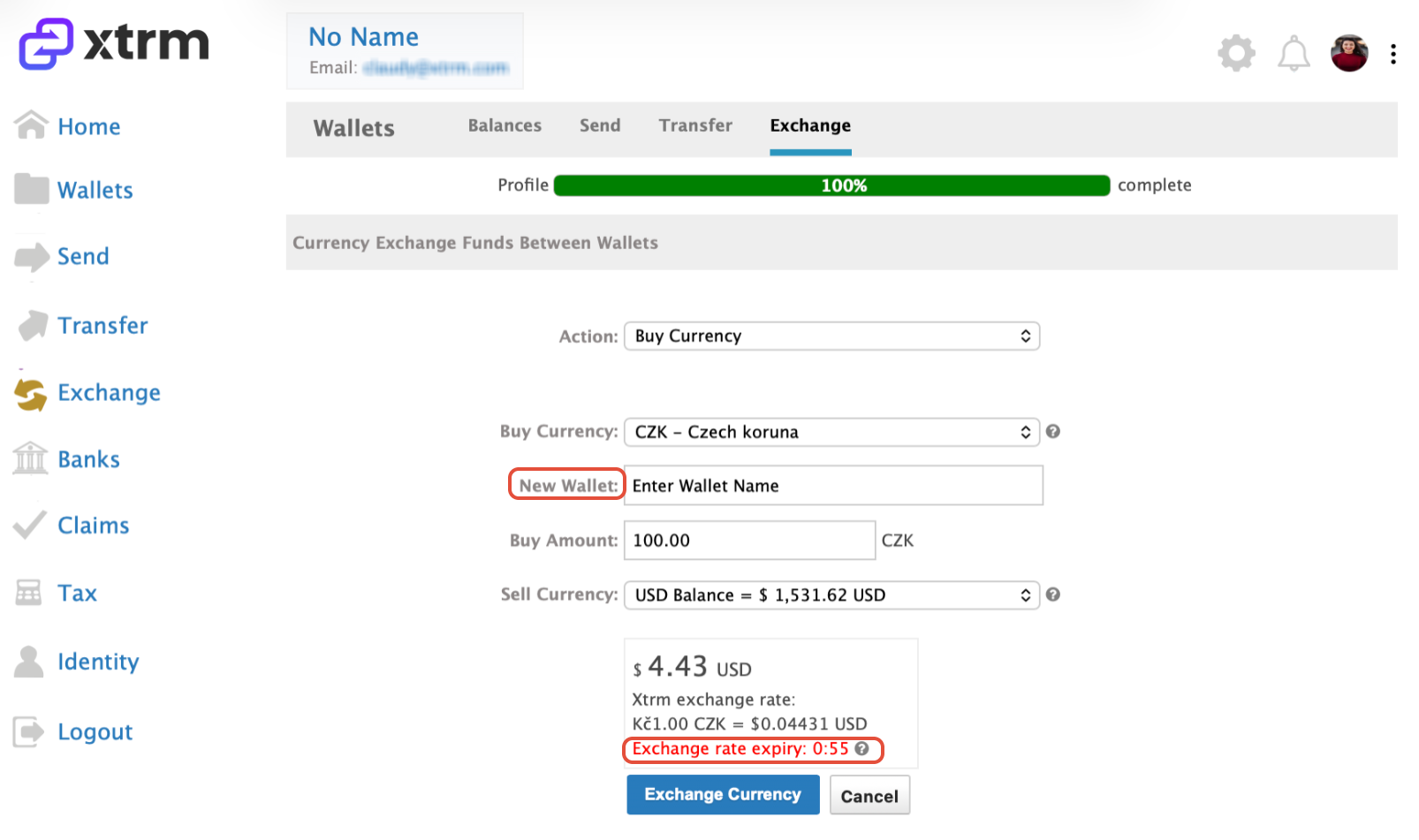
How to Buy a currency
- Click Exchange.
- Choose the Action to Buy (purchase) a currency.
- Select the appropriate Buy Currency
- If you do not have an Xtrm wallet in the selected Buy currency, you will be prompted to enter a wallet name. The appropriate wallet will be automatically created once the exchange is completed.
- Enter the amount you want to Buy
- Select the wallet where you want to Sell from.
- Review the exchange details and confirm within the 1-minute rate validity period, and proceed to click on Exchange Currency
- If the exchange rate is not accepted within 1 minute, the quote will expire and a new rate will be provided.
How to Sell a currency
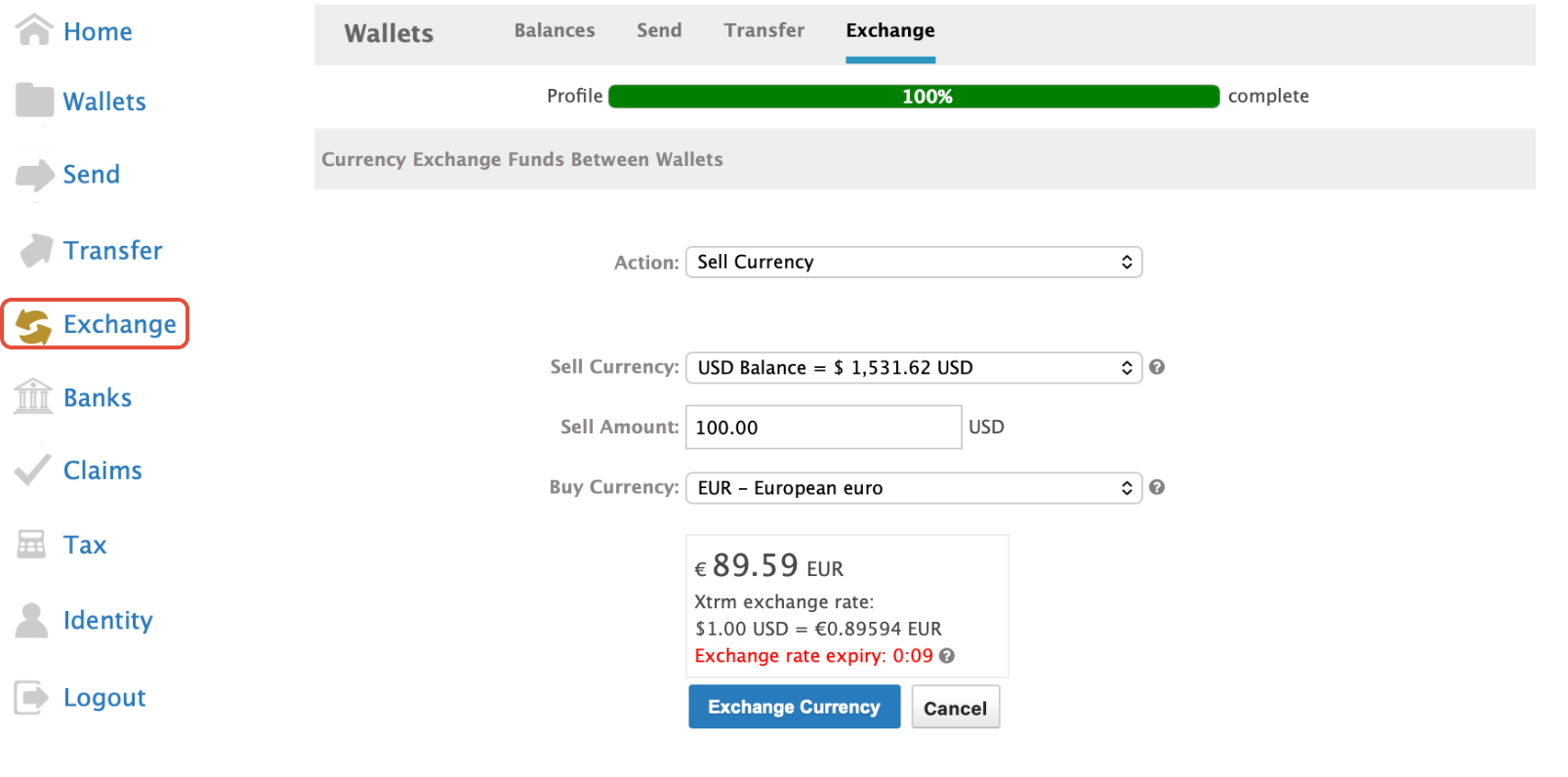
- Click Exchange.
- Choose the Action to Sell a currency.
- Select the appropriate Xtrm wallet you want to Sell from.
- Enter the amount you want to Sell
- From the Buy Currency dropdown, select the currency to Buy
- Review the exchange details and confirm within the 1-minute rate validity period.
- If the exchange rate is not accepted within 1 minute, the quote will expire and a new rate will be
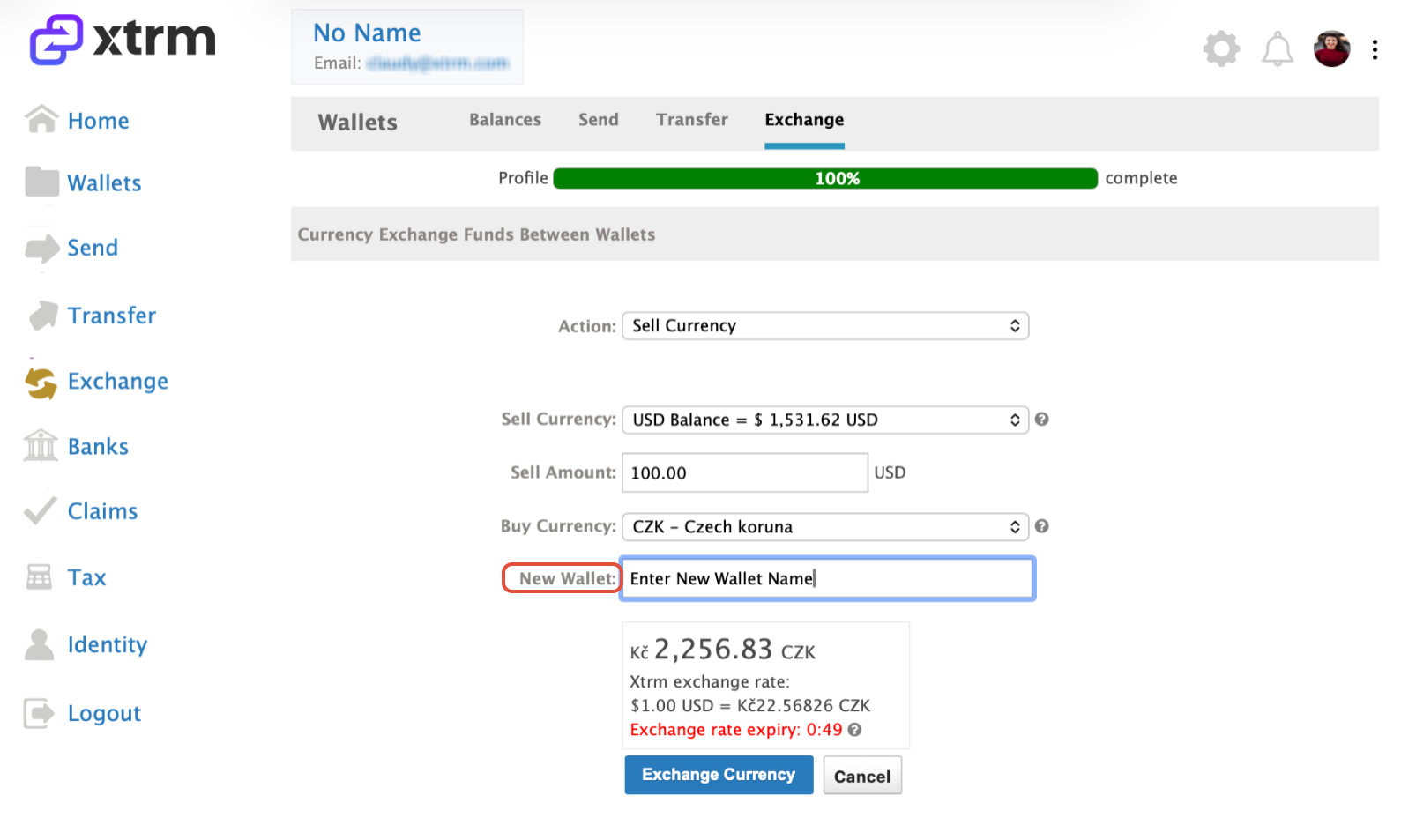
If you do not have an Xtrm wallet in the selected Buy currency, you will be prompted to enter a wallet name. The appropriate wallet will be automatically created once the exchange is completed.
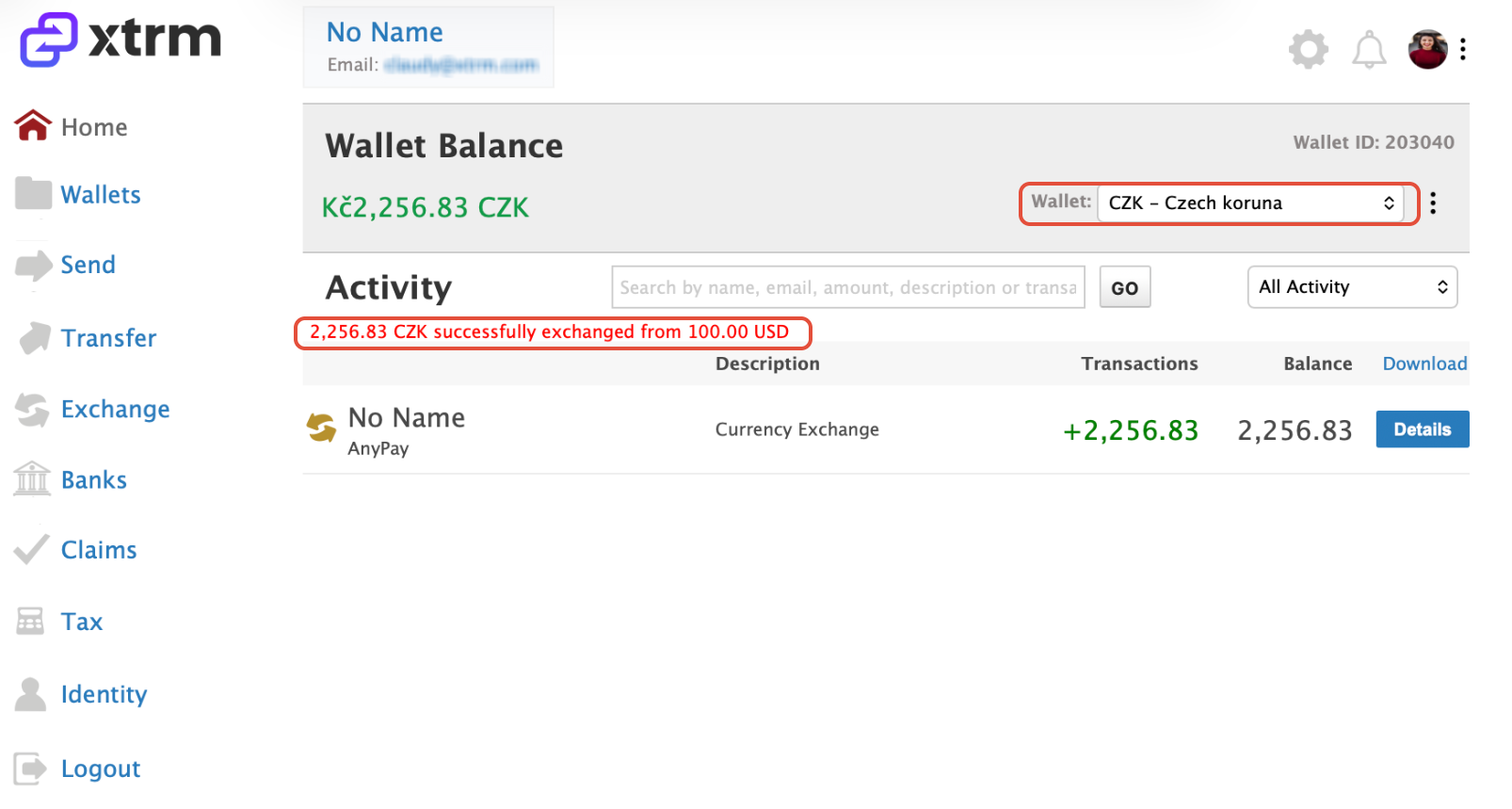
Once the exchange is complete, you will be automatically redirected to the wallet where your exchanged currency has been credited.
Was this article helpful?
That’s Great!
Thank you for your feedback
Sorry! We couldn't be helpful
Thank you for your feedback
Feedback sent
We appreciate your effort and will try to fix the article