ADDL007 — Buy and Sell Currencies Using the Exchange Feature
Last updated: October 7, 2026
The Currency Exchange feature allows users to buy and sell supported global currencies in real time using live foreign exchange (FX) rates.
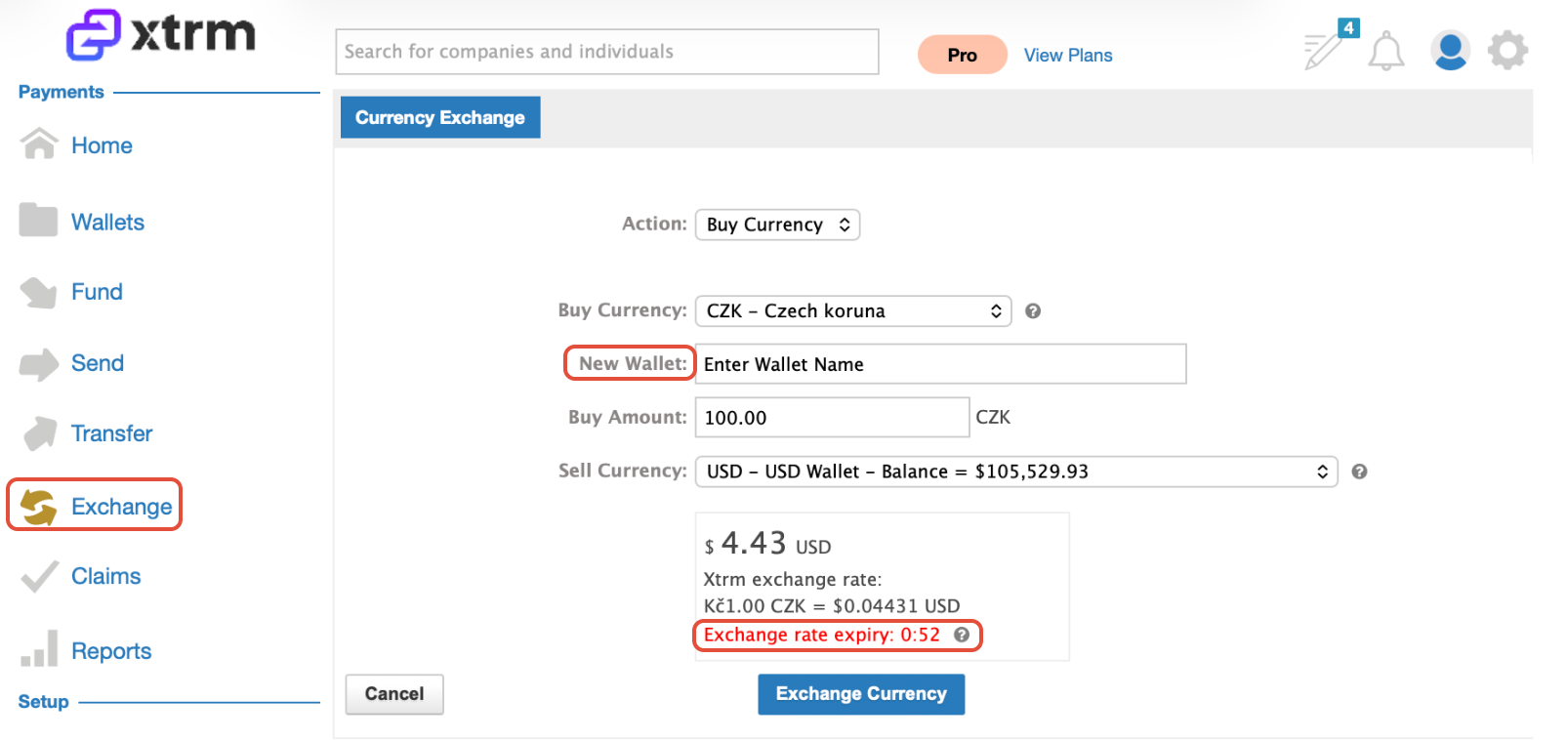
To protect users and the platform against market volatility, every exchange quote is locked for 1 minute. You must review and confirm the quote within this window to complete the transaction. If the time expires, you will need to request a refreshed rate.
How to Buy a Currency
Open Exchange: Click on Exchange in the navigation menu.
Set Action: Set the Action dropdown to Buy.
Select Target Currency: Choose the Buy Currency you wish to acquire.
Note: If you do not already have an Xtrm wallet for this currency, you will be prompted to enter a wallet name. A new wallet will automatically be generated upon completion.
Enter Amount: Enter the total amount of currency you want to buy.
Select Funding Wallet: Select the source wallet you wish to Sell funds from.
Review & Execute: Review the transaction details and live rate. Click Exchange Currency within the 1-minute validity window to finalize the order.
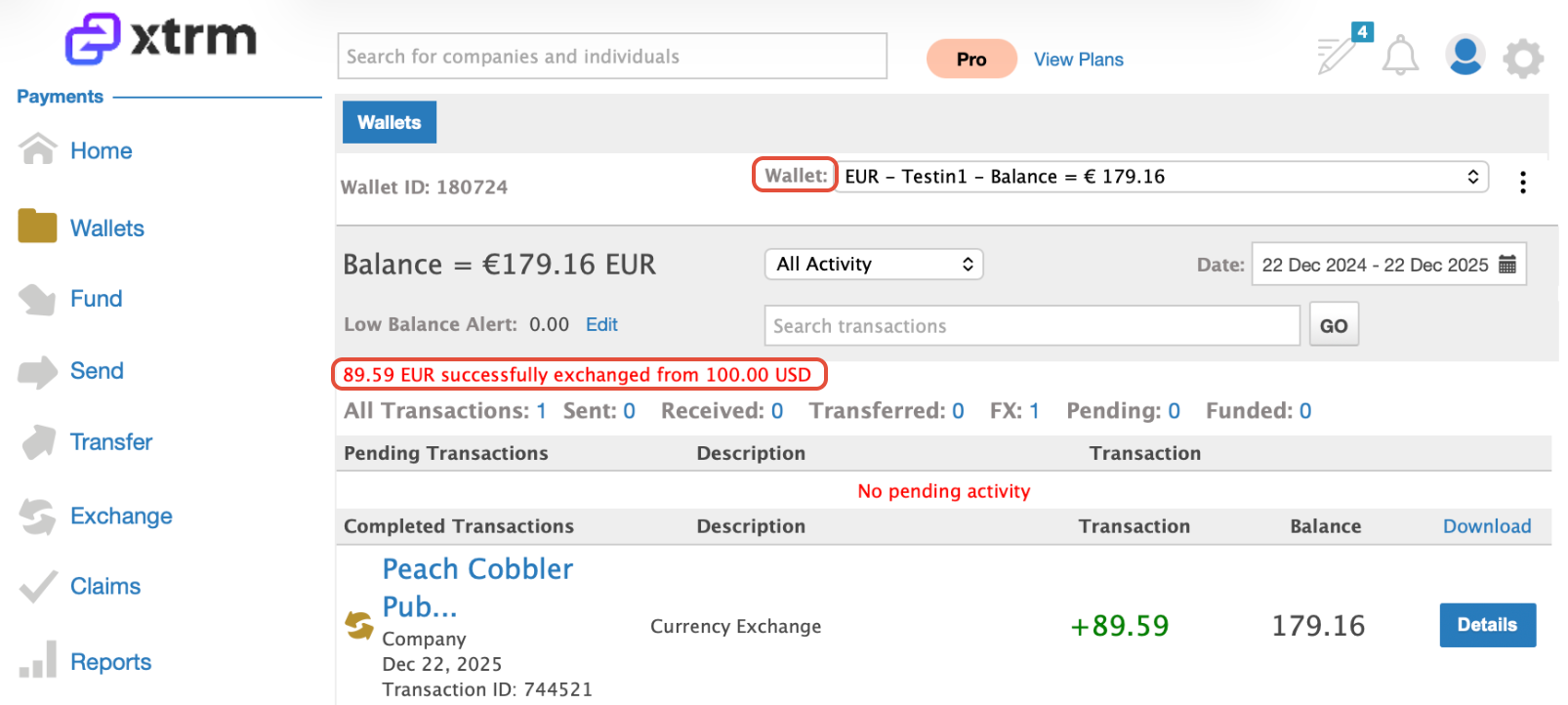
Post-Transaction: Once completed, you will be redirected automatically to the wallet credited with your new currency.
How to Sell a Currency
Open Exchange:Click on Exchange in the navigation menu.
Set Action: Set the Action dropdown to Sell.
Select Source Wallet: Choose the Xtrm wallet you wish to Sell funds from.
Enter Amount: Enter the total amount of currency you want to sell.
Select Destination Currency:From the Buy Currency dropdown, select the target currency you wish to receive.
Review & Execute: Review the rate details and confirm within the 1-minute rate validity window to complete the trade.

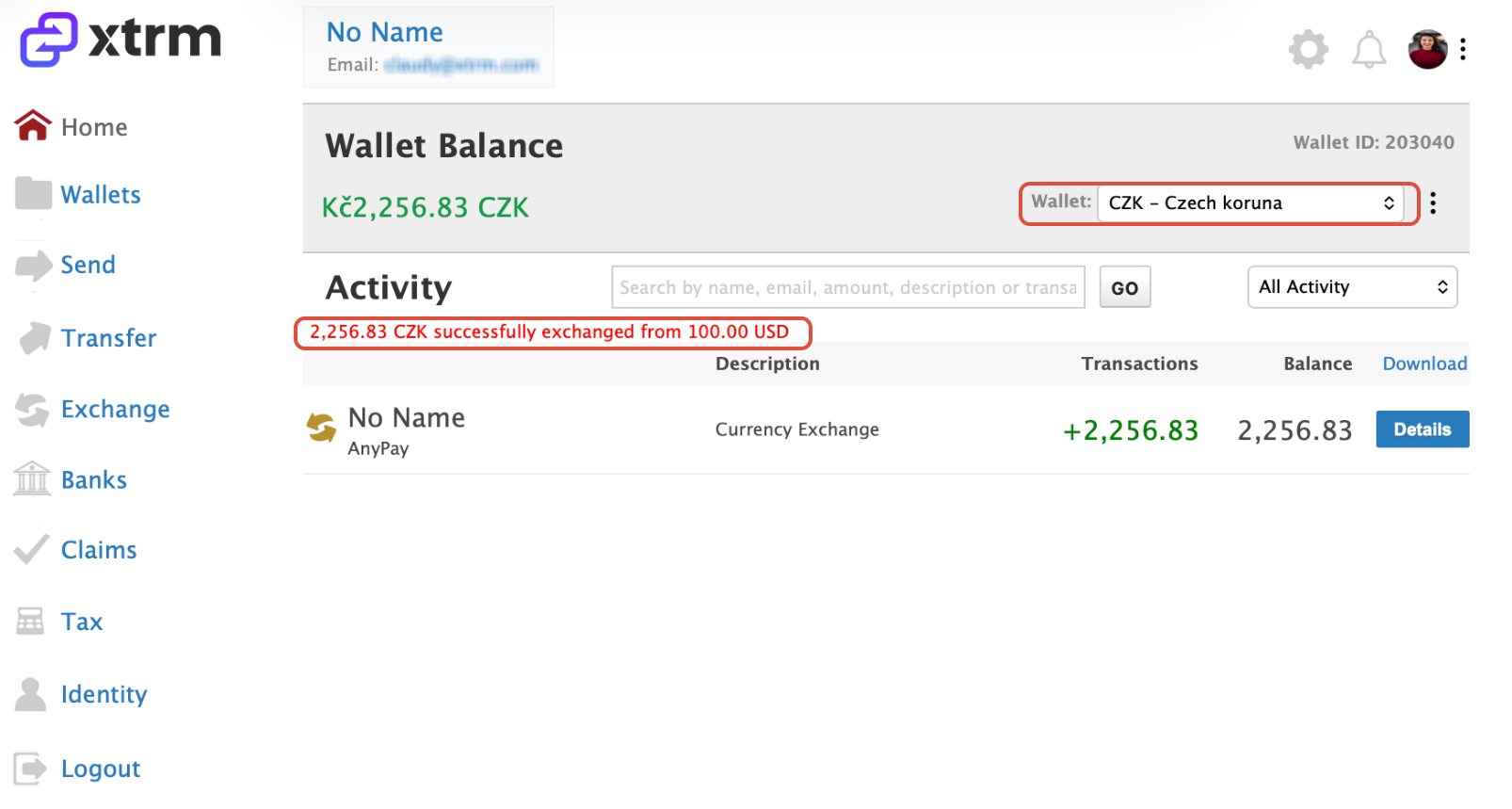
Post-Transaction: Once completed, you will be redirected automatically to the wallet credited with your acquired currency.
Important Things to Remember
1-Minute Rate Guarantee: Rates refresh after 60 seconds to reflect real-time market fluctuations.
Auto-Wallet Creation: You don't need to manually set up a new currency wallet beforehand; You can create one during the Sell and Buy flow
Currency Corridor Limitations: Some currency pairs may be unavailable due to FX provider restrictions.