ADDL002 — Standard Company Reports Overview
Last updated: August 26, 2026
Xtrm provides comprehensive, downloadable reports to help companies monitor transaction volume, balance reconciliations, payee payouts, and tax data across all active wallets.
Customizable Reporting Options
Each report can be tailored to your specific needs using dropdown menus. You can customize reports by selecting the following options:
Account Type (e.g., This Account, Beneficiary Company Accounts, Connected Company Accounts)
Payment Method
Programs
Wallets
Once you’ve customized your report, you can download it in raw data format, providing you with a detailed view of your transactions.
Report Examples
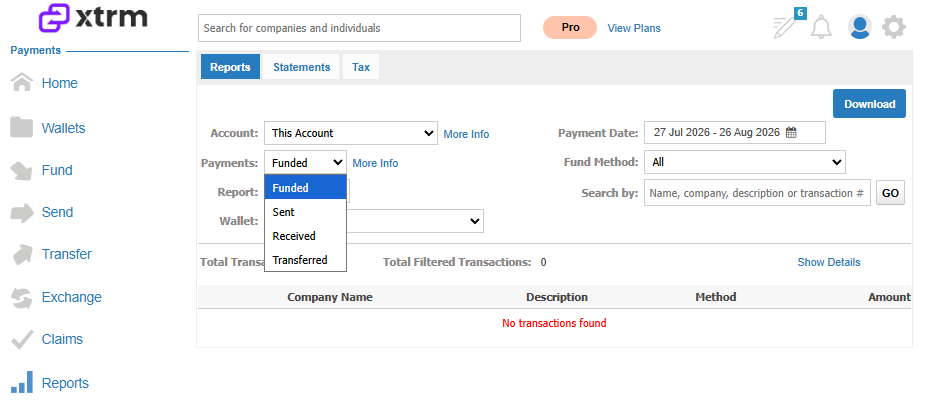
1. Transaction Types
You can run reports for different types of transactions such as:
Funding
Sends
Received
Transfer transactions
This flexibility allows you to track and monitor specific types of activity in your account.
2. Sent and Received Payments
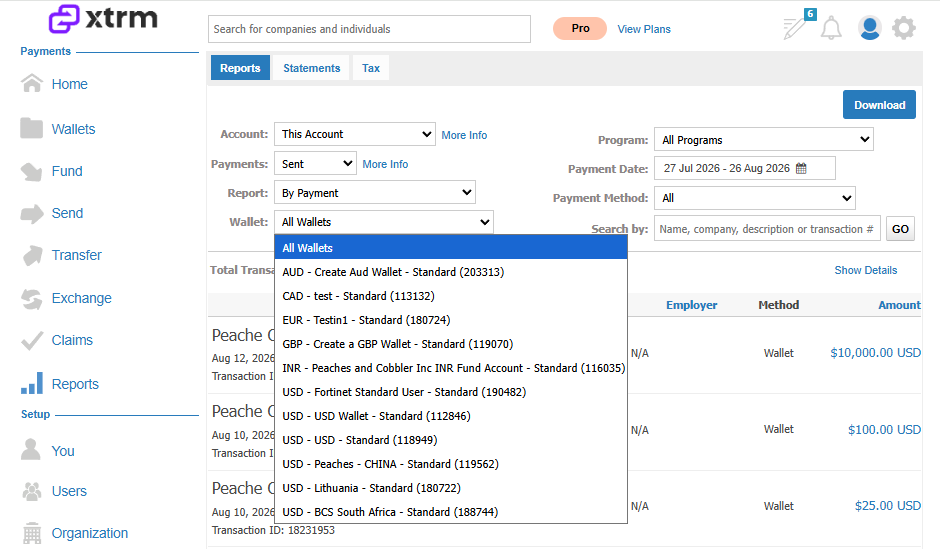
You can generate reports on payments categorized under:
Sent Payments
Received Payments
Reports can be filtered by Wallet ID, giving you a more detailed view of payments linked to specific wallets.
3. Payments to Contacts or Connected Company Accounts
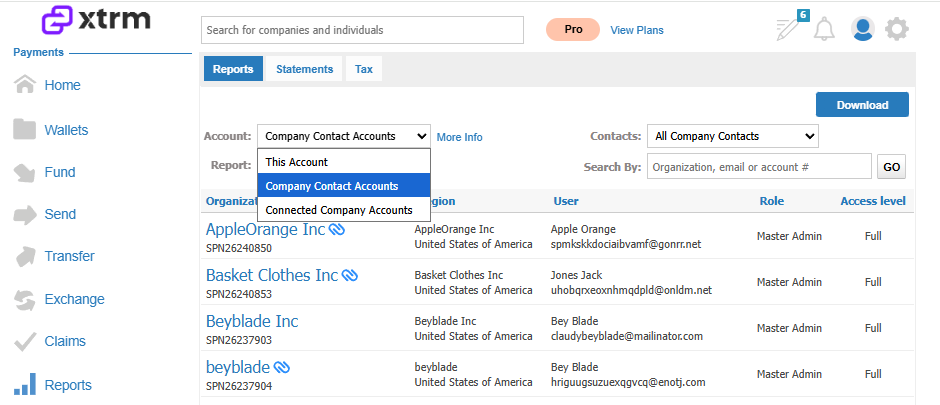
Reports can also be run for payments sent to:
Your Contacts
Connected Company Accounts
This feature enables you to track payments made to specific entities within your contacts.
When you download a report, you will receive additional details that display comprehensive transaction data (CSV). This data can be imported into other systems for further analysis or record-keeping.