CONMANAGER005 — Submit Connected Company Mass Payment File
Last updated: September 22, 2026
This feature allows managers to submit a mass payment file on behalf of a connected company (customer).
Steps:
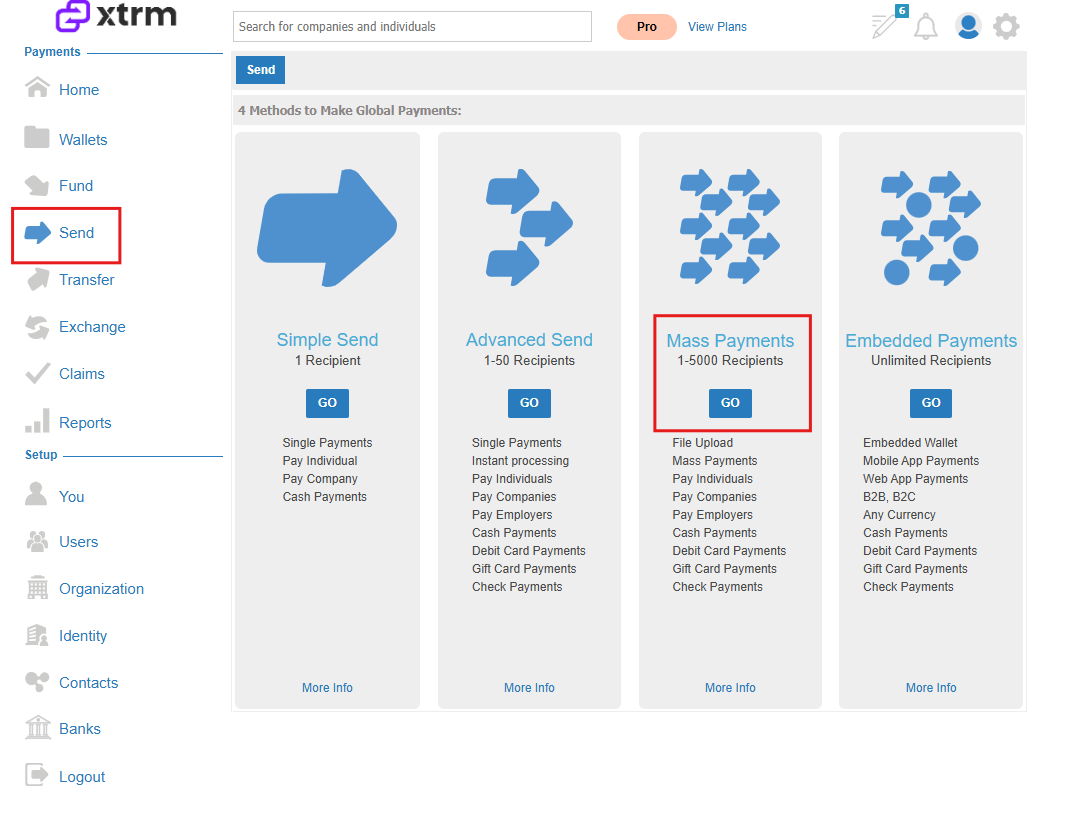
1. Navigate to Mass Payments
Go to the left-hand menu and select Send, then Mass Payments.
2. Download & Complete Submission Template
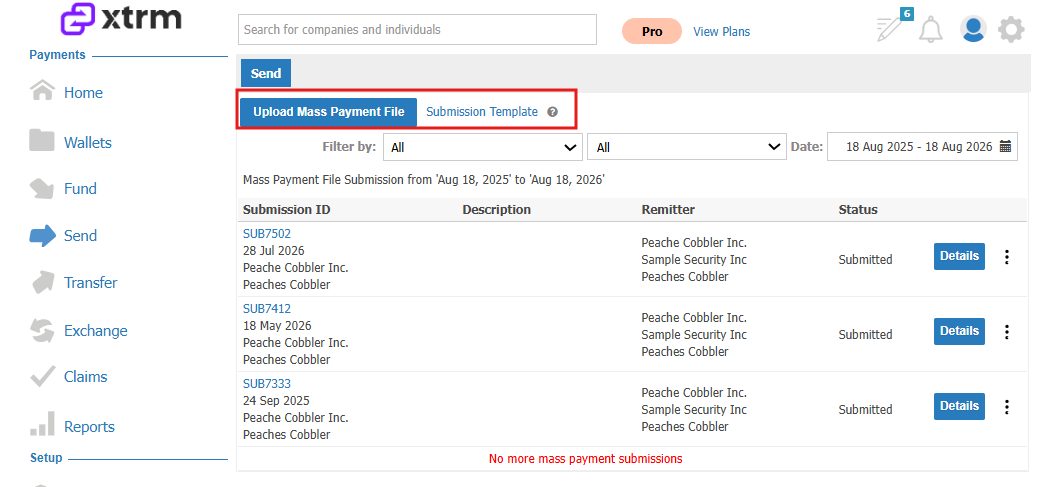
Click on Submission Template to download the Excel spreadsheet from Google Docs.
Fill out the template with the required information:
Individuals: Full Name, Email, Payment Method, Amount, Currency.
Companies: Full Contact Name, Contact Email, Payment Method, Company Name, Amount, Currency, Wallet ID (highly recommended).
3. Select Connected Company
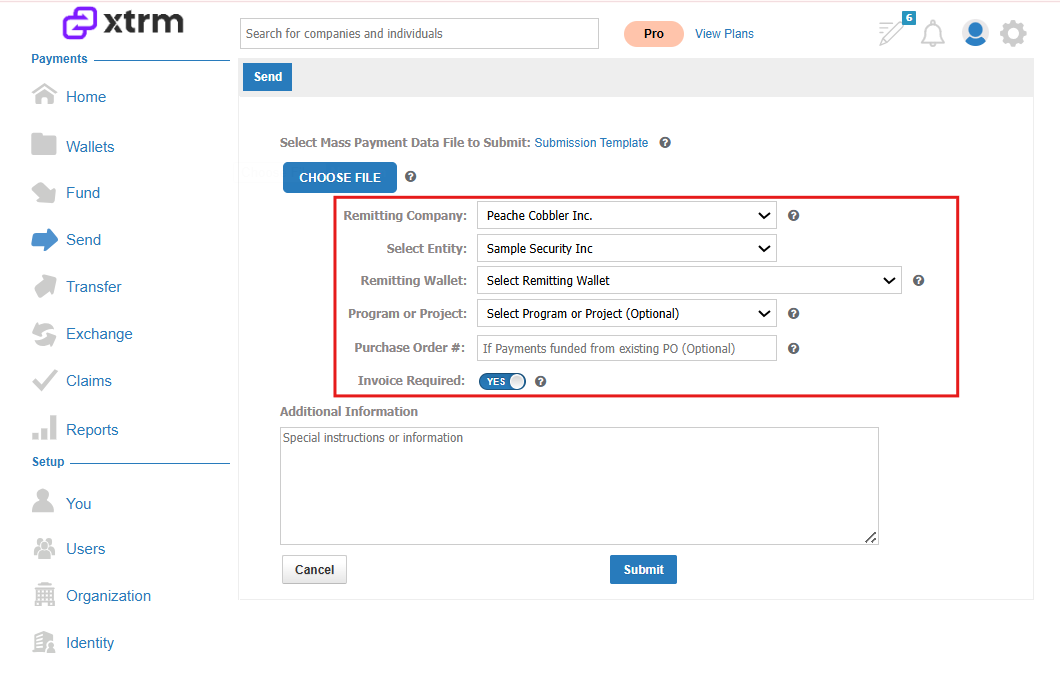
Choose the connected company (customer) from the drop-down list.
4. Select Source Wallet
Choose the source wallet from which the payments will be drawn.
5. Upload & Submit
Upload the completed mass payment file.
Click Submit. Payments will be processed within 48 hours if the wallet has sufficient funds; otherwise, an invoice will be issued.
6. Track Status
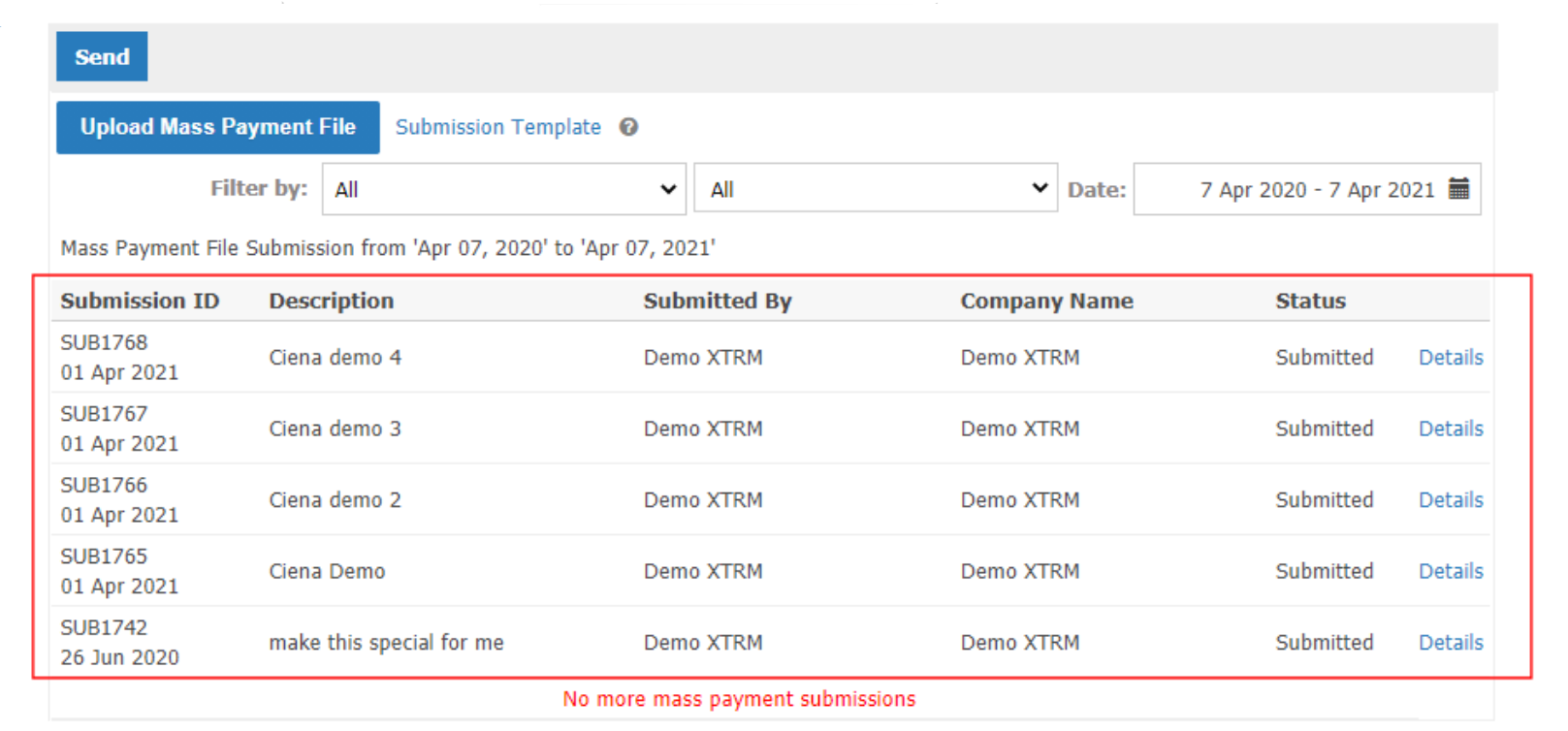
Mass payment submissions do not appear in the wallet's Pending table during pre-processing.
To track and verify your submission:
Go to Send > Mass Payments.
Open the submission by clicking on the Batch ID.
In the Details view, verify that the Source Wallet field shows the correct wallet ID.
Review the status. It will move to Queued for Processing once validation and funding are confirmed.
If the wallet has insufficient funds, the status will switch to Invoice and funding instructions will be sent.