CONMANAGER004 — How to Edit Connected Individual’s Employer
Last updated: October 14, 2026
Why this matters
The employer on a connected individual's profile links that person to the correct company in Xtrm. Keeping it accurate ensures the individual is associated with the right organization for payments, reporting, and account records.
You may need to update an individual's employer when:
The individual has moved to a different company.
The individual was linked to the wrong company when their account was set up.
The company's name or account has changed and the individual's record needs to reflect it.
How to edit a connected individual's employer
1. Search for the person under your Contacts
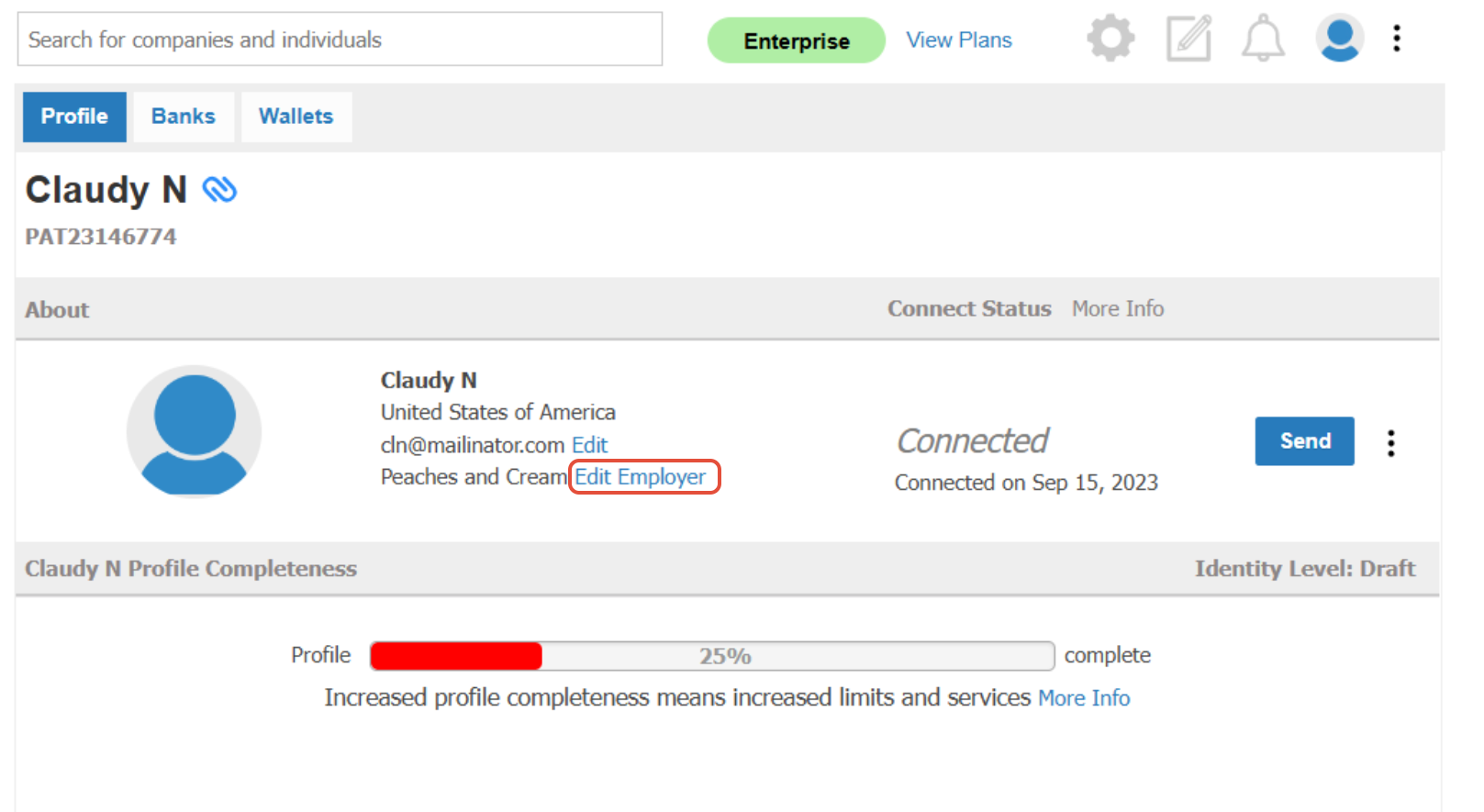
2. Click Edit Employer next to the company name
3. Search for the correct employer name and click Select to save the changes.
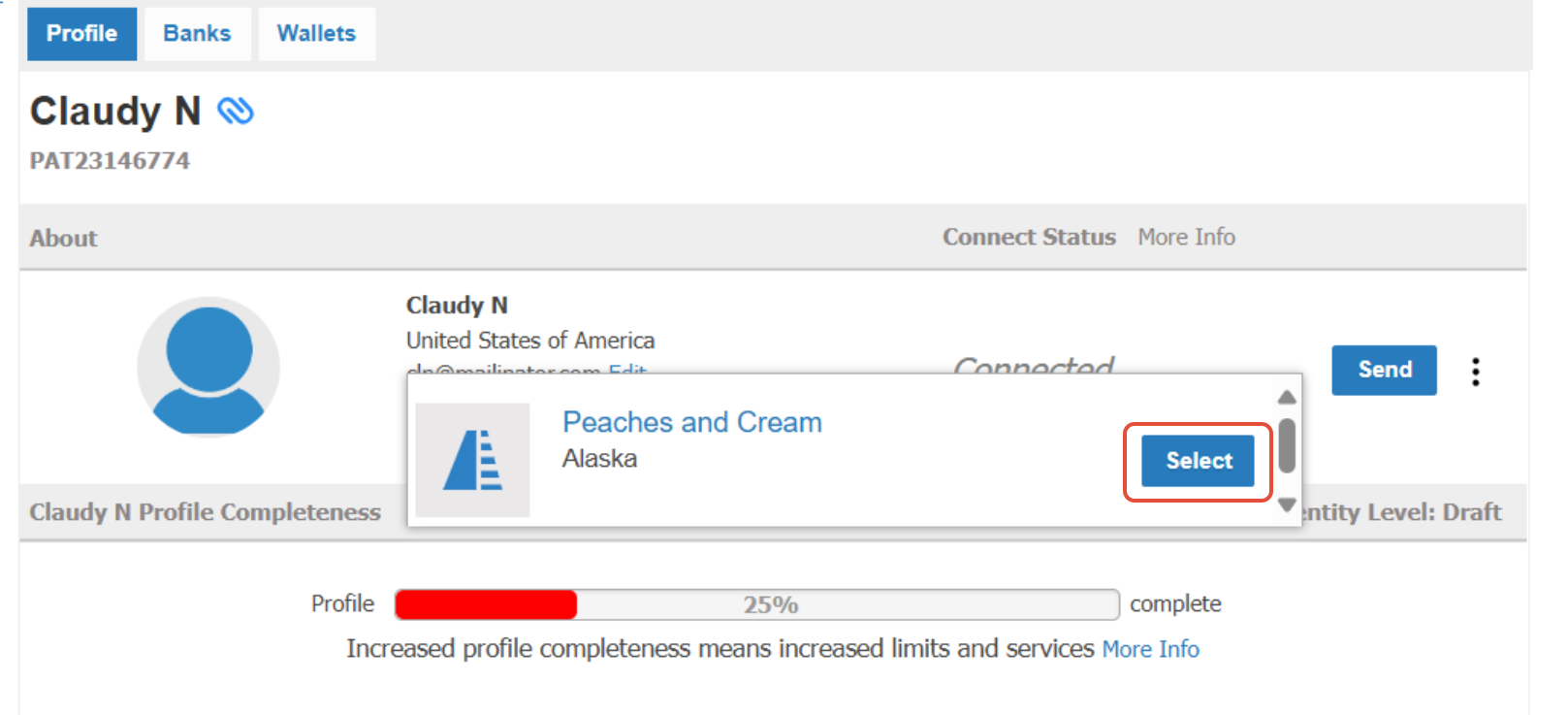
Once you click Select, the individual's profile will show the updated employer.