USER006 — Personal Accounts: How to Check Your Account Balance and Payments
Last updated: August 18, 2026
Overview
This article provides instructions for personal account holders on how to view wallet balances, manage multi-currency wallets, and track incoming or outgoing payment activity within the Xtrm platform.
1. Viewing Your Wallet Balance
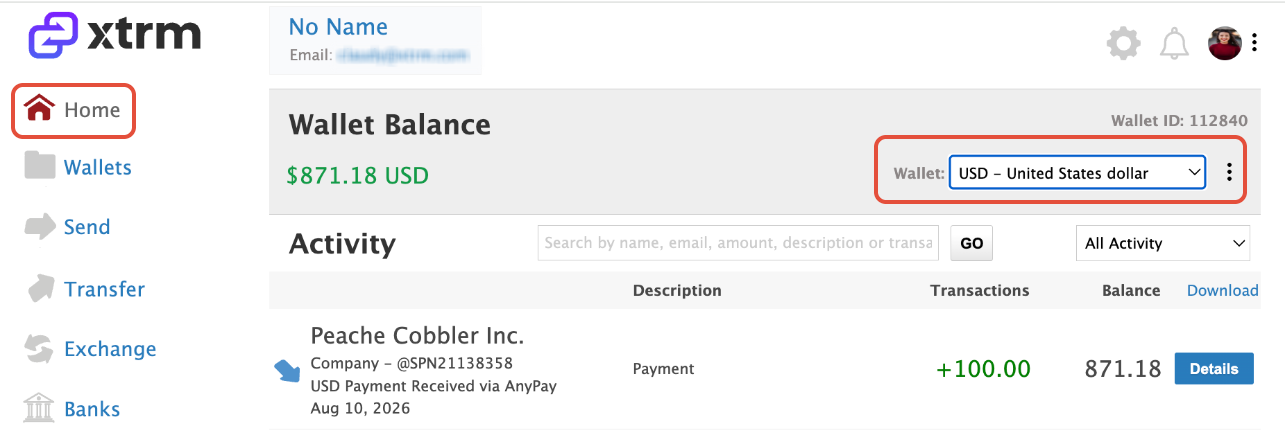
Home Page Dashboard: When you log in to your account, your current wallet balance is displayed on the main Home page.
Multi-Currency Wallets: If you maintain wallets in multiple currencies, click or select the currency drop-down menu on the Home page to switch between currency wallets and view each specific balance.
2. Checking Payment Activity & Transaction Details
To review your recent transactions or inspect specific payments received:
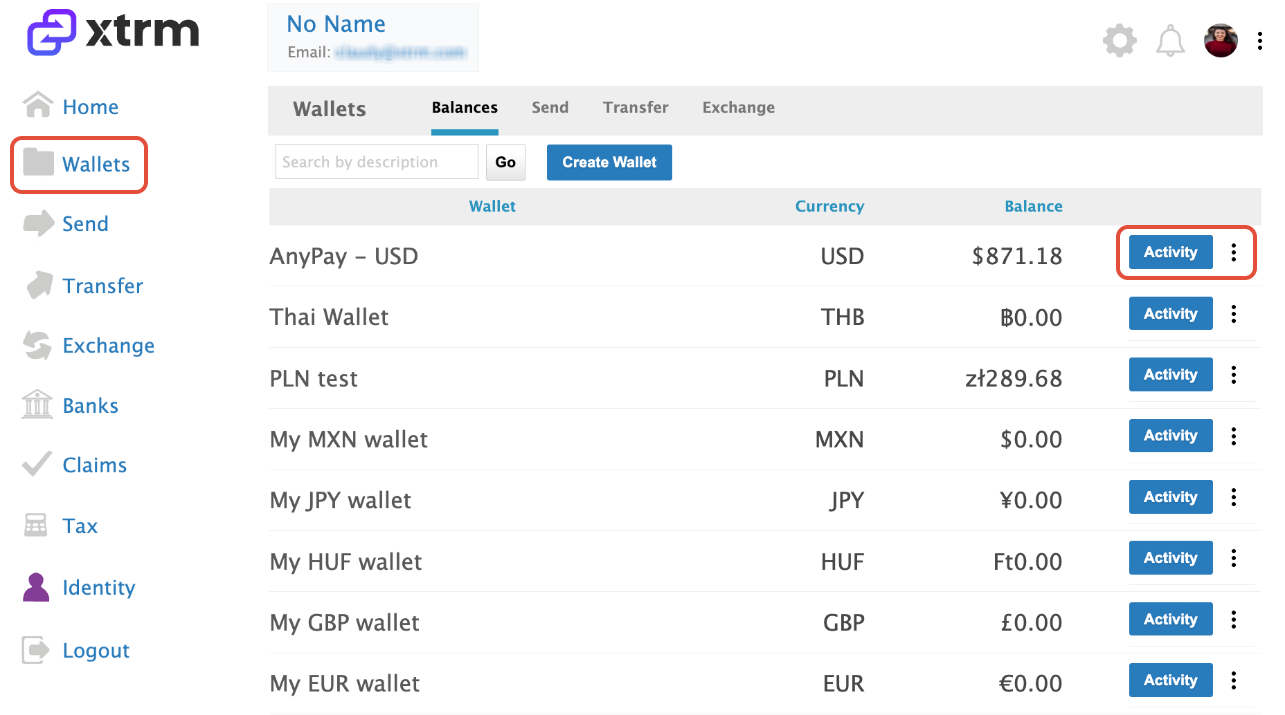
Access Activity: Click on Activity in the navigation menu to display your complete transaction history.
2. Locate Transfer Entry: Find the specific payment entry you want to review within your transaction history list.
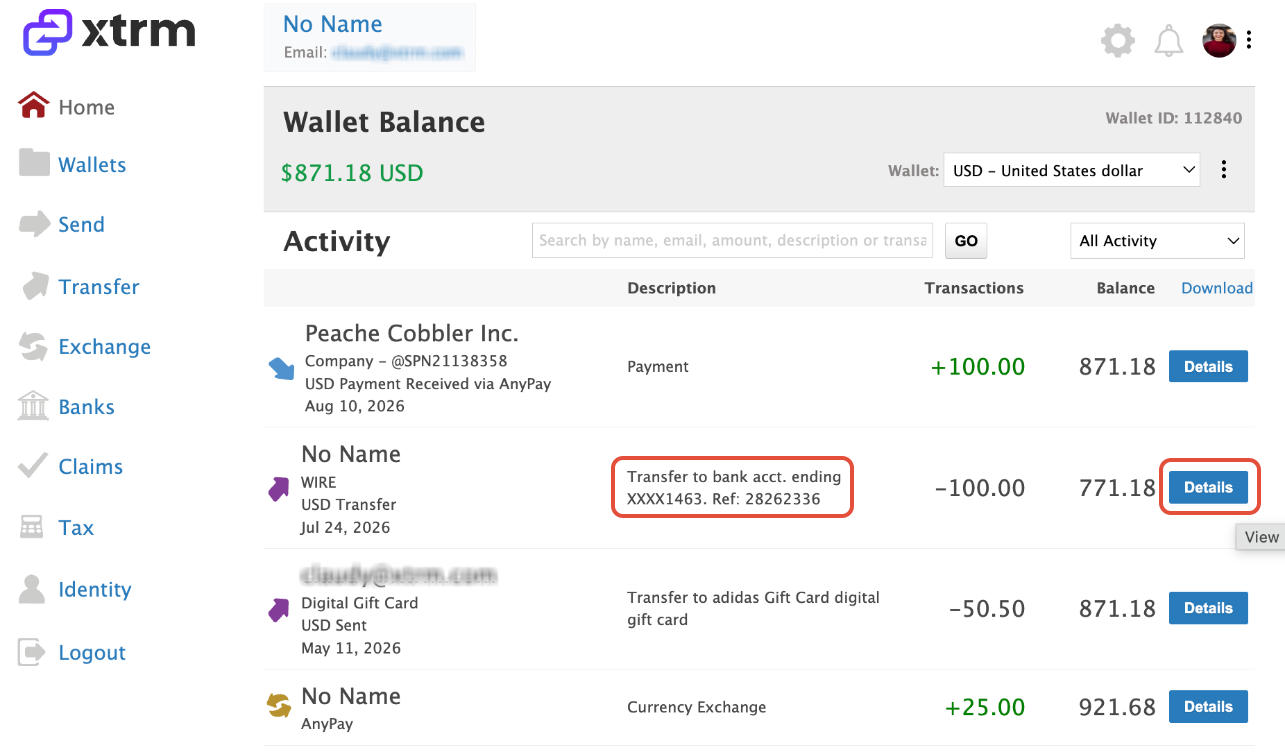
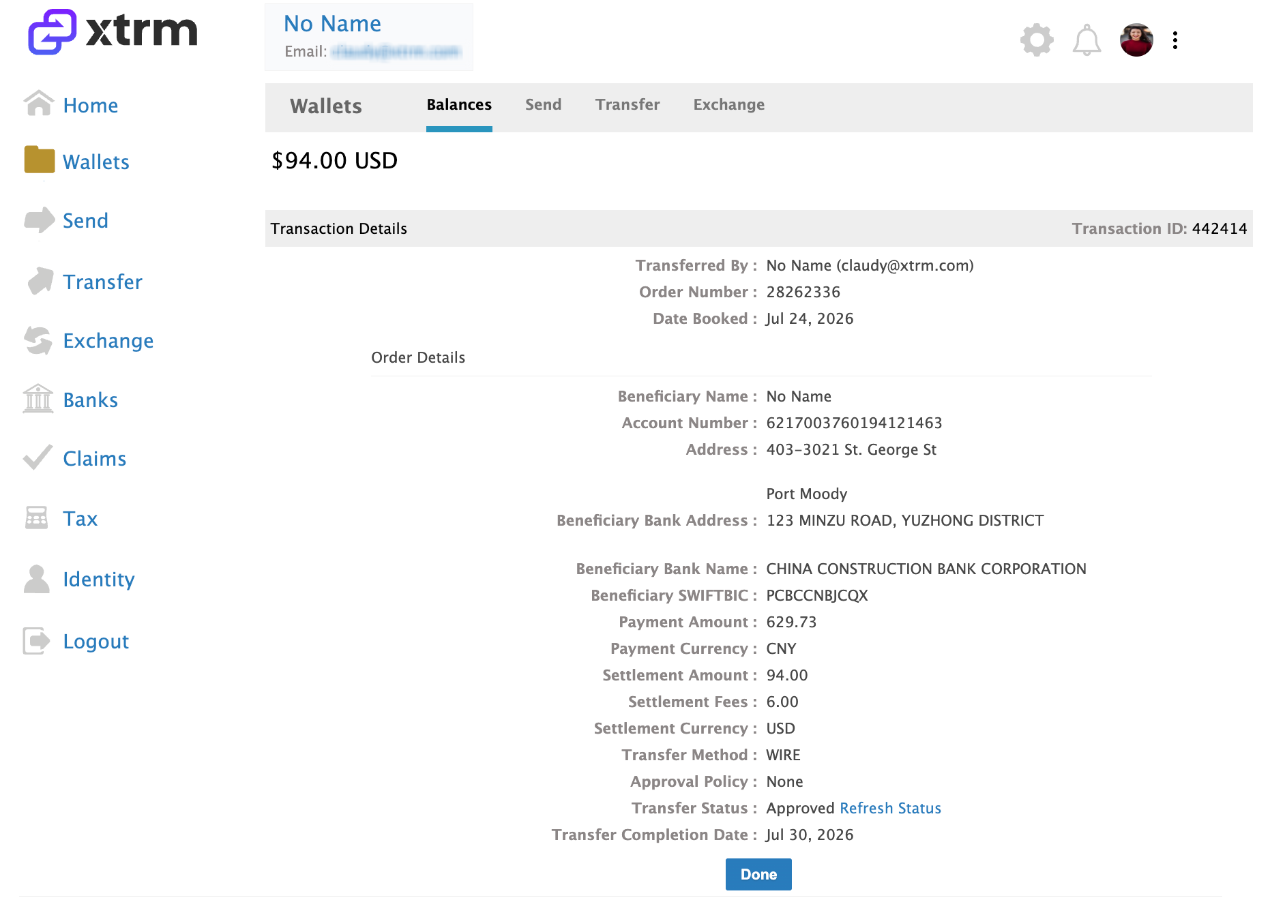
3. View Full Details: Click on Details next to that payment to expand the view and inspect full transaction information (e.g., sender, status, payment description, date, and fees).