ADDL003 — Company Beneficiary Management
Last updated: August 26, 2026
When making payouts to companies and individuals (such as downstream customers or partners), they are automatically added to your Contacts list. You can also actively search, add, and create new contacts even if they do not yet have an Xtrm account.
Managing Your Beneficiaries (e.g., customers or partners)
As you payout to companies and individuals, they are automatically added to your Contacts list. You can also search, add and create new Contacts that do not have an Xtrm account. However, we do recommend they register at www.xtrm.com to ensure the most accurate and up-to-date data.
To add new company Contacts (downstream customers or partners) simply search for their company name. If you find them, click on the Add button. If they do not exist, click the Add New Company Contact button to add them. You will be directed to a screen to complete their company details.
Since you created the account, they will also be Connected
How to Add a Company Beneficiary
Search: Search for the company name within your contacts/payout interface.
If the company exists, click Add.
If the company does not exist, click Add New Company Contact.
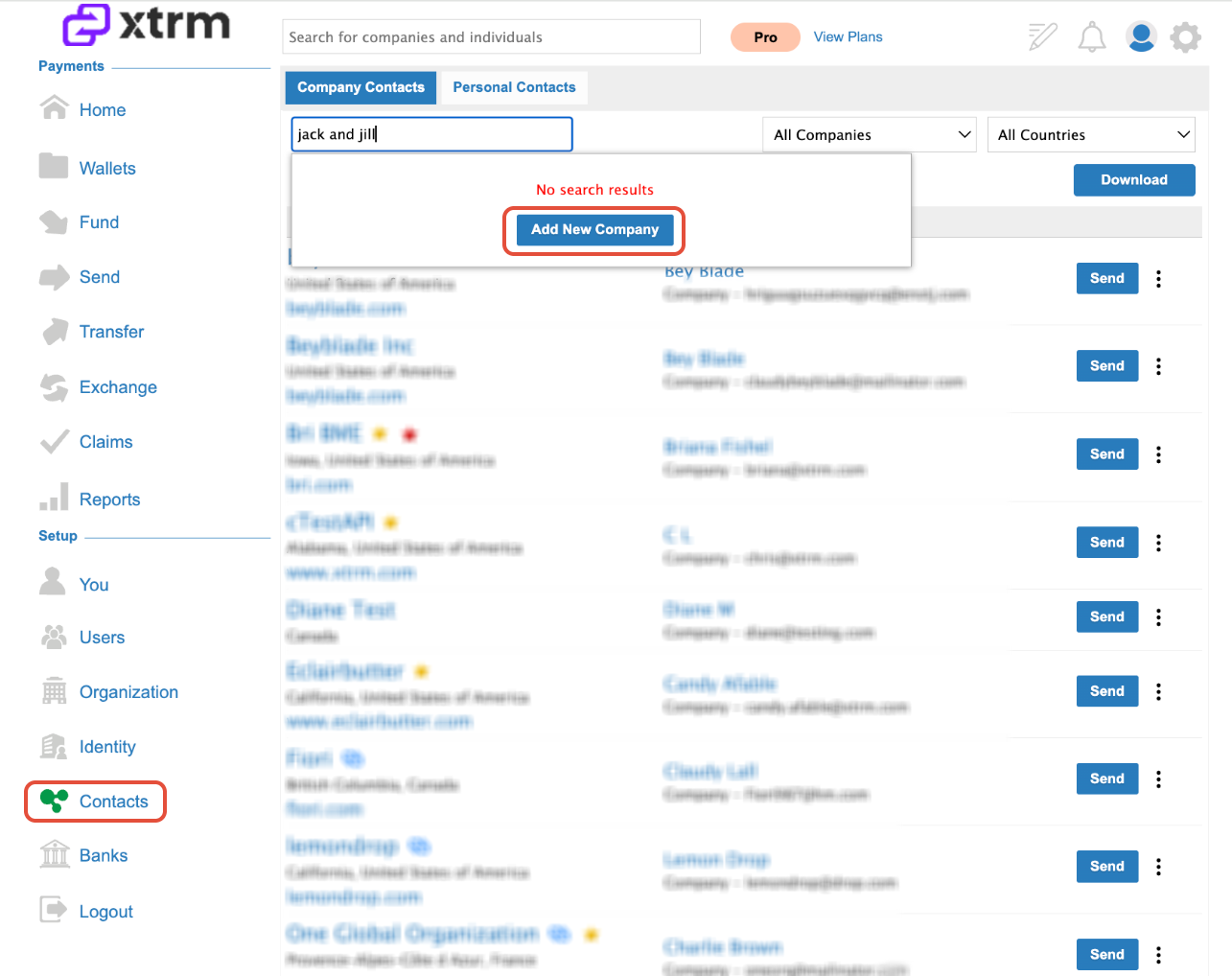
2. Complete Details: Fill out the required company details page.
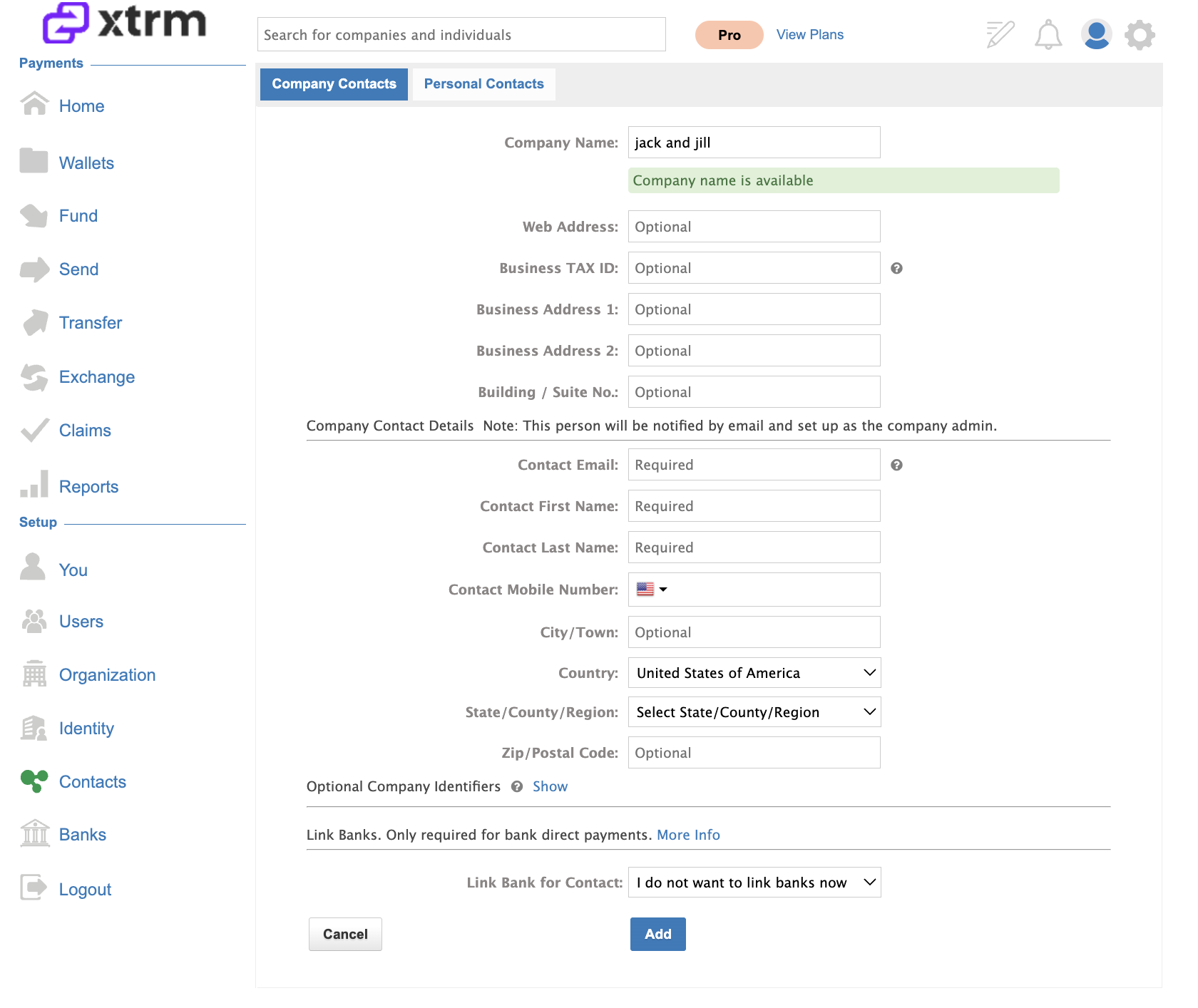
3. Connection: Because you created the account, they will automatically be Connected to you and appear on your "Connected" screen.
Best Practices for Adding Contacts
Use Business Emails: Always use a genuine business email that includes the company's domain (e.g.,
[email protected]).Avoid Generic Emails: Do not use generic or personal email addresses (e.g.,
[email protected]), as this can trigger compliance or verification flags later.Master Admin Notification: Once added, the designated master admin for that company will receive an email notification. They can set their password, log in, verify their data, and add a mobile number for added security.
Branded Company Xtrm Registration (Optional)
If you use a custom branded signup page for XTRM (e.g., yourcompanyname.xtrm.com), all beneficiaries you pre-add will automatically appear in the dropdown list on that specific personal signup page.