USER032 — Personal Accounts: How Do I Send Funds to Another Xtrm Account Holder?
Last updated: August 18, 2026
Overview
Transferring funds directly to another Xtrm account holder is an instant, cost-effective way to send money across the globe. Whether sending funds to family, friends, or business associates, peer-to-peer (P2P) transfers move funds immediately between digital wallets with zero processing delays.
Prerequisites Before Sending
Verified Account: Ensure your personal profile is completed to 100% to adhere to global financial transfer compliance.
Recipient Details: You need the recipient’s registered email address, mobile number, or Xtrm Account Number.
Sufficient Balance: Confirm that your source wallet balance covers the total transfer amount.
Step-by-Step Instructions
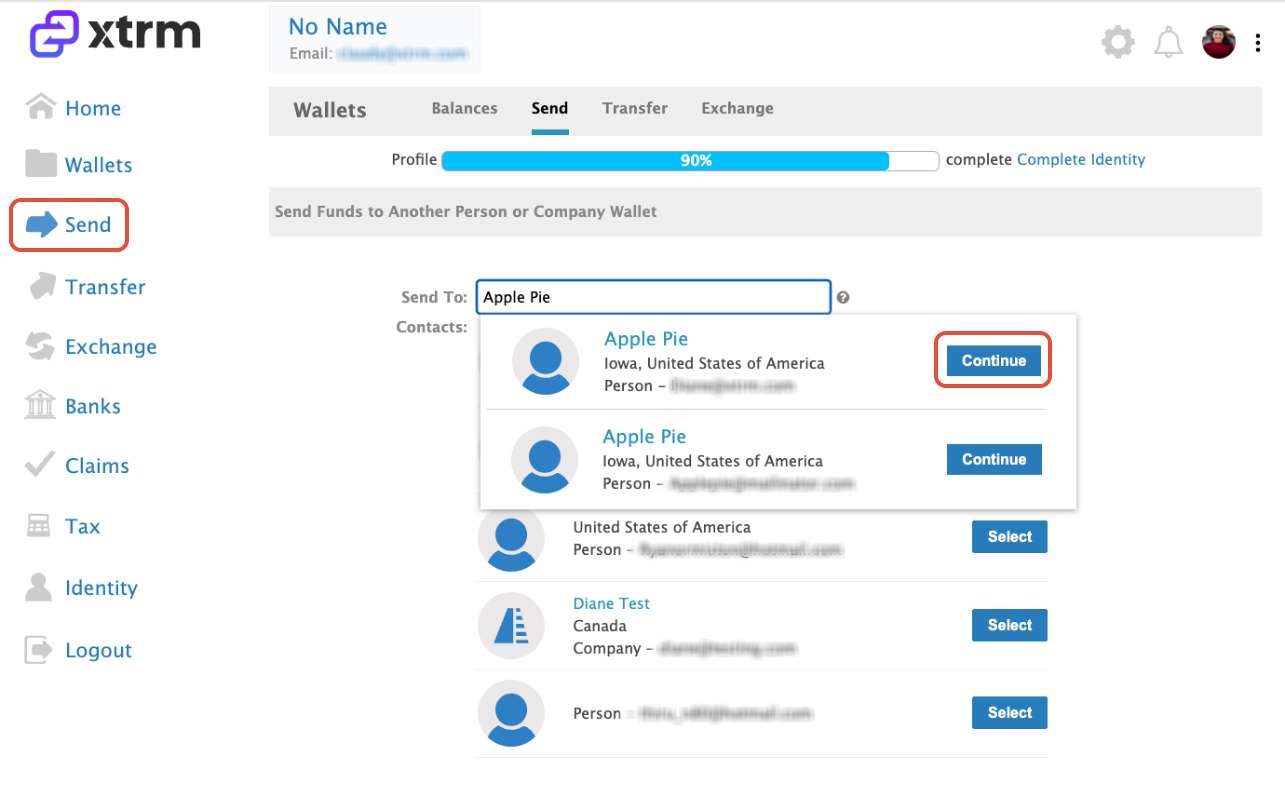

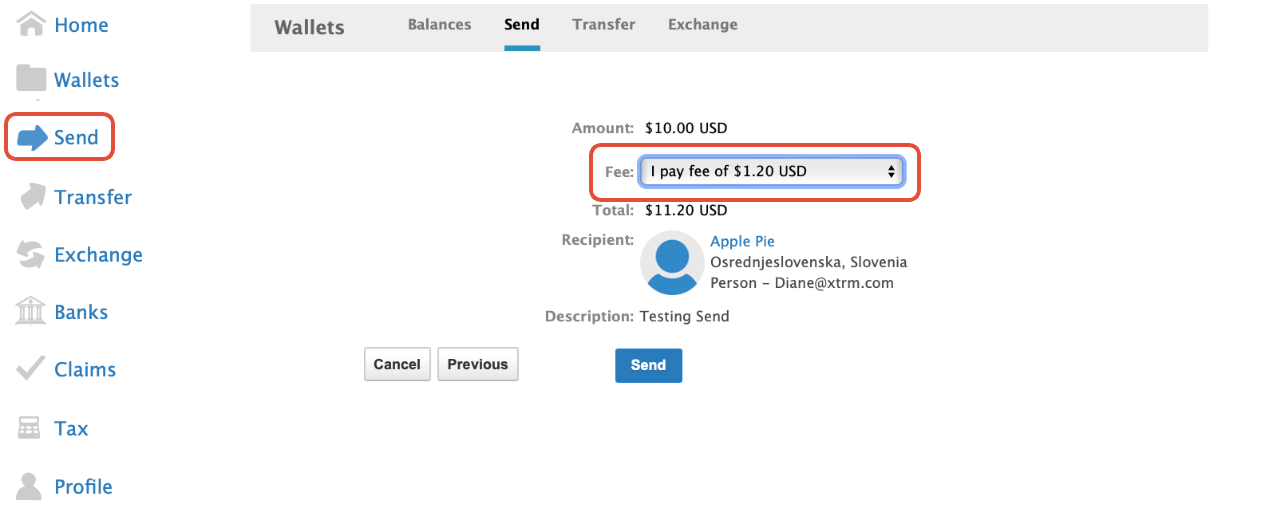
Key Things to Know
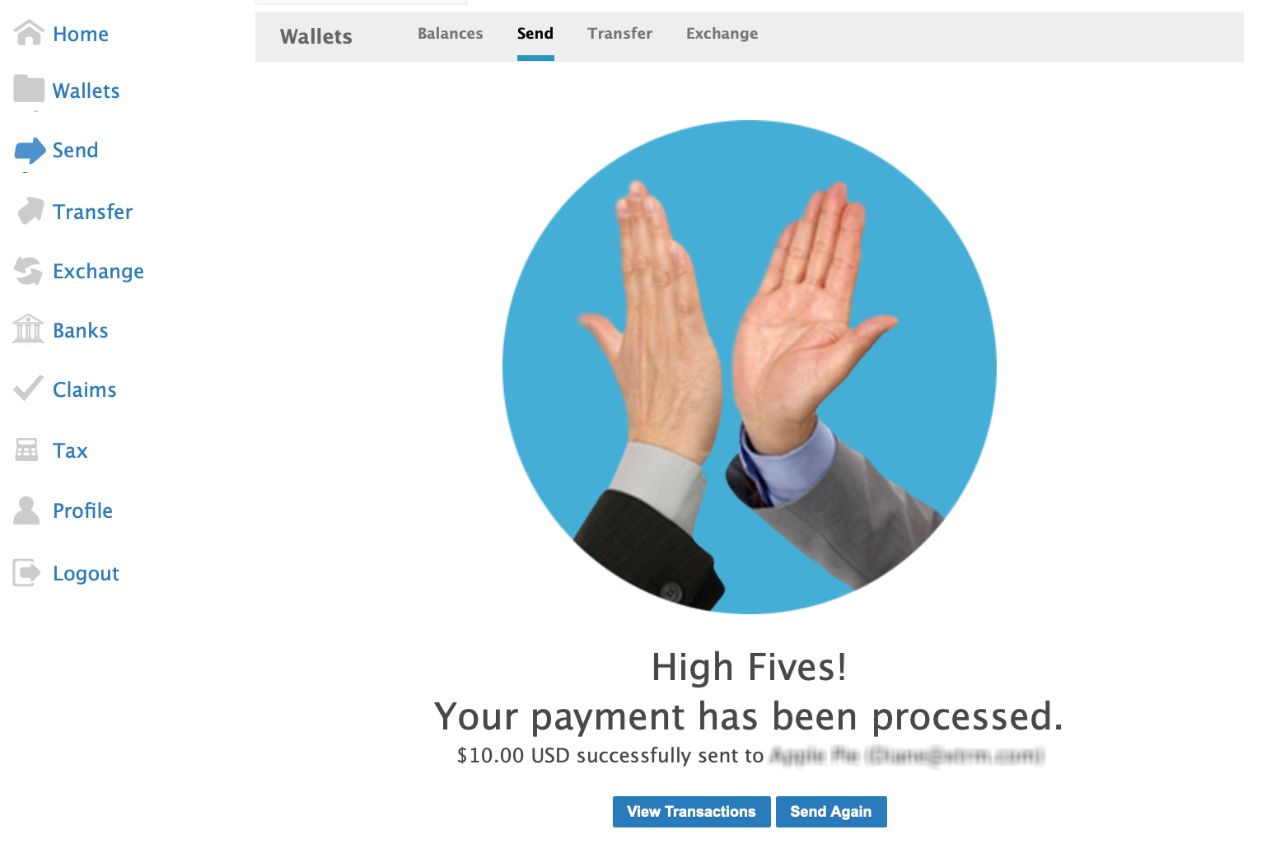
Instant Wallet Availability: Transferred funds are available in the recipient's Xtrm wallet immediately upon confirmation.
Unregistered Recipients: If you send funds to an email address that is not yet registered on Xtrm, the recipient will receive an invitation email to create a free account and claim their funds.
Currency Conversion: If you send funds from a wallet currency that differs from the recipient's default currency, standard real-time conversion rates will apply.