FUND004 — Manual Bank Linking: Micro-Deposit & DocuSign Verification
Last updated: October 7, 2026
If your financial institution can't be connected via Plaid, Xtrm offers manual bank linking. Once verified, Xtrm can pull funds directly from your account by bank debit, avoiding outbound wire and transfer fees.
Prerequisite: Your company must be approved for Advanced Services.
Supported currencies: USD, CAD, GBP, EUR, AUD
Which method applies to you:
Your account currency | Verification method |
|---|---|
USD | Two micro-deposits |
CAD, GBP, EUR, AUD | DocuSign authorization agreement |
Micro-Deposit Verification Process
After initiating micro-deposit verification, follow these steps to complete the process:
Wait 1–3 business days for the micro-deposits to appear in your bank account.
Log in to your XTRM company account.
Go to Banks on the left menu.
Locate your bank account showing a Pending status.
Click More Info next to the bank account to open the details panel.
Enter the two exact micro-deposit amounts and click Submit.
Approval timeline: After you confirm the micro-deposit amounts, bank links for funding are usually approved within one business day.
Troubleshooting
If your bank still shows as Pending verification after you enter the micro-deposit amounts, try deleting the bank and re-linking it.
If the bank status continues to show as Pending Approval in the UI even after support confirms the bank is approved and active, please email support at [email protected].
USD accounts: micro-deposit verification
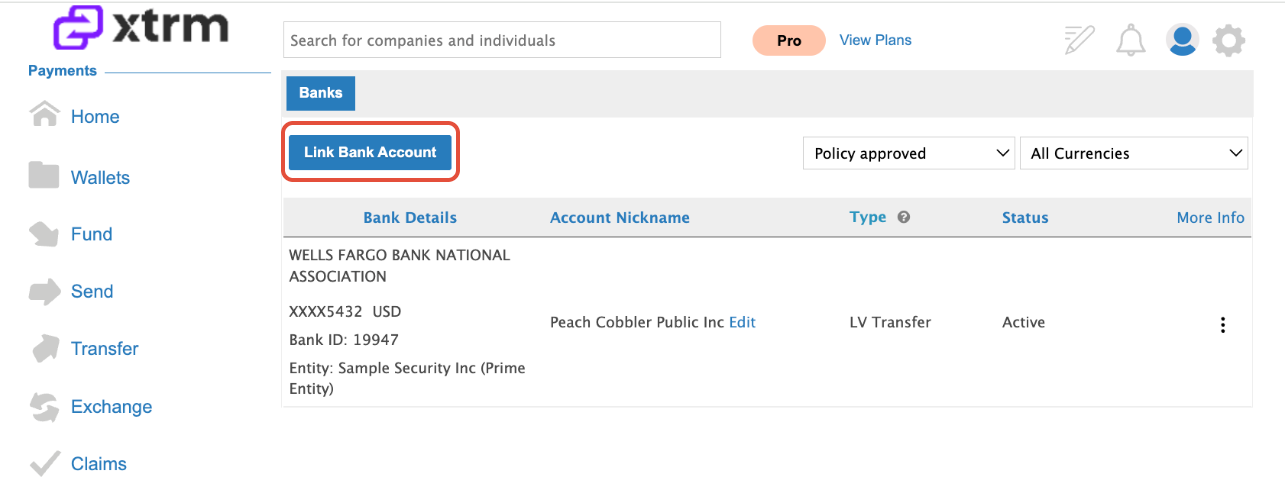
Open bank linking. Log in to your Xtrm company account, go to Banks in the navigation menu, and click Link Bank Account.
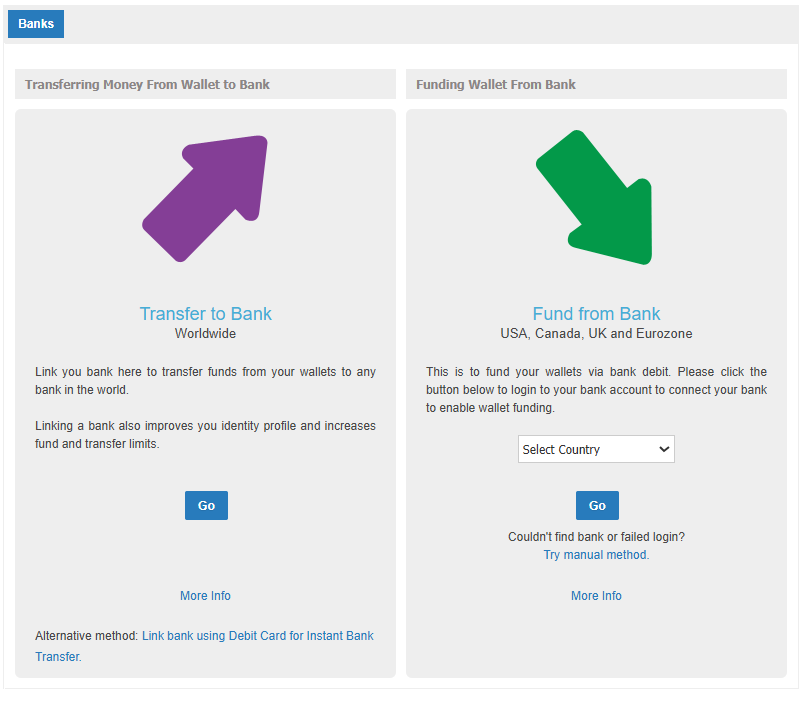
Choose manual linking. Under Fund From Bank, select Try Manual Method.
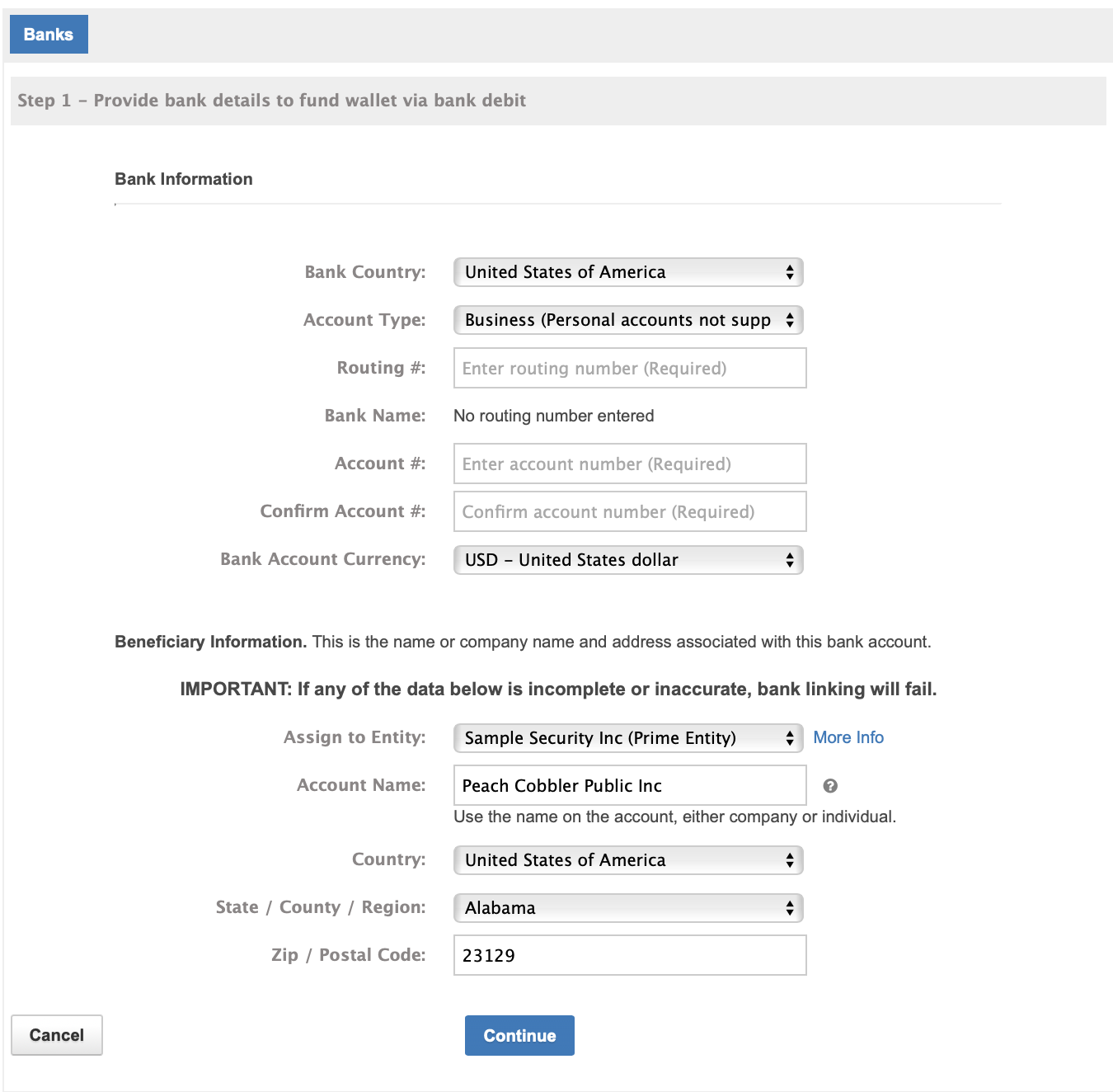
Enter account details. Provide your company's routing or IBAN number, account number, and legal business details, then click Submit Request.
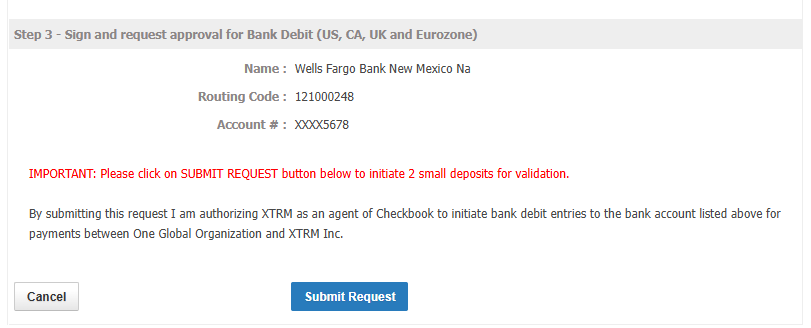
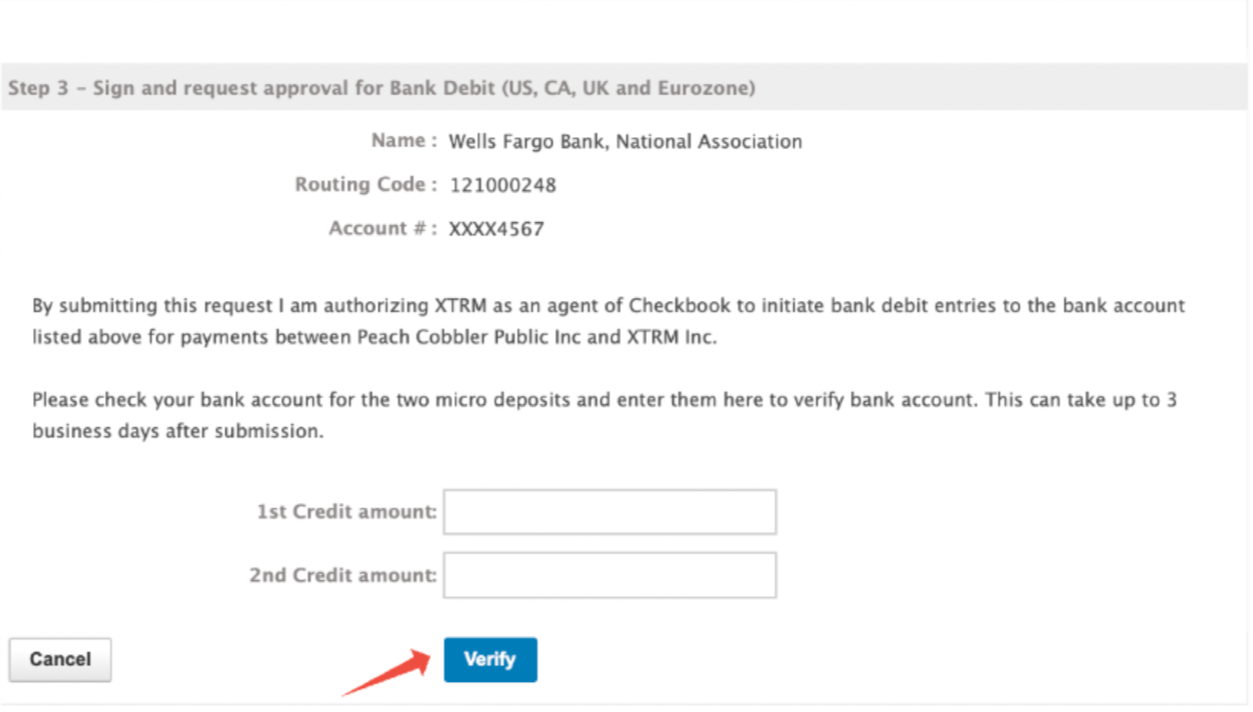
Wait for the micro-deposits. Xtrm sends two small deposits totalling less than $1.00 within 1–3 business days.
Verify the amounts. Return to Banks, find the pending account, click Verify, and enter the two exact deposit amounts from your bank statement.
CAD, GBP, EUR, and AUD accounts: DocuSign verification
Open bank linking and choose manual linking, as in steps 1–2 above.
Enter your account details and submit the request.
Complete and sign the DocuSign authorization agreement sent to you.
Xtrm reviews the request, typically approving within 2–5 business days.
Once approved, the account is available for bank debit in your Xtrm dashboard.
After verification
Your bank account status changes to Approved for bank debit.
Stage | What to expect | Timing |
|---|---|---|
Account verification | Micro-deposits clear into your account, or DocuSign approval completes | 1–3 business days (micro-deposit) / 2–5 business days (DocuSign) |
Funding request | Submit under Fund → Bank Debit. A pending inbound transaction appears. | Immediate |
Settlement | Funds clear into your wallet and the transaction updates to Completed | 2–5 business days |
Important Reminders:
Unverified bank accounts cannot be used to initiate funding requests.
An automated email is sent to users enabled for notifications once settled funds post to your wallet balance.