FUND003 — Fund Wallets Using Bank Debits
Last updated: August 26, 2026
Bank debit (ACH pull) lets Xtrm request and pull funds directly from your linked business bank account into your digital wallet. Unlike a bank transfer, where you initiate a wire or ACH credit from your own bank portal, bank debit is initiated inside Xtrm.
Prerequisite: Your company must be approved for Advanced Services.
Supported currencies: USD, CAD, GBP, EUR, AUD. Bank debit requires an account held at a bank in the currency's origin country, and the account holder must reside there.
Want to see it first? Click through the interactive demo before you start.
Step 1: Link your bank account
Method | Best for | Verification | Approval time |
|---|---|---|---|
Plaid | US bank accounts (USD) | Log in with your online banking credentials via Plaid | ~24 hours |
Manual linking | Non-US accounts, or banks Plaid doesn't support | USD: two micro-deposits | 1–3 business days (micro-deposits) |
Option A: Plaid
Log in to your Xtrm company account.
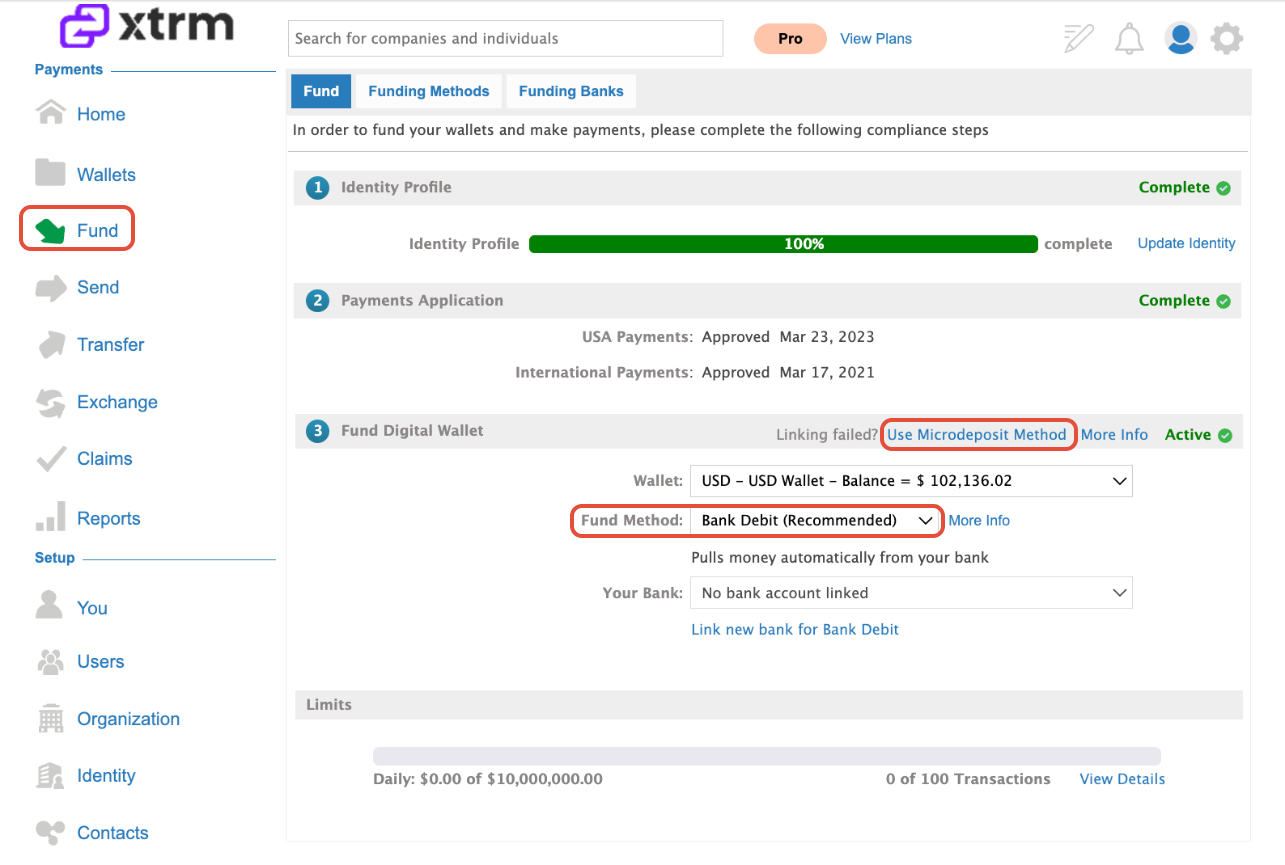
Go to Fund → Bank Debit in the left sidebar.
Select your target wallet and click Link New Bank for Bank Debit.
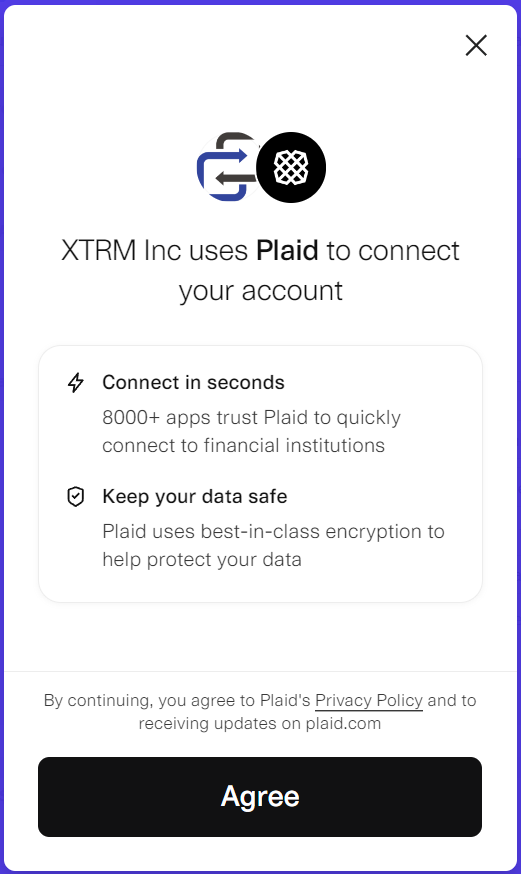
Follow the Plaid prompts to authenticate.
Your account shows as Pending while compliance approval completes, typically within 24 hours.

Option B: Manual linking
If Plaid doesn't support your bank, or your currency isn't covered, link your account manually. USD accounts verify by micro-deposit; CAD, GBP, EUR, and AUD accounts verify by DocuSign agreement.
USD Bank Accounts
Select the Use Microdeposit Method option.
Two small microdeposits will be sent to your bank account within 1–3 business days.
Once the deposits have been received, return to the Xtrm platform and enter the deposit amounts to verify and complete the bank linking process.
CAD, GBP, EUR, and AUD Bank Accounts
Select the Microdeposit Method option.
Complete and submit the required DocuSign agreement.
Once submitted, the request will be reviewed and is typically approved within 2–5 business days.
After approval, your bank account will be available for use within your XTRM account.
Step 2: Submit a funding request
Once your bank account status changes from Pending to Approved:
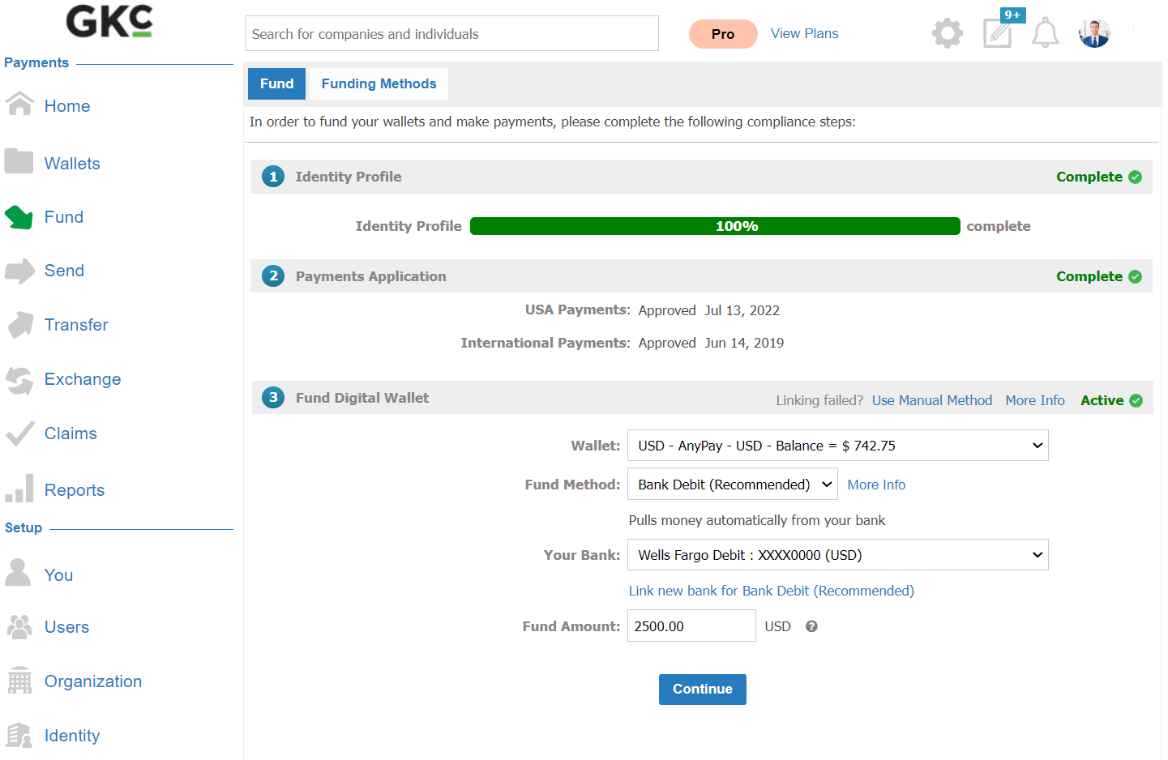
Go to Fund → Bank Debit.
Choose your approved bank account and the target currency wallet.
Enter the amount, review the terms, and click Submit Request.
Settlement and status
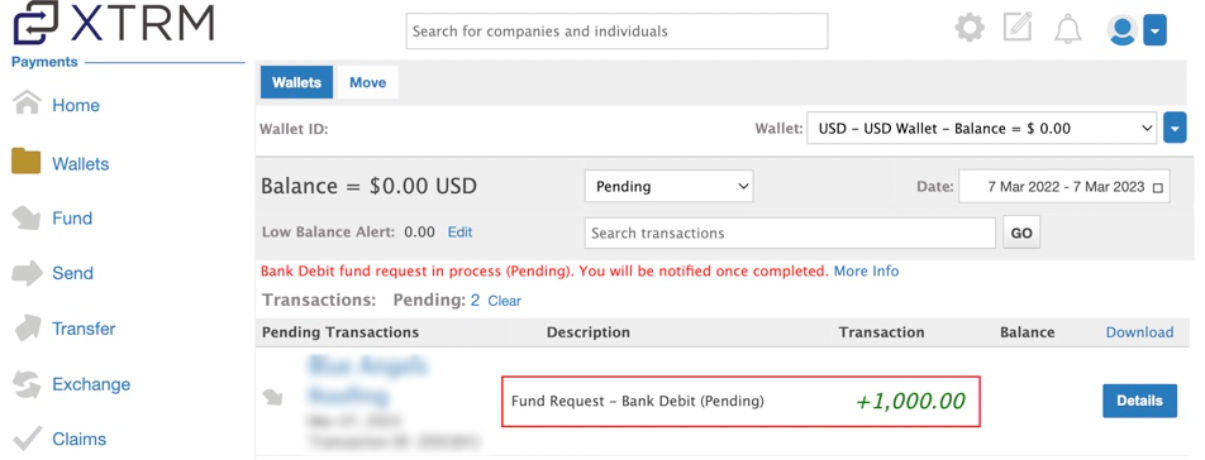
A Pending Inbound transaction is created in your wallet immediately on submission. Funds clear in 2–5 business days, after which:
The transaction status updates to Completed.
Funds are credited to your wallet balance.
A confirmation email is sent to your account administrators.
If your currency isn't supported
For currencies outside USD, CAD, GBP, EUR, and AUD, fund by wire instead.