USER031 — Personal Accounts: How Do I Transfer Funds to a Reward Link Digital Gift Card?
Last updated: August 18, 2026
Overview
Transferring your Xtrm wallet balance to a Reward Link Digital Gift Card gives you total flexibility over your rewards. Instead of selecting a single brand upfront, a Reward Link delivers a digital choice code that allows you to choose from hundreds of popular global and national e-gift card brands or charitable donations.
Prerequisites Before Transferring
Verified Account: Ensure your personal profile is completed to 100% to meet compliance requirements.
Sufficient Balance: Confirm your wallet balance covers the total Reward Link value selected.
Regional Availability: Reward Link options vary by currency and region (USD, CAD, EUR, GBP, AUD, etc.).
Step-by-Step Instructions
1. Log In to Your Account:
Go to xtrm.com and sign in to your Personal Account.
2. Navigate to Transfer Options:
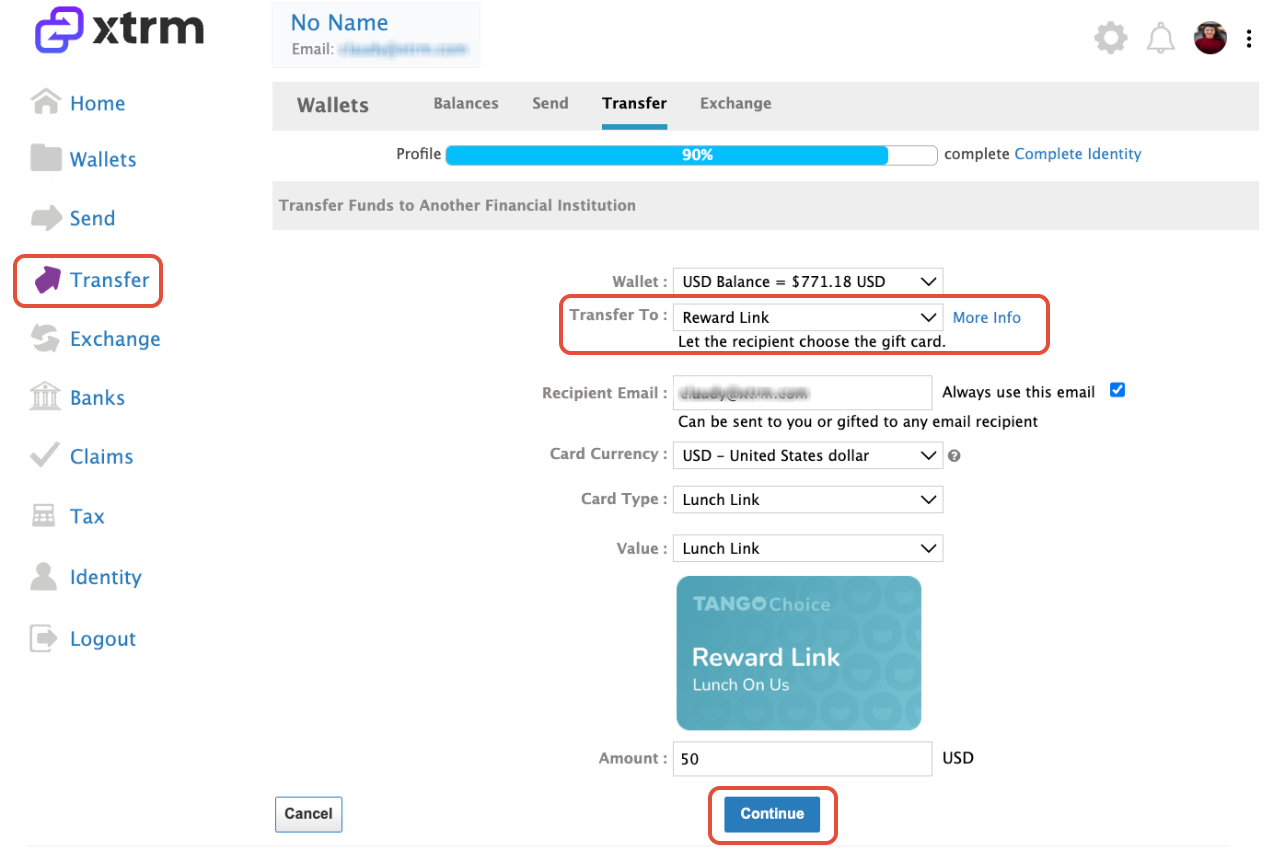
In the main menu, click Transfer and select Reward Link.
3. Select Your Source Wallet:
Choose the Source Wallet (e.g., USD, EUR, CAD) from which you want to redeem funds.
4. Enter Reward Link Value:
Input the total amount you wish to convert into a Reward Link digital code, then click Continue.
5. Agree to Terms & Confirm Transfer:
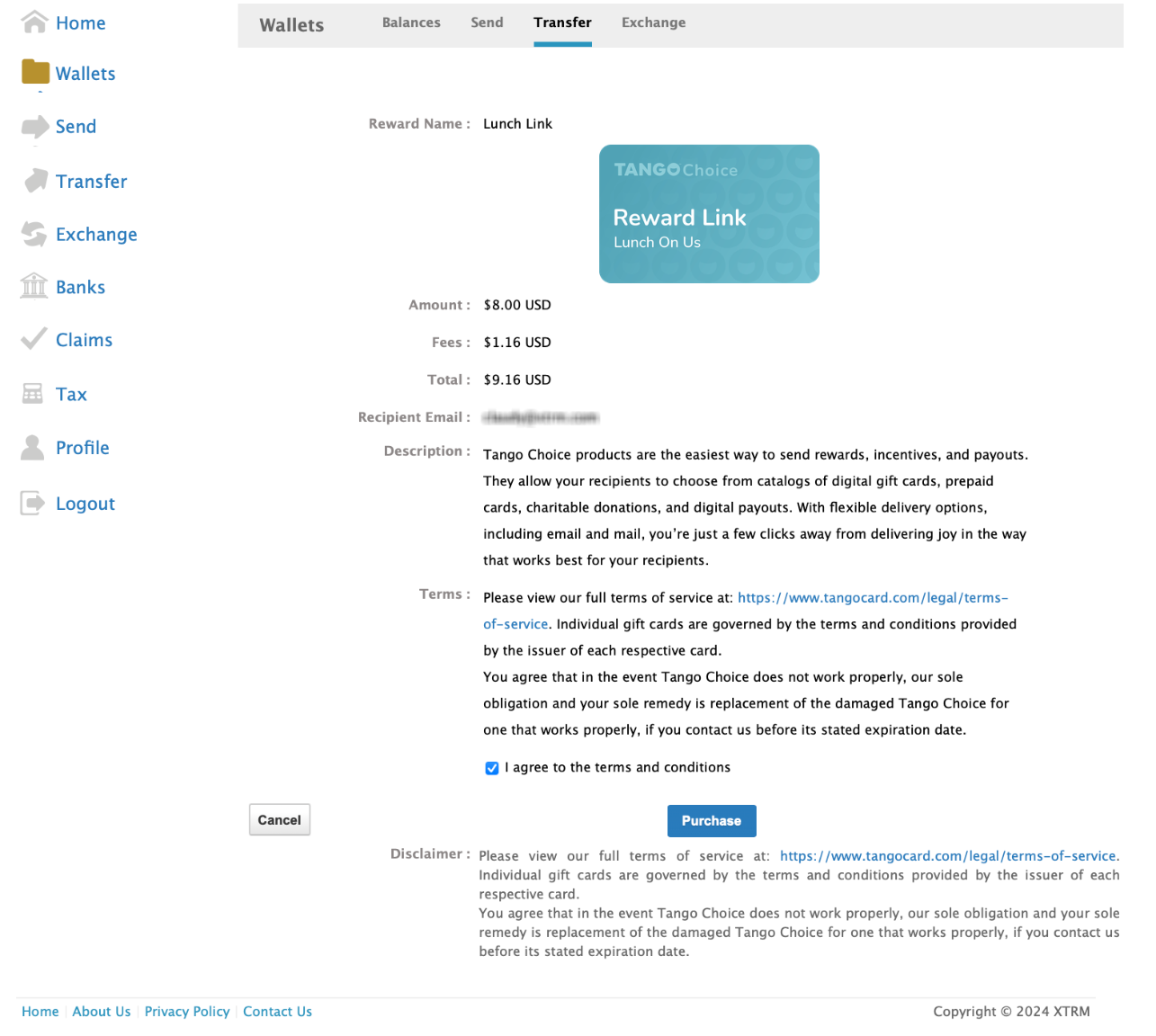
Review the transaction details, check the box to agree to the terms and conditions, and click Purchase.
6. View Redemption Information On-Screen:
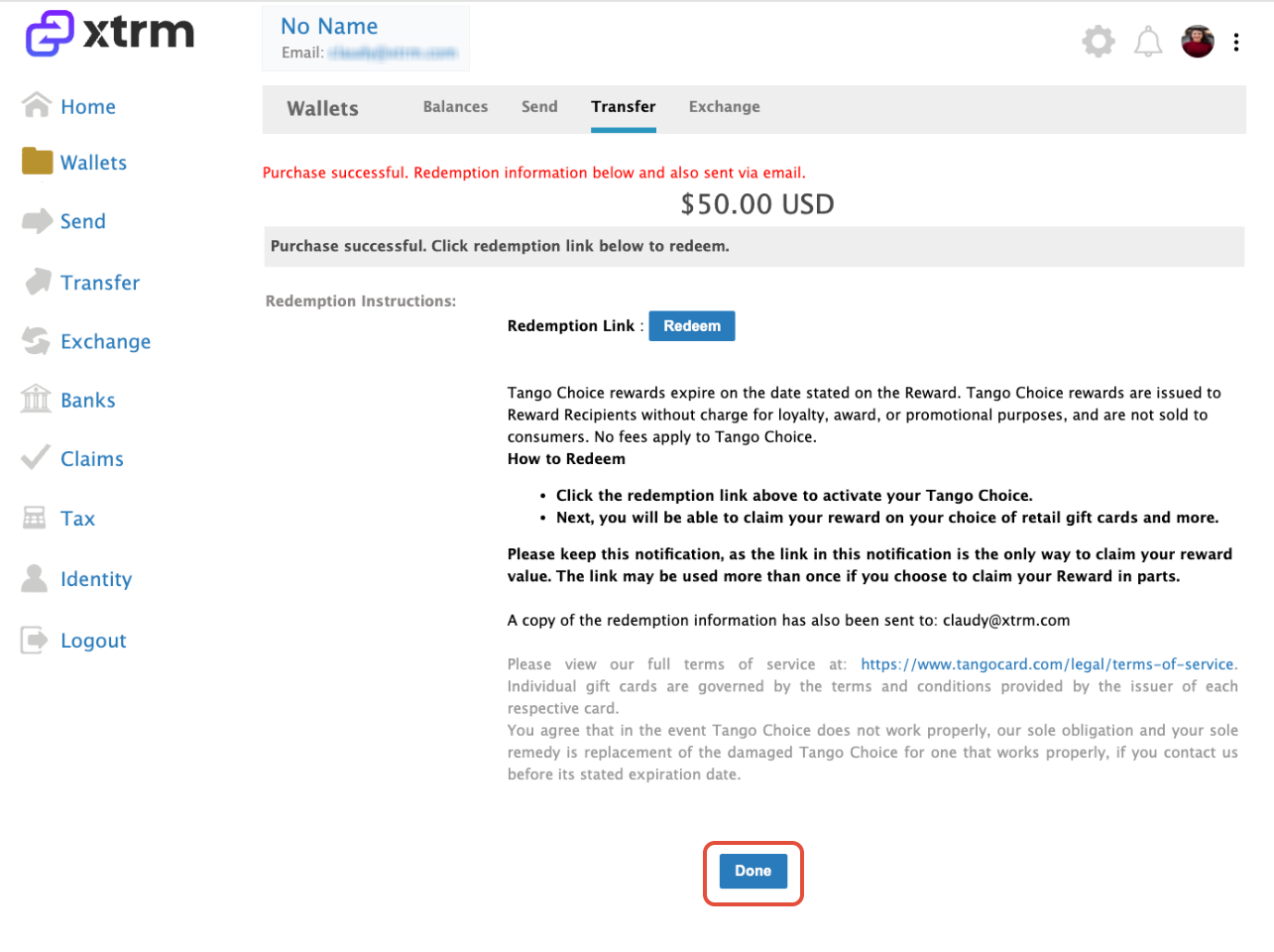
Upon confirmation, your redemption info and Reward Link code will immediately display directly on your screen for instant access.
Access Redemption Email:
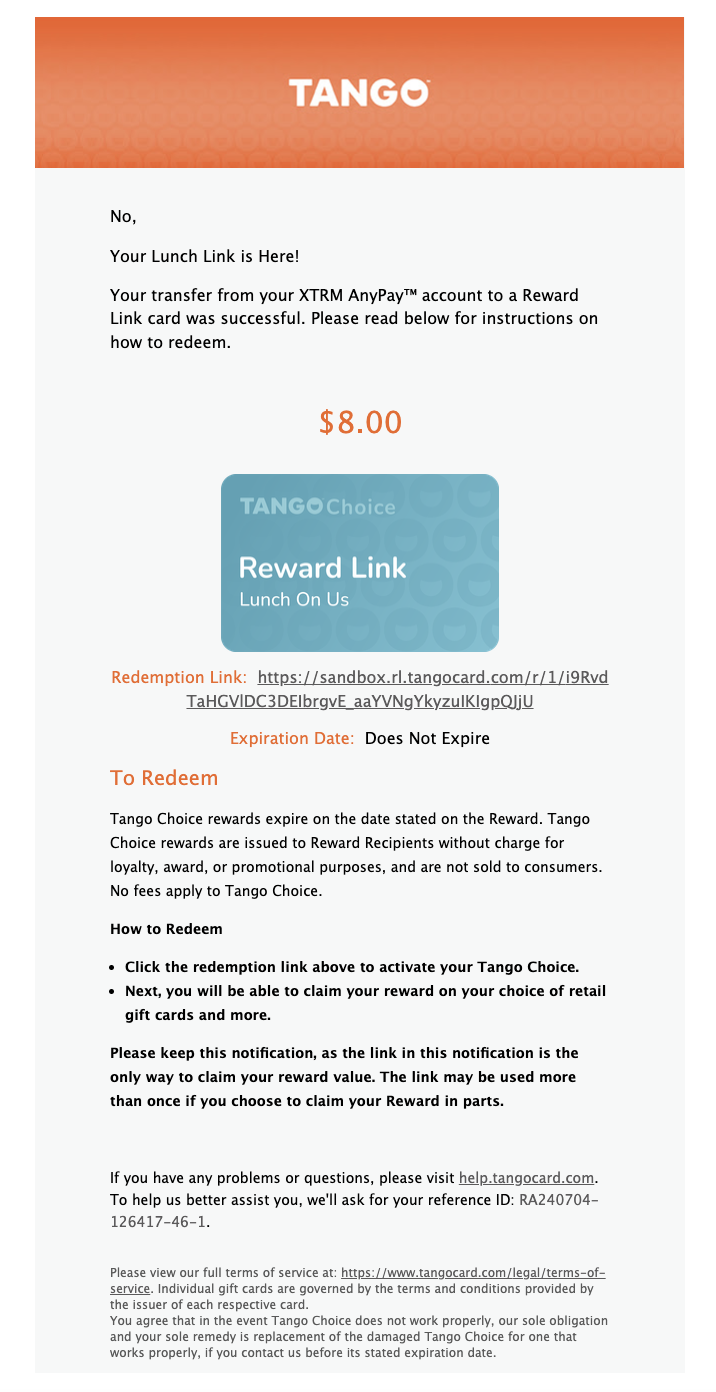
Simultaneously, a confirmation email containing your Reward Link choice code and redemption instructions will be sent to your registered email address.
Example Email Notification:
Sender: [email protected]
Subject Line: Your Reward Link is Here!
How to Redeem Your Reward Link Code
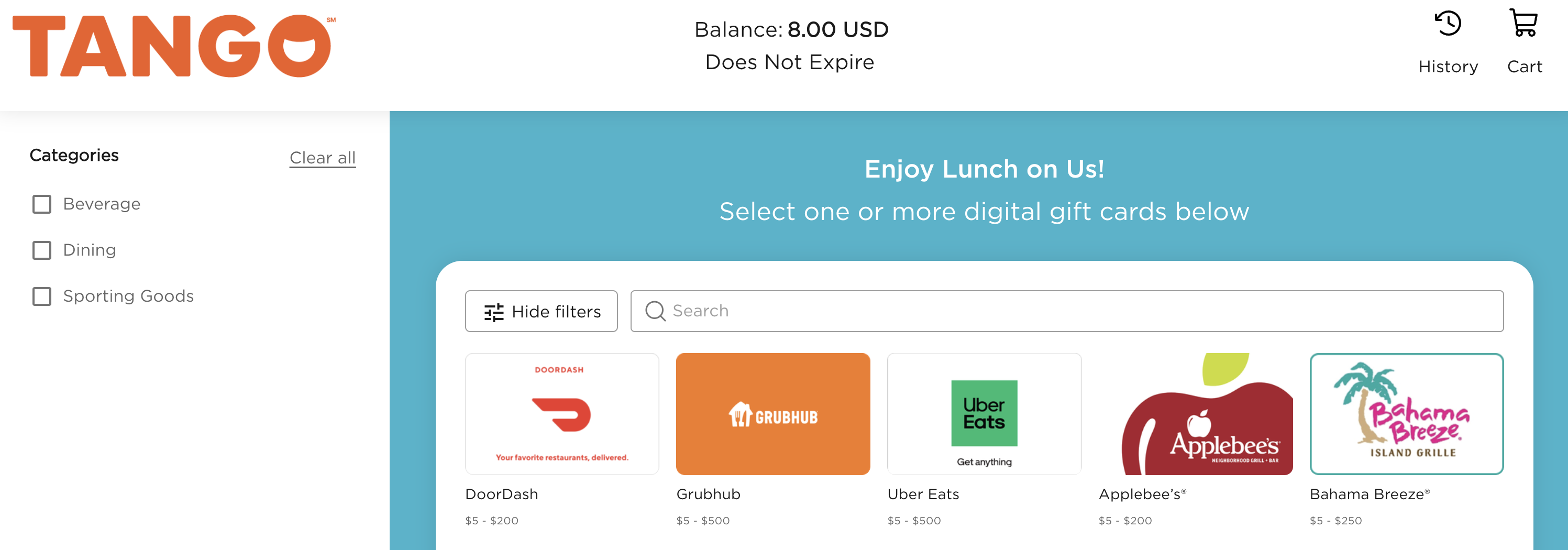
Click the redemption link provided on-screen or in your confirmation email.
2. Browse the curated catalog of global retailers, restaurants, e-commerce brands, or charities.
3. Select your preferred merchant(s) and split your balance across multiple brands if desired.
4. Complete checkout to receive your selected merchant e-gift card codes instantly on-screen and via email.
Key Things to Know
Instant Delivery: Reward Link choice codes are issued instantly upon transaction confirmation.
Non-Refundable: Once a Reward Link code is generated, the transaction cannot be cancelled or returned to your Xtrm wallet.
Flexible Balance Usage: You do not have to spend the entire Reward Link value at once; any remaining balance can be saved for future gift card selections.
Missing Email: If you don't receive the claim email, check your spam/junk folder or view your active redemption codes under Activity in your Xtrm dashboard.