USER003 — Transaction Tracking & Status Guide
Last updated: October 7, 2026
Pending / In Progress
The transaction has been initiated and is undergoing bank clearance, batch processing, or security review.No action needed for the first 2–3 business days while bank transfers clear. If the transfer remains in Processing status for more than 2–3 business days, contact support for immediate investigation. Support can cancel stuck transfers and refund the full amount to your Xtrm wallet. In some cases, if a bank withdrawal remains 'in process' for an extended period, the transfer may be automatically cancelled by the banking partner. When this occurs, the funds are automatically returned to your Xtrm Wallet. Log in to your Xtrm account to verify that the funds have been returned before proceeding. After receiving the refund, delete and relink your bank account with the correct banking details before initiating a new transfer. When relinking, ensure that you enter the correct banking details to prevent the transfer from being cancelled again.
1. Log In & Navigate to Details:
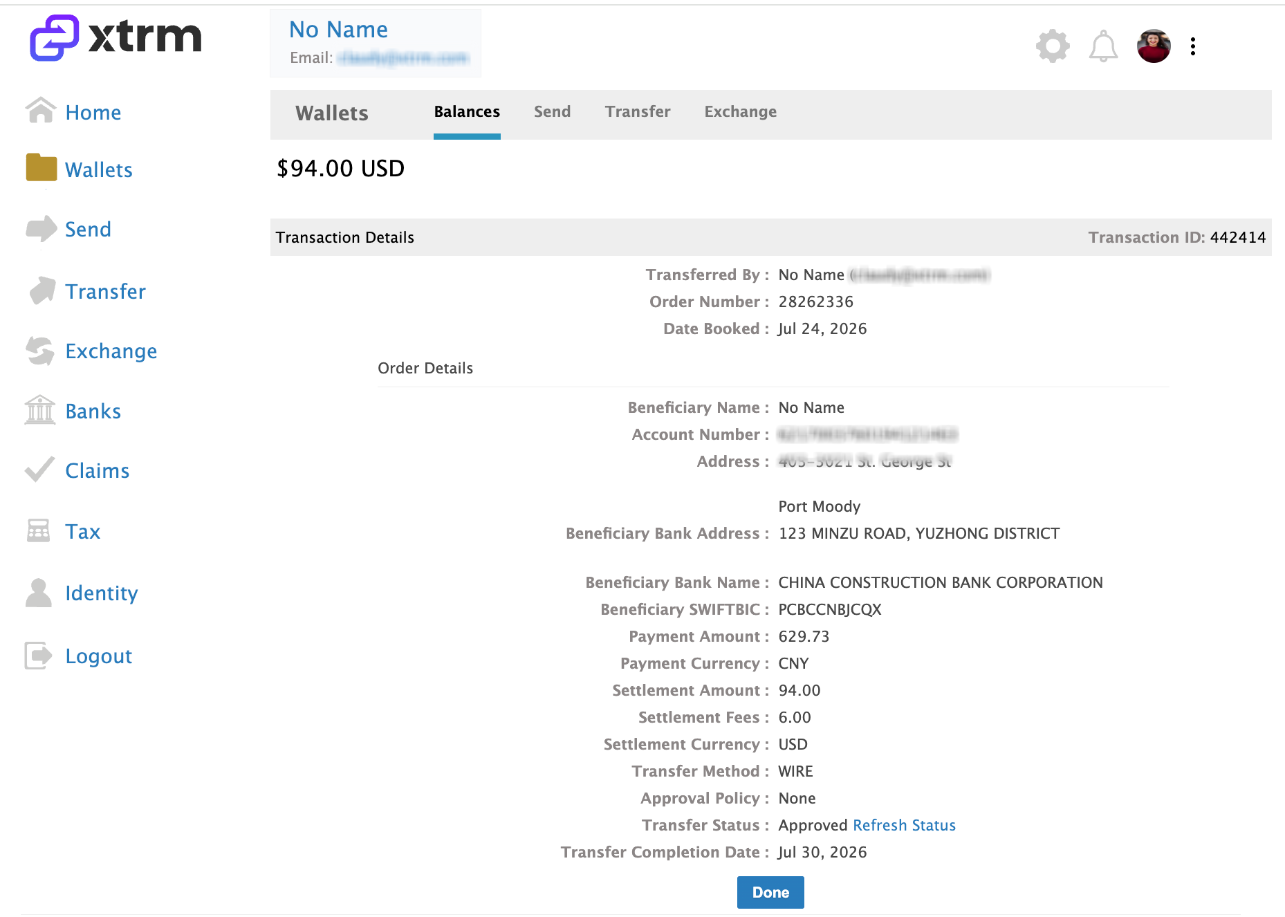
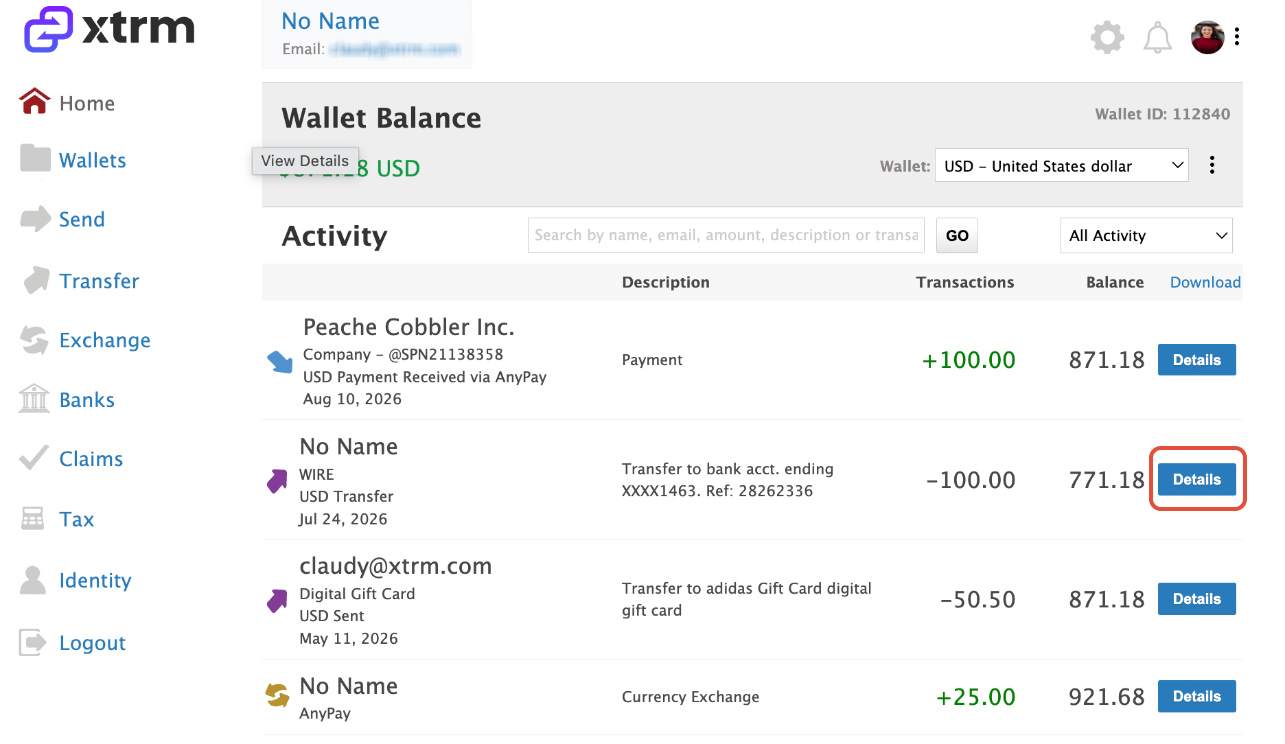
Log in to your Xtrm account. In the main navigation menu, select Wallet. Click Details on any specific transaction row to expand the details pane. View timestamps, fees, conversion rates, and external tracking references.
2. View Detailed Transaction Info:
View timestamps, fees, conversion rates, and external tracking references.