COMPANY051 — Company Accounts: Changing Your Login Email
Last updated: November 4, 2026
This article explains how a user on a company account can change the email address they use to log in to Xtrm. If you have a personal account, see USER004 — Personal Accounts: Changing Your Login Information.
Before you start
You'll need access to the new email inbox, because a verification code is sent there.
You'll need your current Xtrm login password.
Your login email must belong to an authorized individual. Shared or generic inboxes may not be accepted.
You can only change the part of the email before the @. Your company's email domain (for example, @yourcompany.com) cannot be changed here. For security and compliance, changing the domain requires additional approval. Contact Xtrm Support ([email protected]) if you need to change it.
Steps
Log in to your Xtrm company account.
Click the gear icon (Settings) in the top-right corner, then select Security.
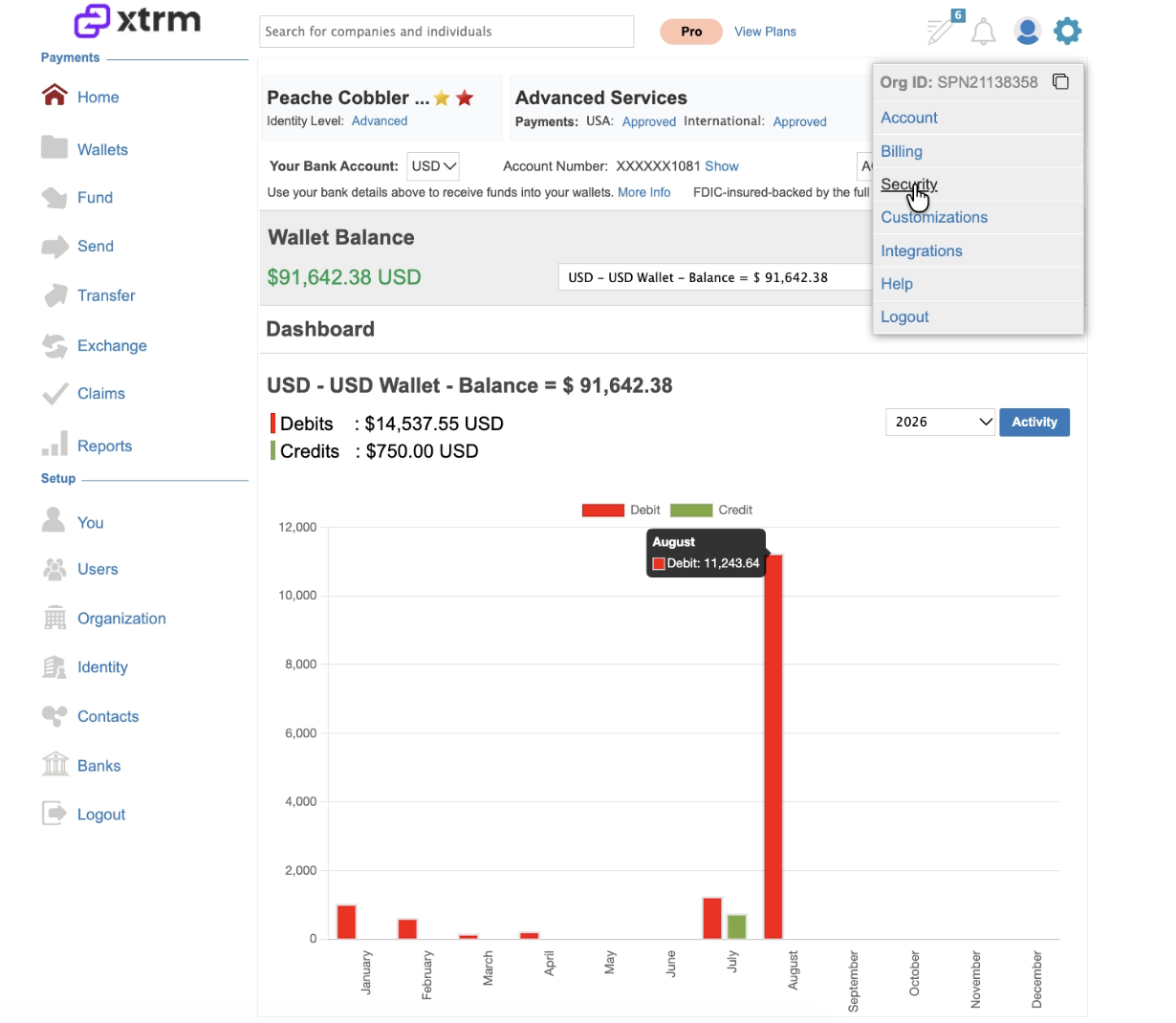
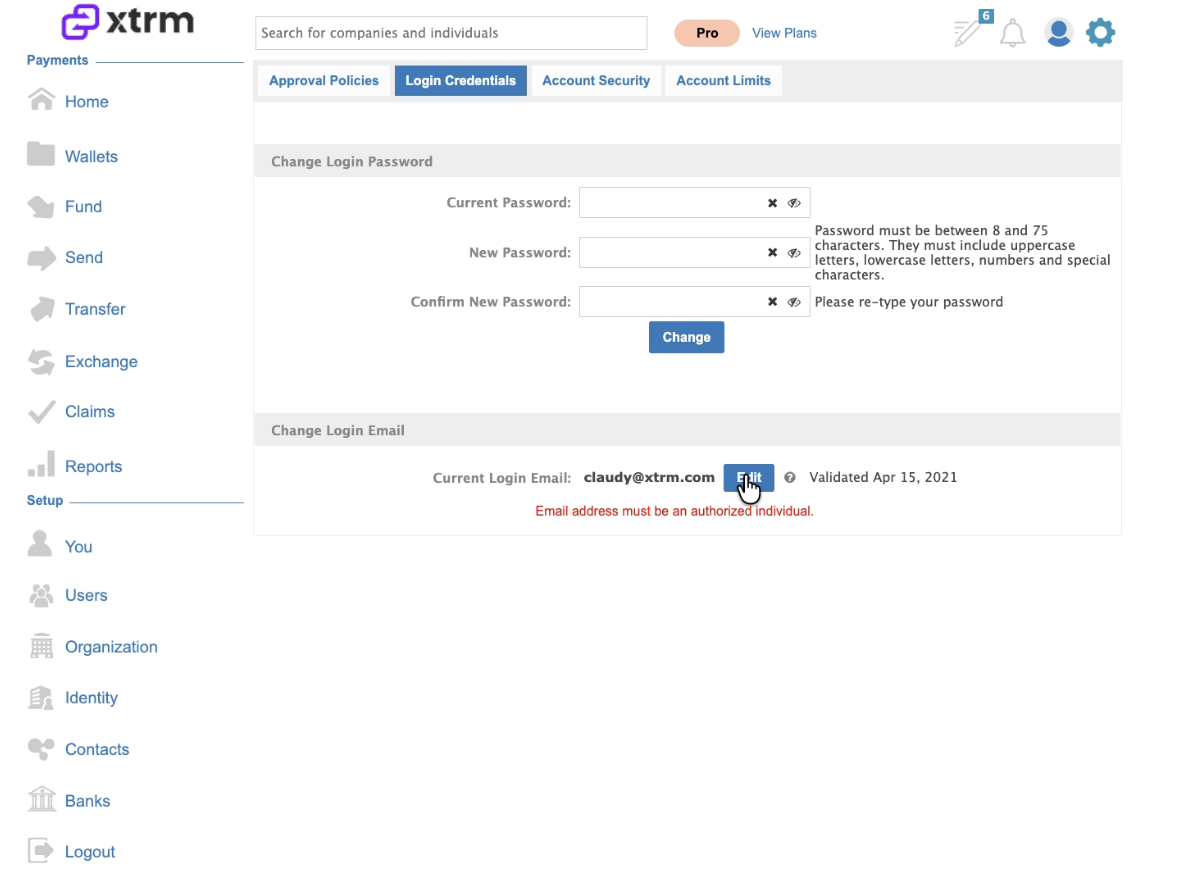
Open the Login Credentials tab.
Under Change Login Email, find your Current Login Email and click Edit.
In the Update Email window, enter the new email address. Your company domain is filled in for you, so only type the part before the @.
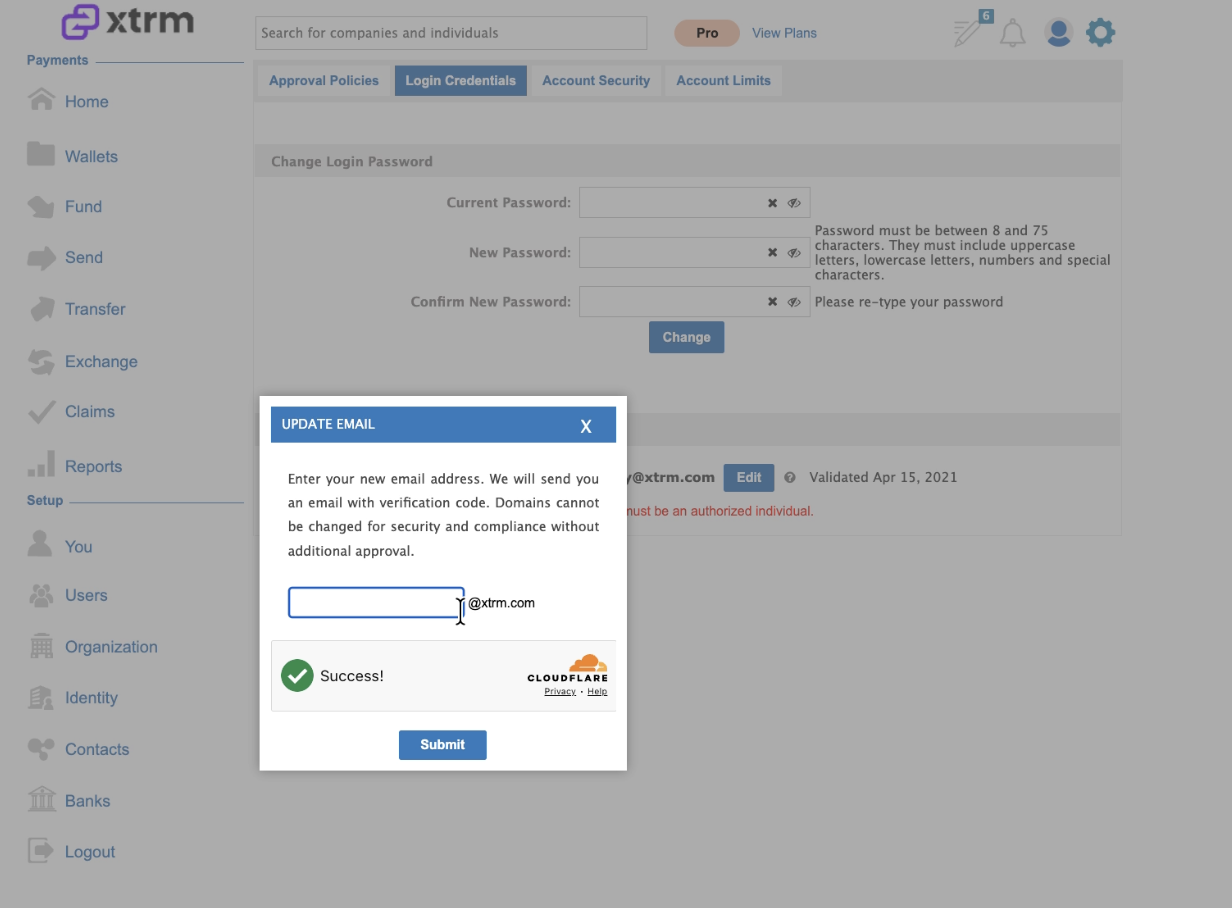
Wait for the security check to show Success!, then click Submit.
The Verify Email ID window opens, and a verification code is emailed to the new address. Email delivery can take a minute or more.
Enter the code in the Enter OTP field and your current password in the Enter Login Password field, then click Verify.
Once verified, use your new email address the next time you log in.
Troubleshooting
"Email already in use." This email address is already registered to another Xtrm account. Choose a different address, or contact Xtrm Support if you believe the address should belong to you.
Didn't get the verification code? Wait a few minutes and check your spam or junk folder. If it still hasn't arrived, click Try again in the Verify Email ID window to resend it.
Need to change your company's email domain? Contact Xtrm Support. Domain changes need additional approval for security and compliance.