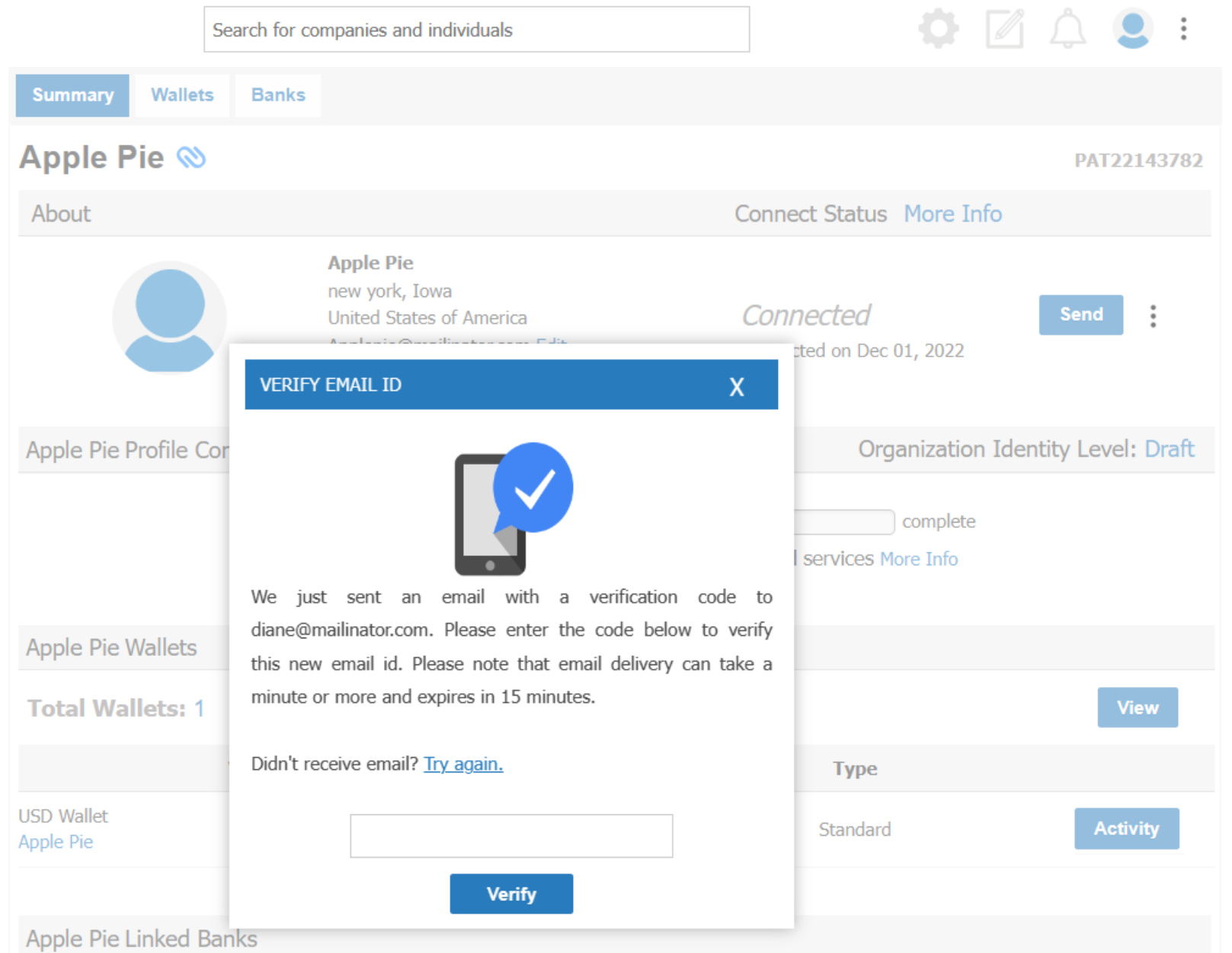
CONMANAGER003 — How to Edit Email Addresses for Connected Personal Accounts
Last updated: August 29, 2026
This process allows you to update the email address of a connected personal account user.
Note: The user must be on the phone to validate the one-time password in real time.
1. Search for the user by name, email, or account number. If they are connected to you, an Edit link will appear next to their email.
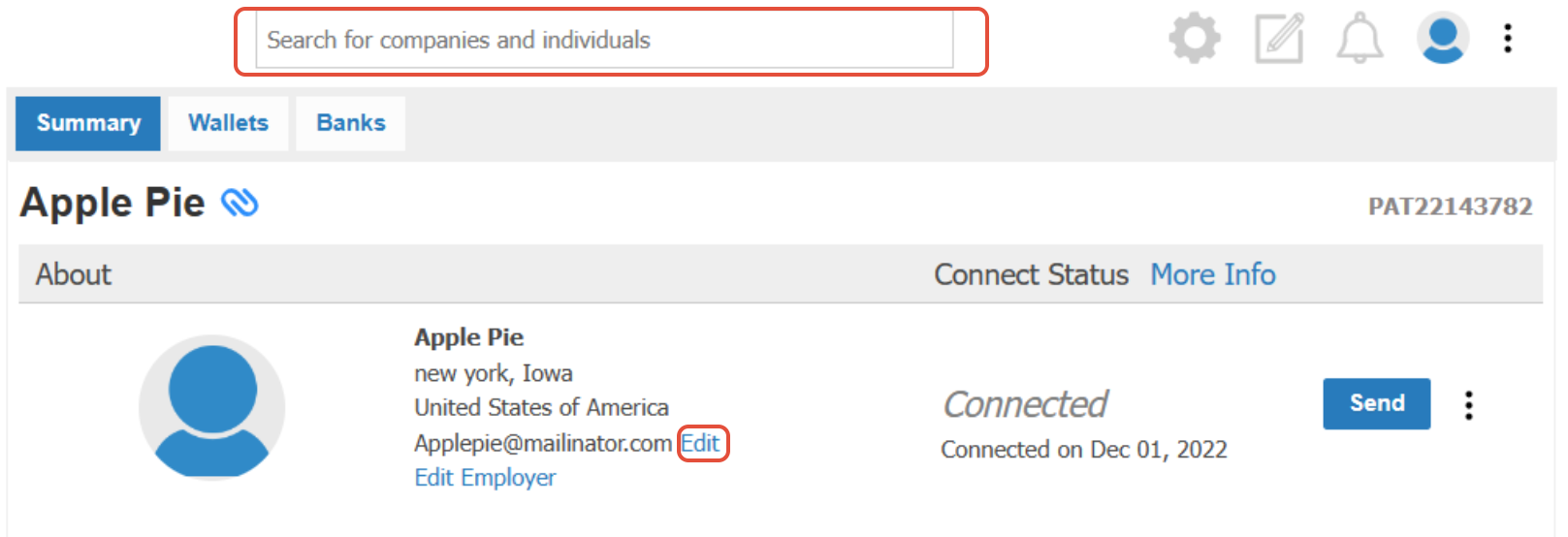
2. Click Edit, enter the new email address, and confirm the change.
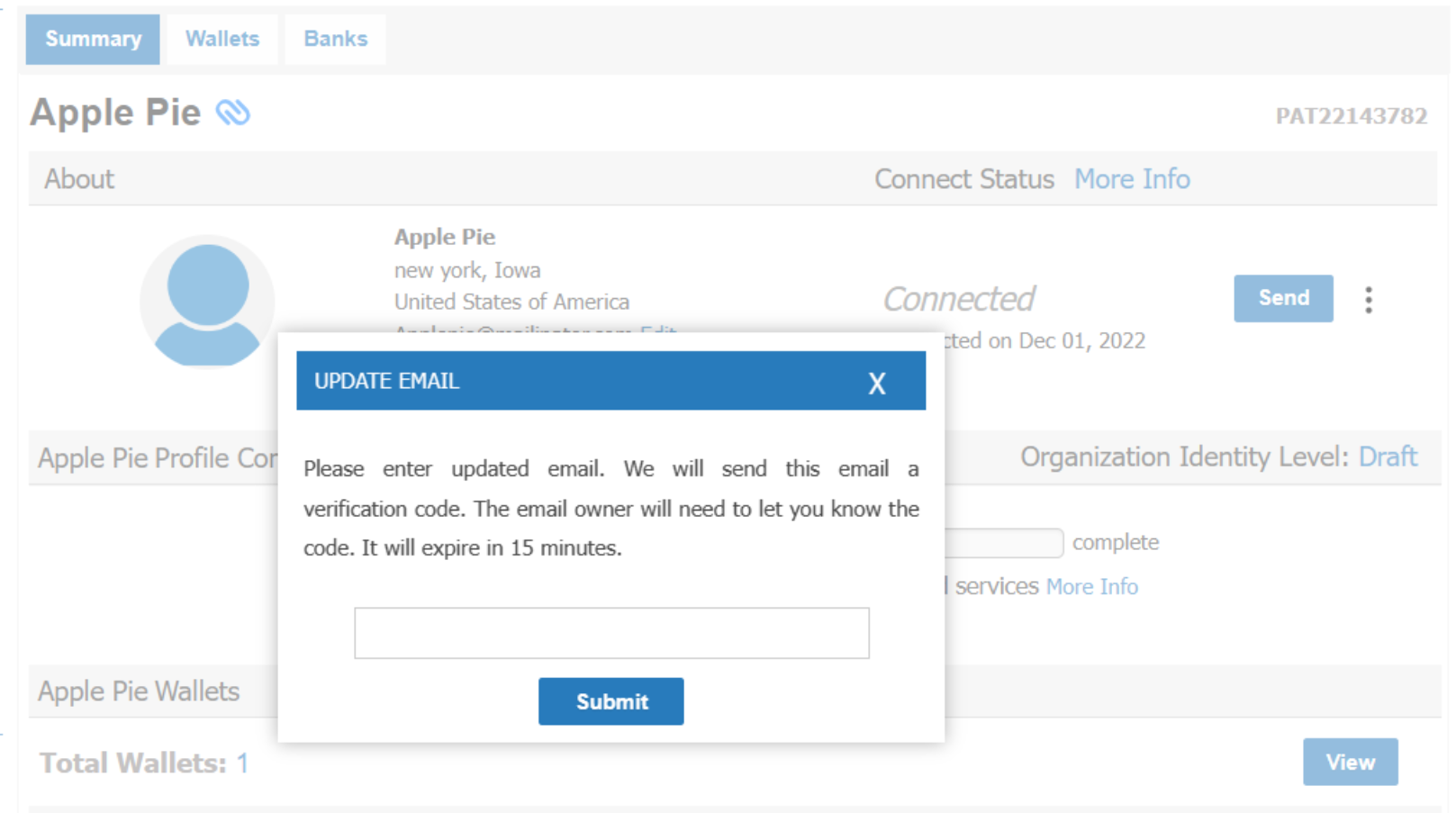
3. Click Submit to send a one-time password to their new email. Then, ask the user to read it back to you over the phone to verify.