COMPANY039 — How to Move Funds Between Wallets
Last updated: September 22, 2026
Companies with active balances in their XTRM digital wallets can seamlessly transfer funds between internal wallets.
Important Note: Transfers are supported between wallets holding the same currency (e.g., USD Wallet to USD Wallet).
Step-by-Step Guide
Log In to Your Account: Navigate to www.xtrm.com and log in using your company administrator or wallet manager credentials.
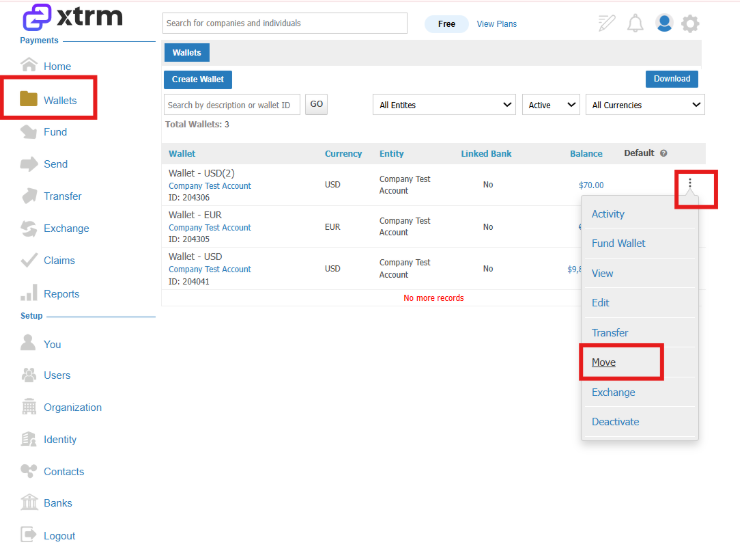
Access the Wallets Section: In the left-hand navigation menu, click the Wallets icon to view all active company wallets and balances.
Initiate the Move: Locate the source wallet holding the funds you wish to transfer. Click the three dots menu icon next to that wallet and select Move.
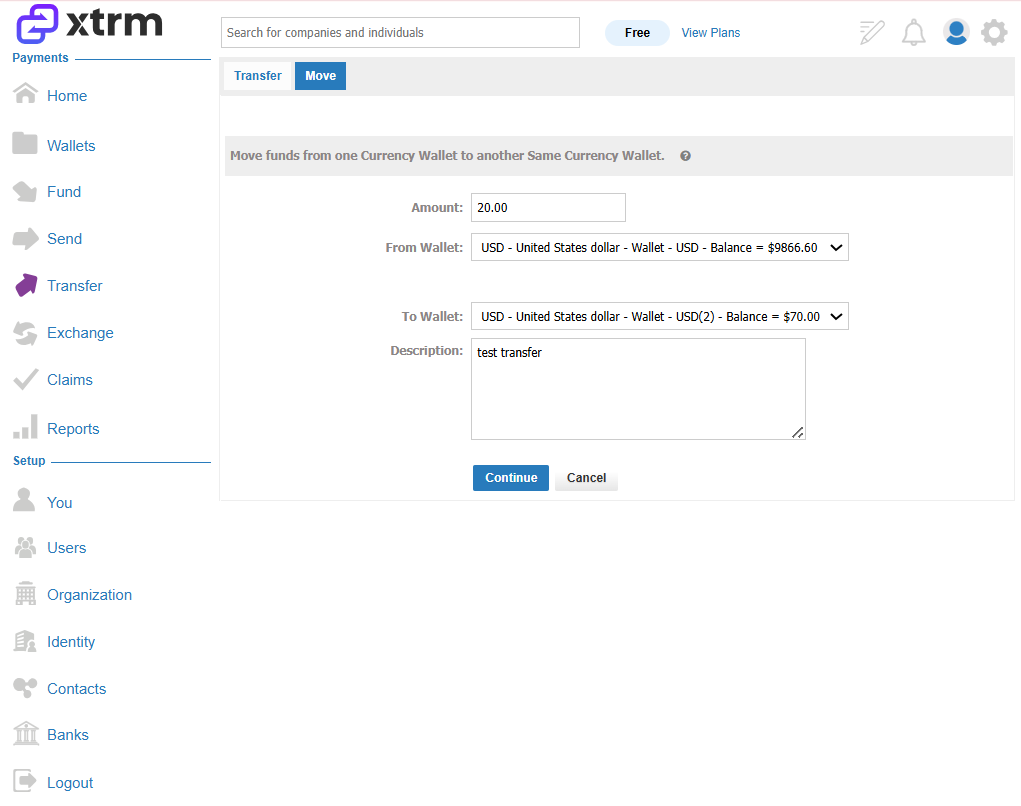
Enter Transfer Details: In the transfer prompt:
Enter the amount you want to move.
Choose the destination wallet from the dropdown menu.
Click Continue to process the transfer.
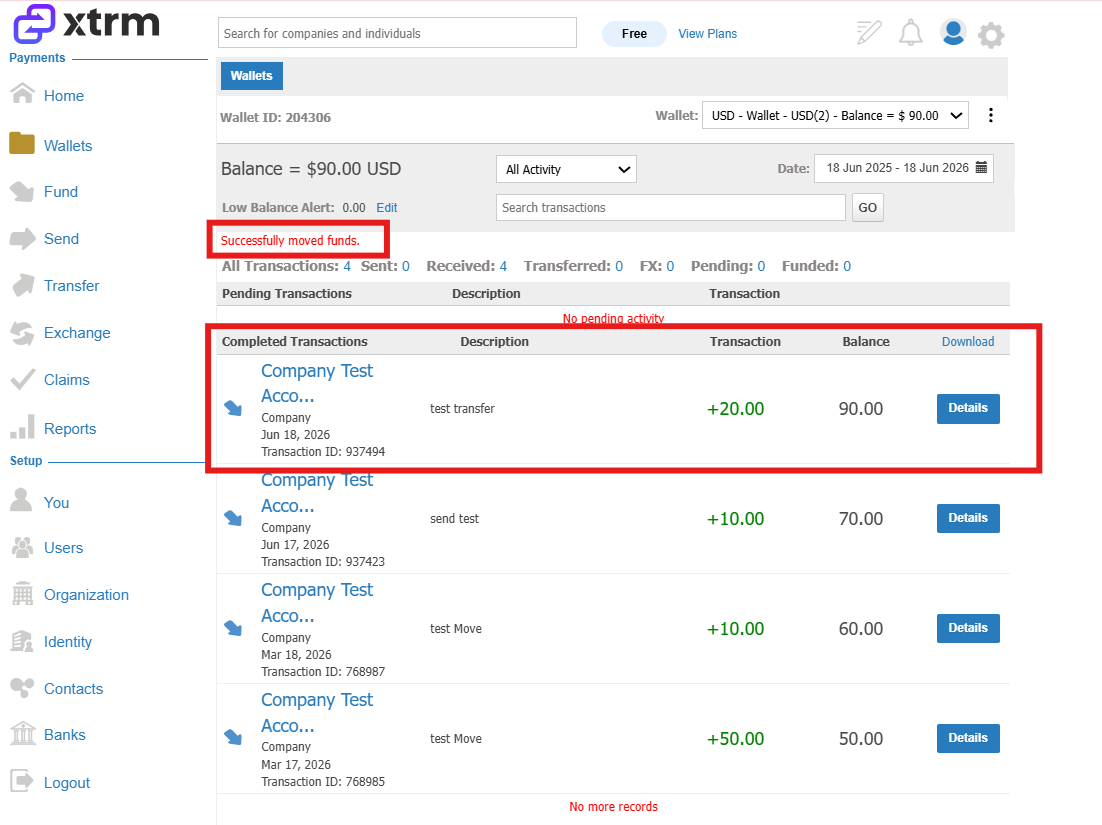
Confirm and Verify: A confirmation page will notify you that the funds have been successfully moved. Return to the Wallets main page to verify that the updated balances reflect in both source and destination wallets.
Key Considerations
Currency Alignment: Ensure both source and destination wallets share the exact same currency code.
Permissions: You must have manager or admin permissions with wallet transfer rights enabled for your profile on both the source and destination wallets. If you do not have the necessary permissions for both wallets, contact the Master Admin or any admin/manager with access to both wallets to perform the transfer.
Audit Trail: Every wallet transfer generates a transaction entry in your XTRM account reporting for audit and accounting purposes.