TAX003 — Tax Information for International Accounts
Last updated: October 19, 2026
Tax reporting for non-US citizens
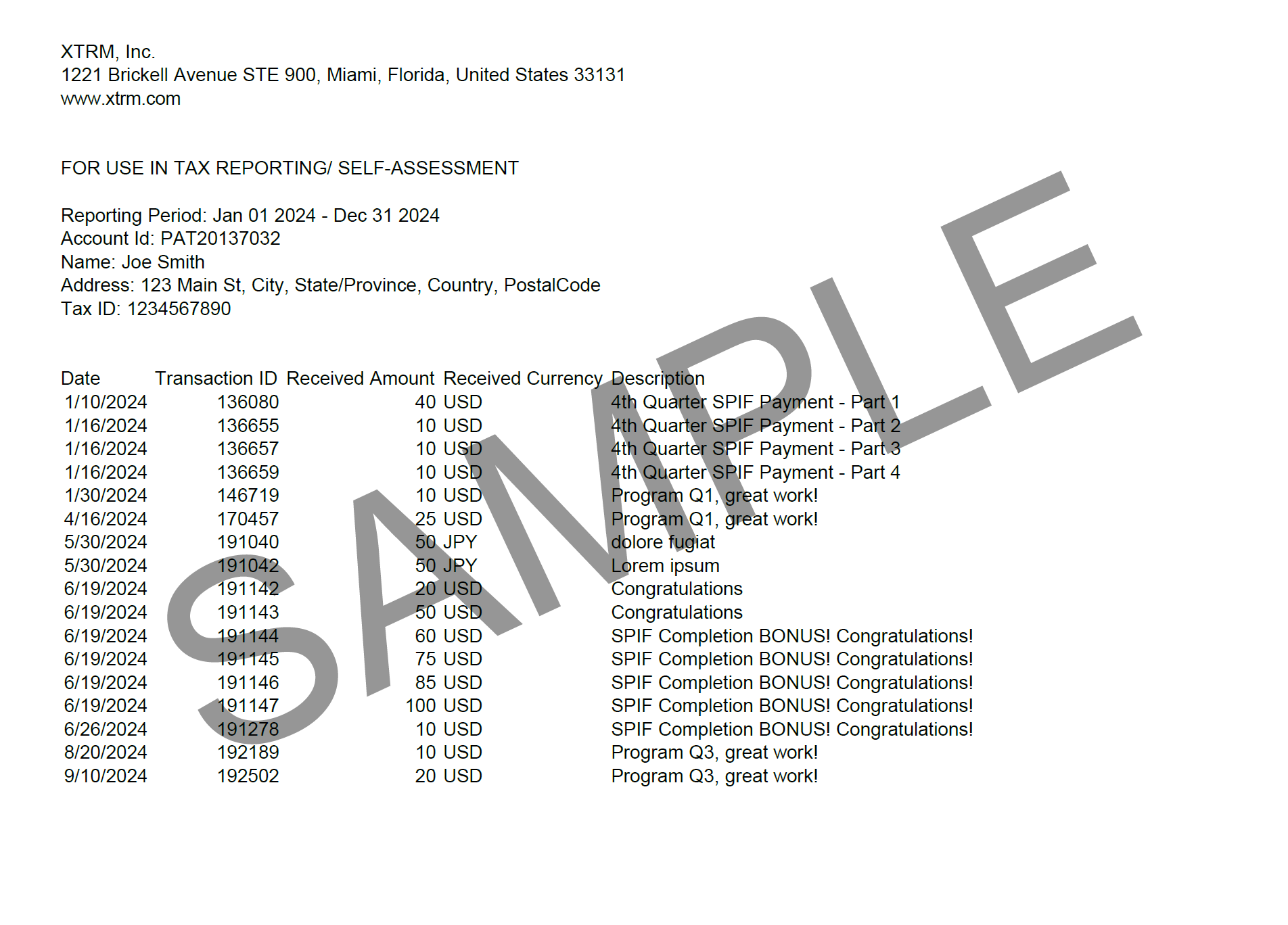
Recipients outside the US are responsible for reporting their income and must provide payment data to their regional tax authorities. Xtrm offers a downloadable document containing the relevant transaction details.
You can access and download the document once your Xtrm Identity reaches the Standard Identity Level (IDL) or higher. You don't need to reach the Advanced level, or be approved for Advanced Services, to download it. See Understanding Identity Levels and Limits for Personal Accounts, or Understanding Identity Levels and Limits for Companies (IDL) for company accounts.
To prepare your tax data correctly, we collect:
SSN/Tax ID
Physical address
Full name
DOB (date of birth)
Email
Mobile number
How to download your transaction data
Log in to xtrm.com.
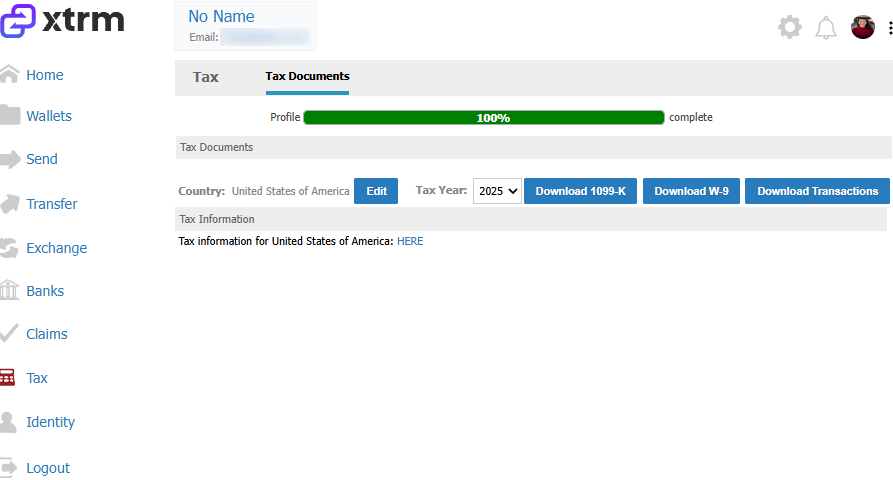
Click Tax in the left menu.
Click Download Transactions.
This is a CSV document that includes all payments made into your wallets. Use this information to complete local tax forms for relevant taxable payments. Contact your accountant or local tax authority to determine what qualifies as a taxable payment in your jurisdiction.