COMP004 — Company Account: New Company Account Email Validation
Last updated: October 7, 2026
This process covers the email validation step for new company accounts.
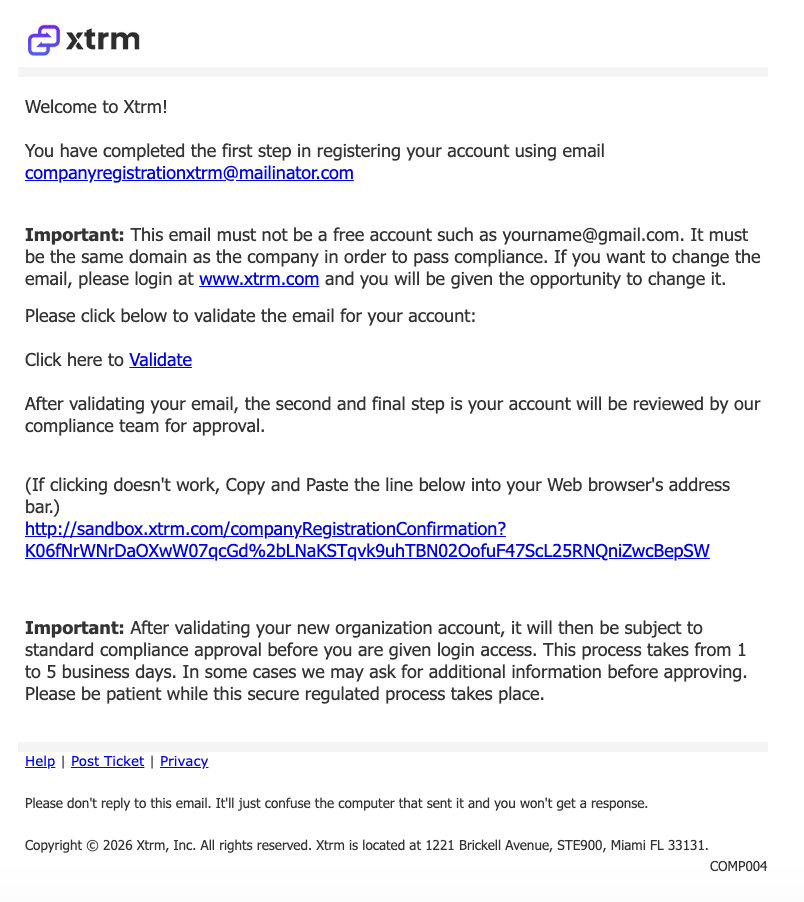
When a new company registers, it is essential to verify the master admin’s email to ensure secure account setup and communication. The validation email is automatically sent to the master admin when a new company account is first registered.
The email includes:
Action Required: A secure link to validate the master admin’s email
Note: The validation link must be clicked to ensure timely review and approval of the company account. Must be verified promptly to avoid delays in account activation.
Completing Email Validation
To complete the email validation process:
Open the validation email and click the Validate button or link.
On the page that opens, select I ACCEPT THE AGREEMENTS at the bottom of the page. Do not use Sign Up or Login.
Enter your information and create a password for your Xtrm account.
Once you complete these steps, our team will begin review of the Company Registration.
Subject: You have successfully completed the first step registering your company to Xtrm