COMPANY008 — How to Create and Manage Programs
Last updated: August 26, 2026
Payments can be grouped as a program (for example, running a rewards initiative or making payments to a specific project) to ensure all reports can be filtered and viewed by program or project name.
Creating a New Program
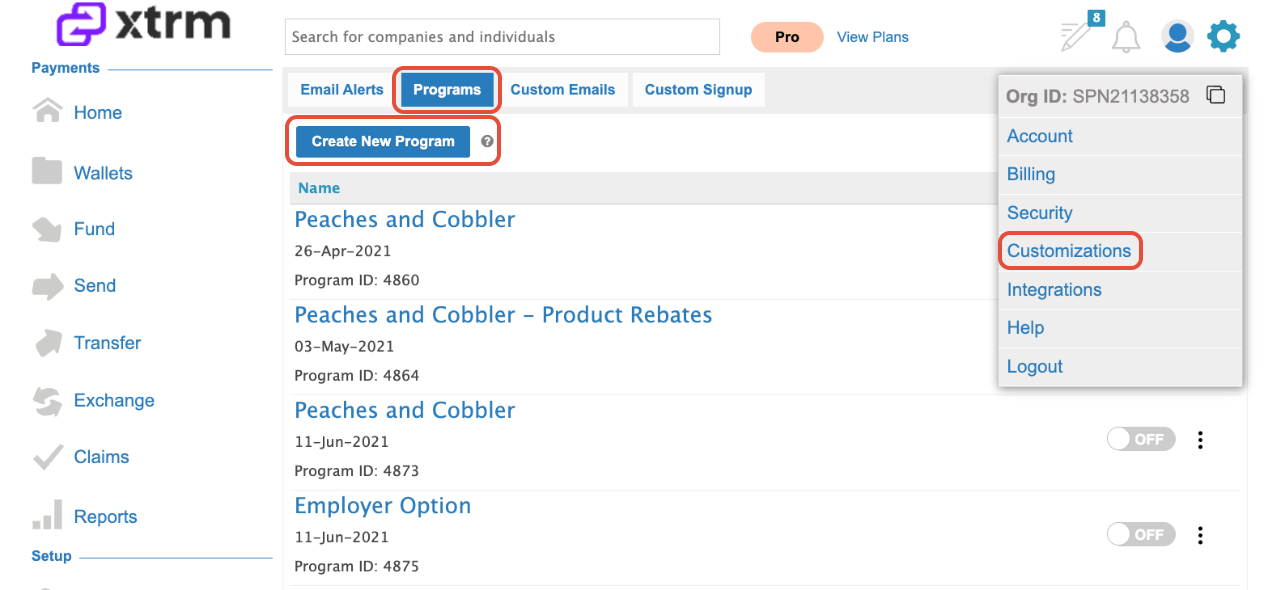
Click the Settings cog in the top far-right corner of the screen.
Select Customizations, then Programs, and click Create New Program.
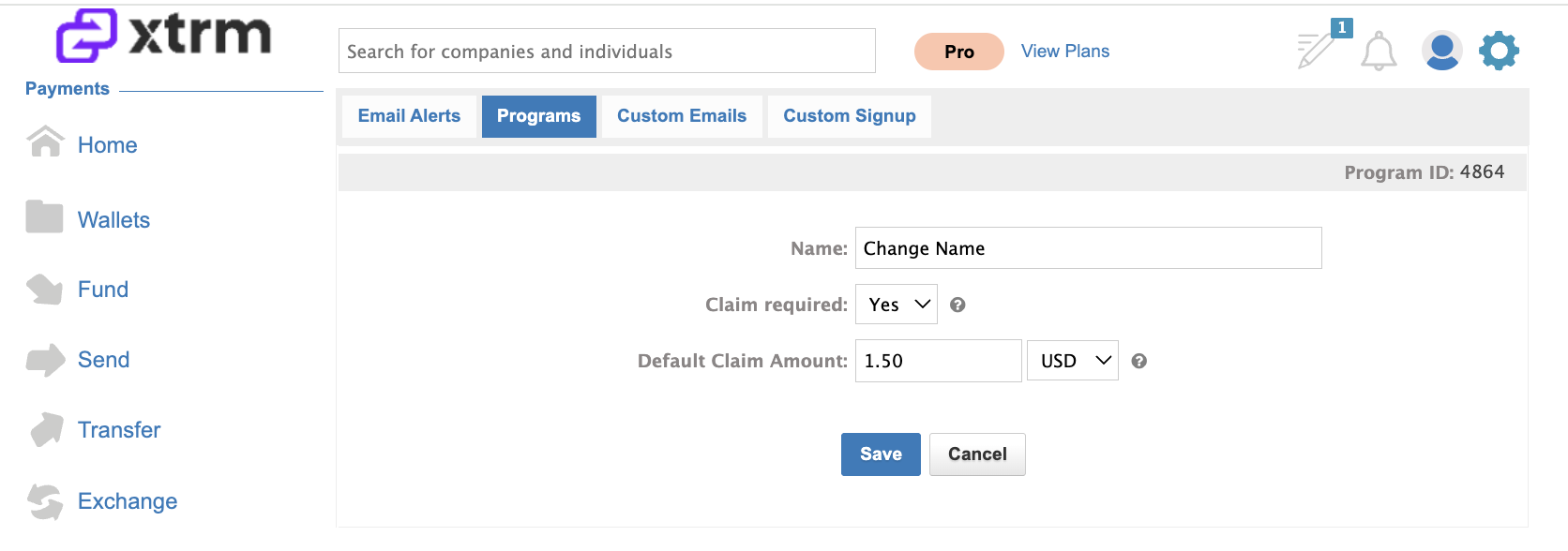
Configure Claim Settings (Optional):
If the program will be used with a custom claims workflow, select Yes for Claim Required.
Set a Default Claim Payment Amount. (Note: This is only a default value and can be overridden by any claims form or API claim request).
Managing Program Access
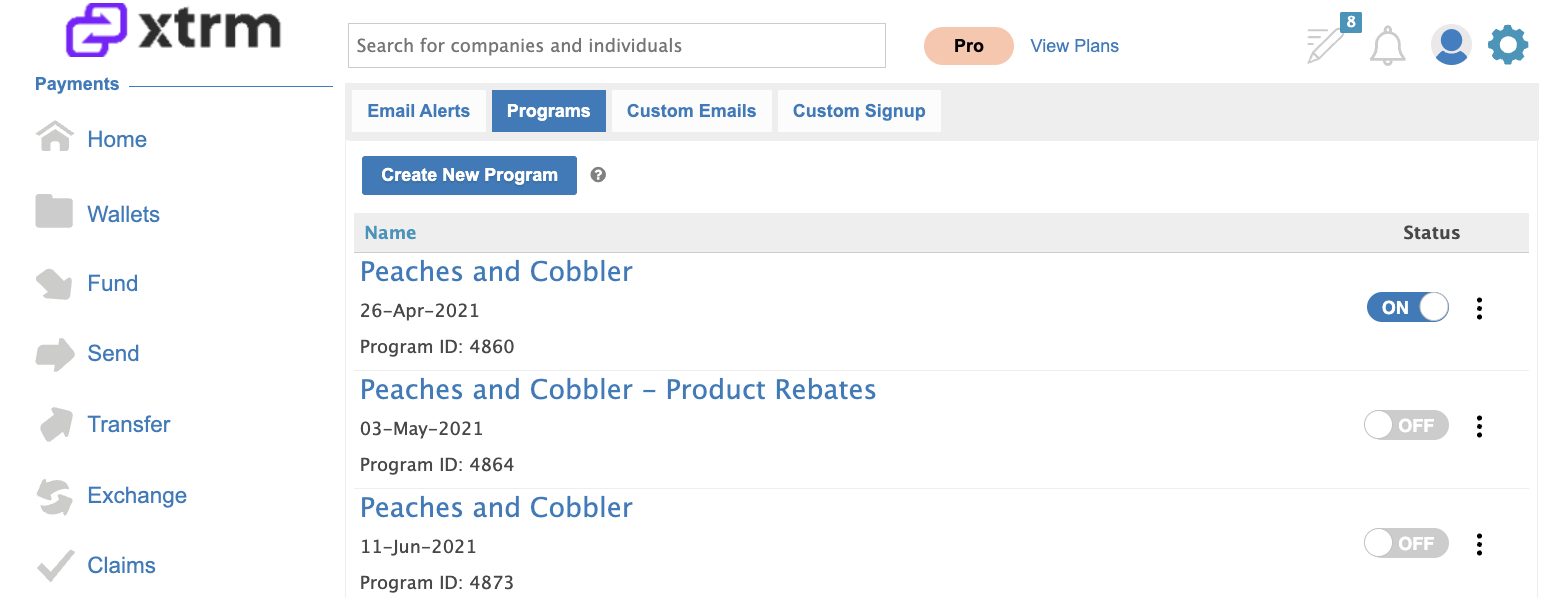
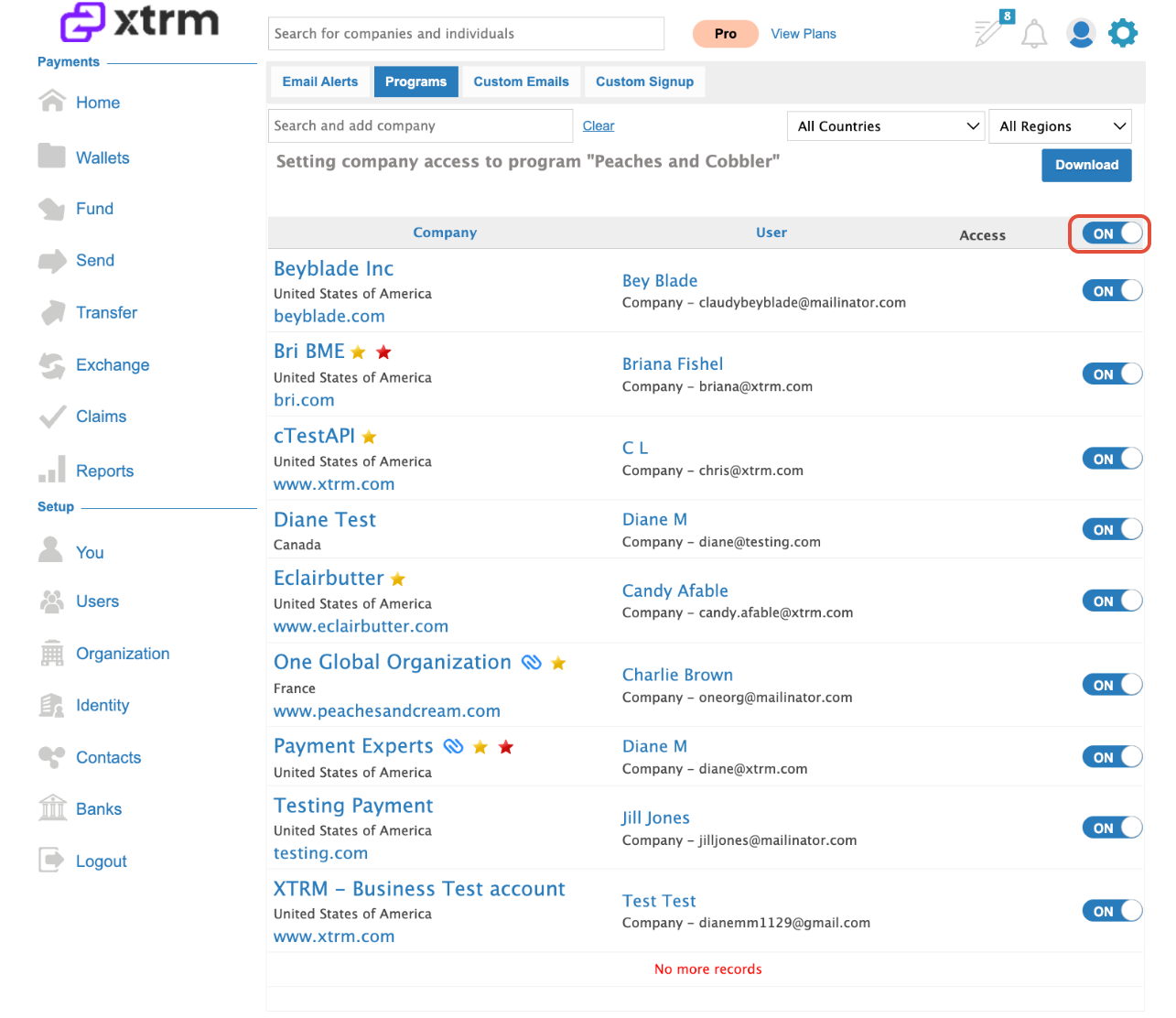
All company programs are listed on the Programs page. You can control access to specific programs by toggling them On or Off for any partner or beneficiary company (applicable when using custom claims forms or the Xtrm API).
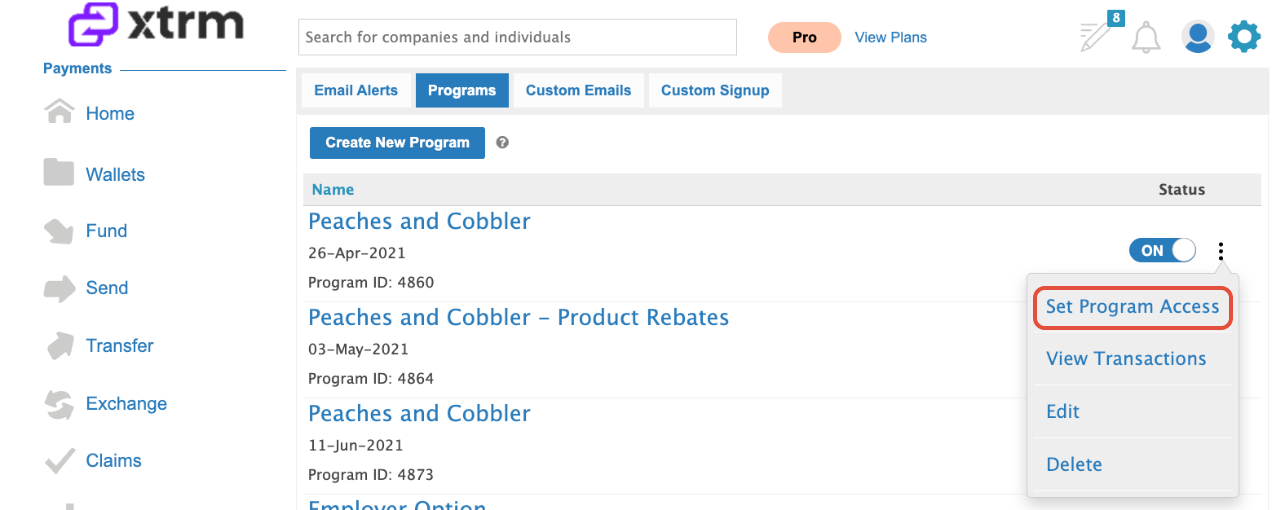
Locate your program and click Set Program Access.
Enable access for All companies or toggle access ON/OFF for specific beneficiary companies as needed.
Managing Existing Programs
Editing Program Names: You can edit program names at any time. If payments have already been applied, updating the program name will automatically update both sending and beneficiary payment records.
Deactivating Programs: To disable a program no longer in use, simply toggle its status to OFF. You can choose to disable all or select a specific program.
3. Viewing Transactions: Click to View Transactions associated with a specific program directly from the list. This will direct you to Reports available for Download
4. Deleting Programs: You can delete unused programs.
Important: Programs with posted payments cannot be deleted.