COMPANY014 — How to Add Entities and Users to Global Company Accounts
Last updated: October 7, 2026
Global company accounts allow organizations to grant local and regional team members administrative or operational access to specific platform functions. User privileges are governed by a dual structure: User Roles and System Access Levels.
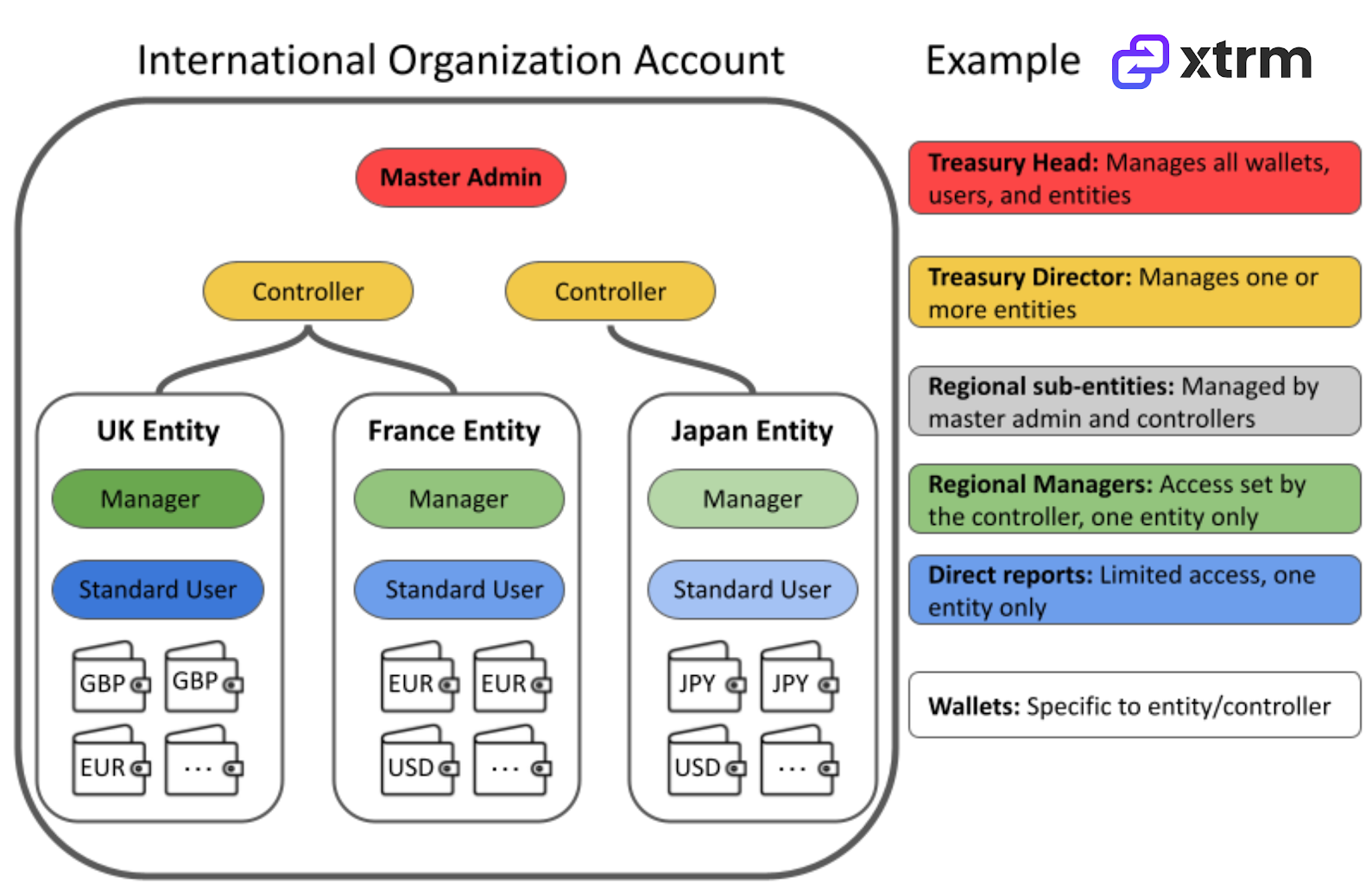
Understanding Xtrm's Entity Structure
Xtrm uses a hierarchical organizational structure for global accounts:
Prime Entity: One organization account that represents your company worldwide.
Subsidiaries: Separate entities for regional subsidiaries or any legal entity owned by the organization.
Regional user administrators can create and separately manage their own entity profile, users, wallets, and role-based access as needed for their local requirements.
User Roles Breakdown
Role | Scope & Description |
Master Admin | Exactly one user globally per organization. Held by an authorized signatory (typically in Finance or Treasury). |
Controller | Manages one or multiple global entities or regions. Unlimited users permitted. |
Manager | Oversees local or regional operations. Unlimited users permitted. |
Standard | Default user status with standard operational access. Unlimited users permitted. |
Suspended | Temporarily or permanently revokes platform access. |
Adding Users to an Existing Company Account
To grant access to a new user on an existing company account, the current Master Admin should follow these steps:
Create a separate entity for the user's region if one does not already exist. This ensures proper segregation and streamlined management.
Set up a dedicated wallet for the newly created entity.
Add the user as a Controller user type with access to both the newly created entity and its wallet.
Note: Creating separate entities and wallets for different regions ensures proper segregation and streamlined management of company resources.
Need to change your Master Admin?
Master Admin Available: Update roles directly via self-service under account settings.
Master Admin Unavailable: Submit a ticket to [email protected][email protected] for identity verification and Master Admin reassignment.
Want to see how this works in real-time? Use the interactive demo below to click through the steps before reading the full guide.
Step-by-Step: Adding an Entity and User
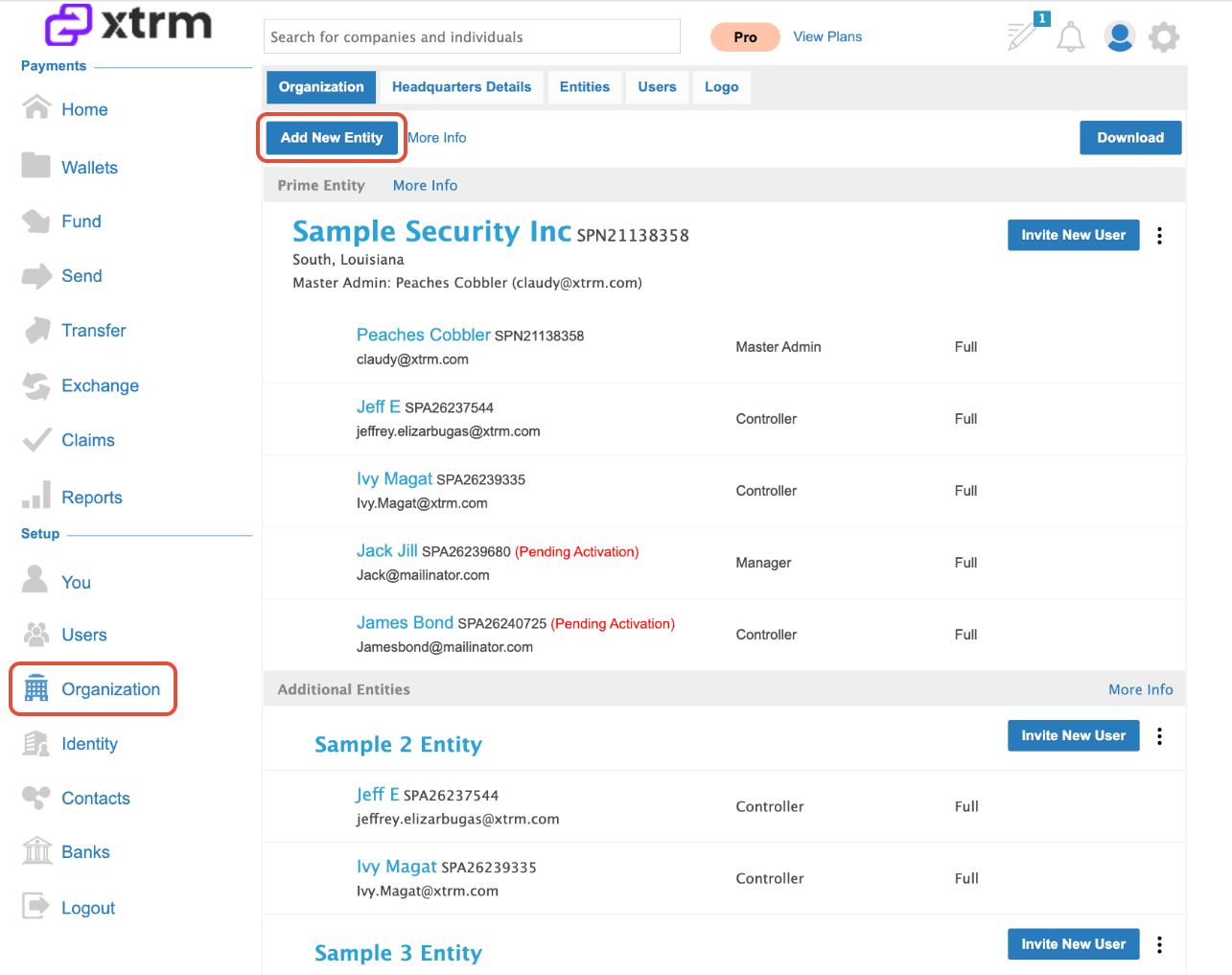
Navigate to Organization: Log in to your account, click Organization in the left menu, and select Add New Entity.
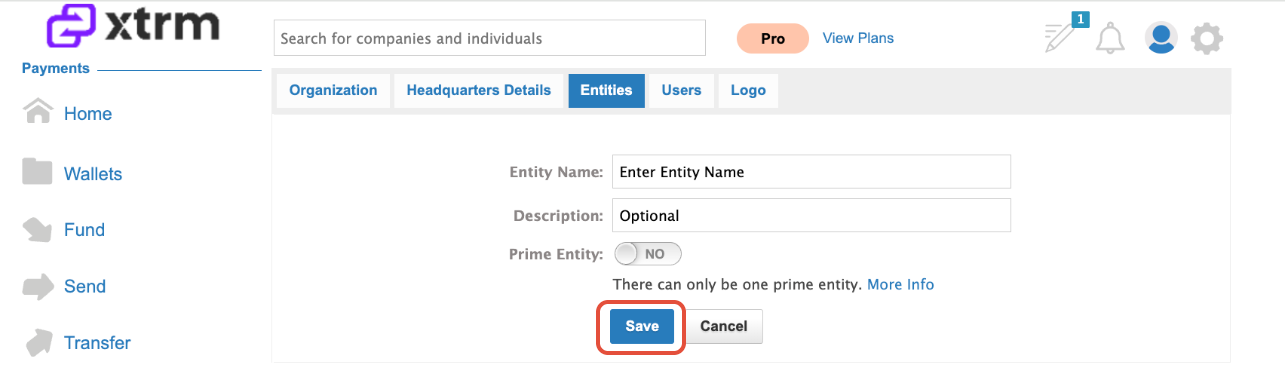
Define Entity Details: Enter the entity's identifying details (such as Region, Country, or Legal Company Name) and click Save.
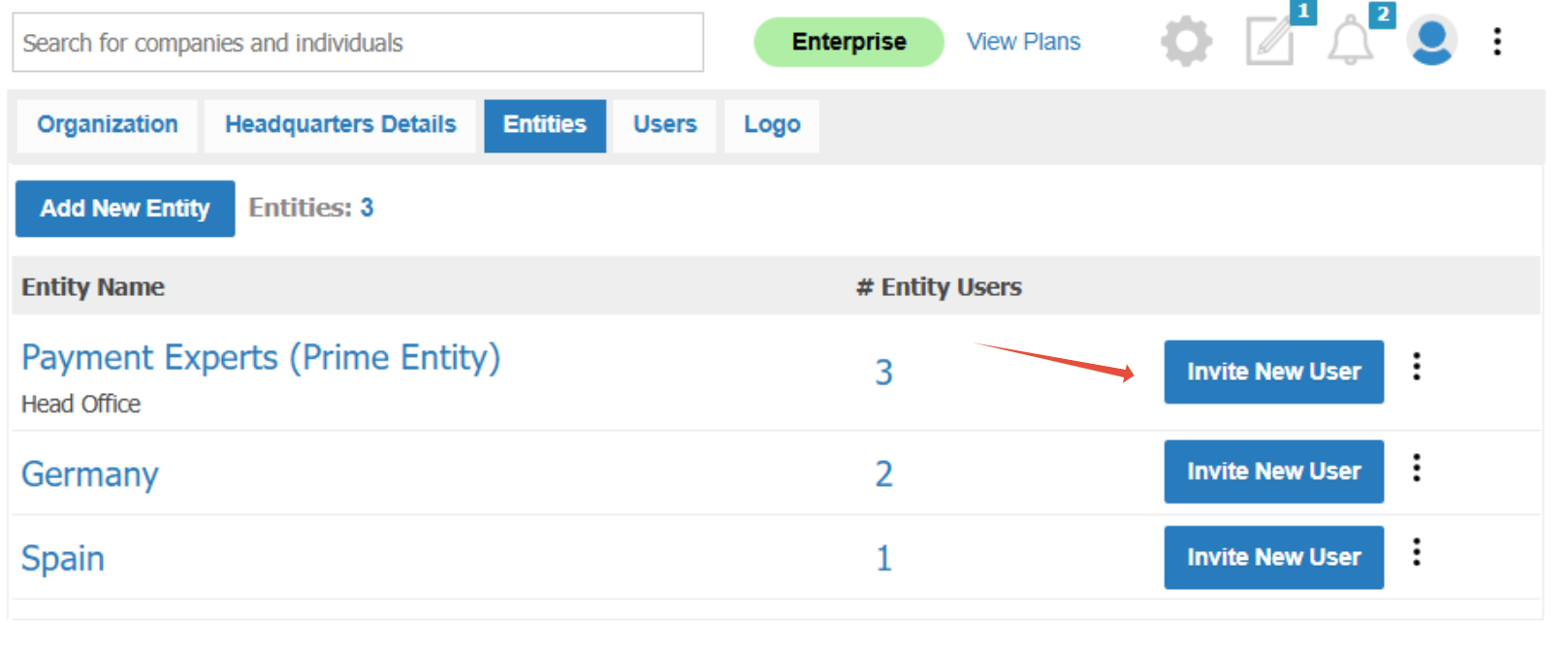
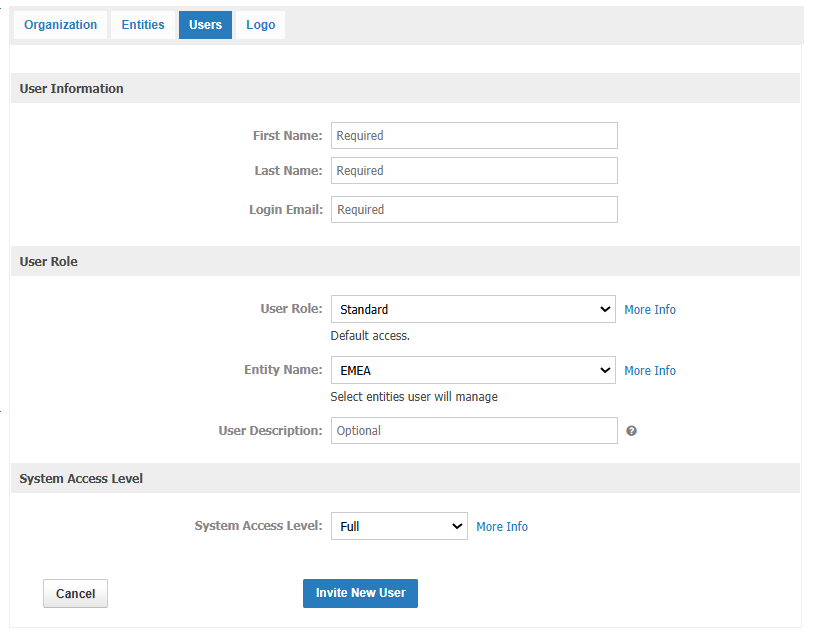
Invite and Configure New User: Click Invite New User.
a. Fill in required user details and assign their User Role (Master Admin, Controller, Manager, Standard) and initial System Access Level.
b. If setting Full Access, proceed directly to send the invite.
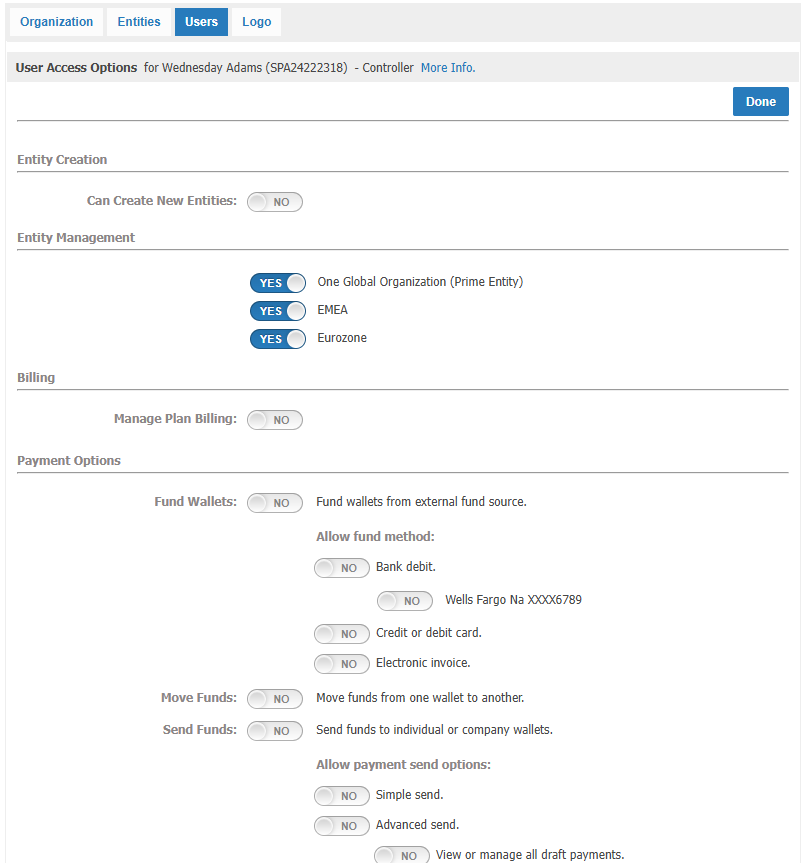
If setting Custom or View Limited access, click Continue to fine-tune granular entity, payment, and editing permissions on the User Access Options screen.
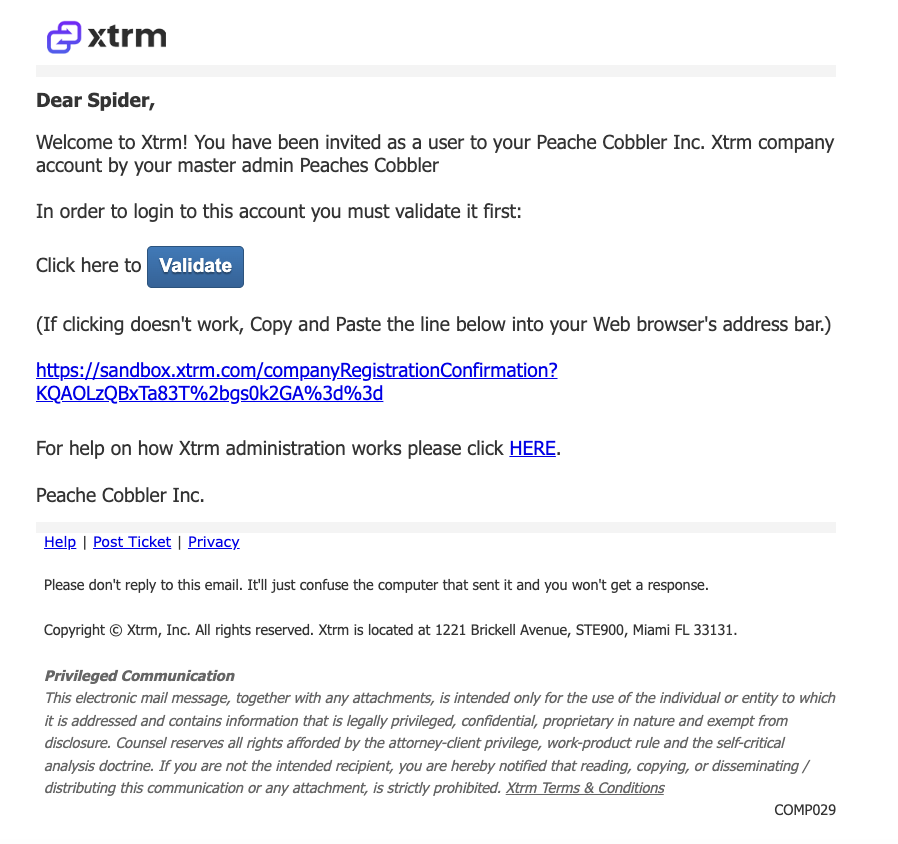
User Email Verification: The invited user will receive an automated validation email containing instructions to activate their login credentials and set their password.
Troubleshooting: Unresponsive Continue Button
If the Continue button is unresponsive when inviting a new user, try the following:
Use a different browser, such as Chrome, Edge, or Firefox, or open an incognito or private window.
Clear your browser cache and cookies, then retry.
Confirm that all required fields and checkboxes on the page are completed.
Enter only allowed characters in the password field.
Pro-Tips & Compliance Notes
Corporate Email Enforcement: Invited users must use email addresses associated with your official company domain (e.g., [email protected]). Generic email providers are restricted.
Granular Scope: Use Controller or Manager roles to limit visibility strictly to regional sub-ledgers or specific payment flows.