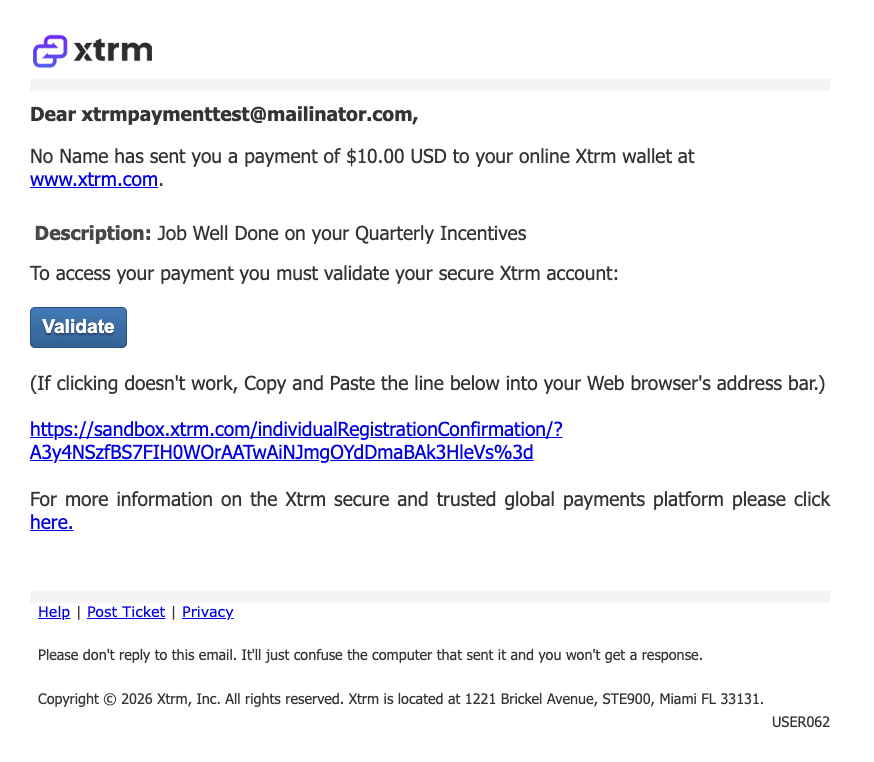
USER062 — Personal Account: Company to Person Payment Alert To Wallet Email Notification.
Last updated: October 7, 2026
Company-to-Person Payment Alert to Wallet
When a company sends a payment to an individual’s Xtrm wallet, the recipient receives an email notification alerting them that funds have been deposited into their wallet. This ensures the recipient is aware of the payment and can access it immediately.
Key Features of the Email:
Company Branding: The email includes the company logo and name as registered in your company profile, making the payment recognizable and trusted.
Payment Details: Shows the amount, currency, and any program or project description associated with the payment.
Troubleshooting Payment Alert Emails
If you're expecting a payment but have not received the alert email, use the steps below to locate the message, access your payment, or resend the alert when needed.
If You Haven't Received a Payment Alert Email
Check your spam or junk folders for emails from
@xtrm.comdomains.Check with your IT department to ensure it is not blocking emails from
@xtrm.com, any subdomains ofxtrm.com, orxtrmmail.com.
Add these email addresses to your safe sender list:
Access your payment directly without the alert email:
Go to
xtrm.comand click Login.Use your email address to log in or reset your password.
Once logged in, you can see your wallet and any payments directly.
Important: Payments are sent to the specific email address provided by the paying company. If you use different email addresses for different systems, such as one for the company's system and another for your Xtrm account, the payment will be sent to whichever email the company used. Use the same email address for both your Xtrm account and any systems used by companies that pay you to avoid confusion.
Resending Payment Alert Emails (For Companies)
If you need to resend a payment alert email to a beneficiary, use one of the following options.
Option 1: From Wallet > Sent
Log in to your Xtrm company account.
Navigate to Wallet > Sent.
Click Details next to the Transaction ID.
Select the specific payment from the list.
Click Resend Alert Email.
Option 2: From Reports / Payments
Search by Batch ID.
From the batch or beneficiary view, use the option to resend the payment alert email.
Subject: Payment Received from <Person Name>