COMPANY028 — How to Locate Your Organization (SPN) and Wallet ID Numbers
Last updated: October 7, 2026
Xtrm Organization IDs or company account numbers start with SPN. Individual or personal account numbers begin with PAT.
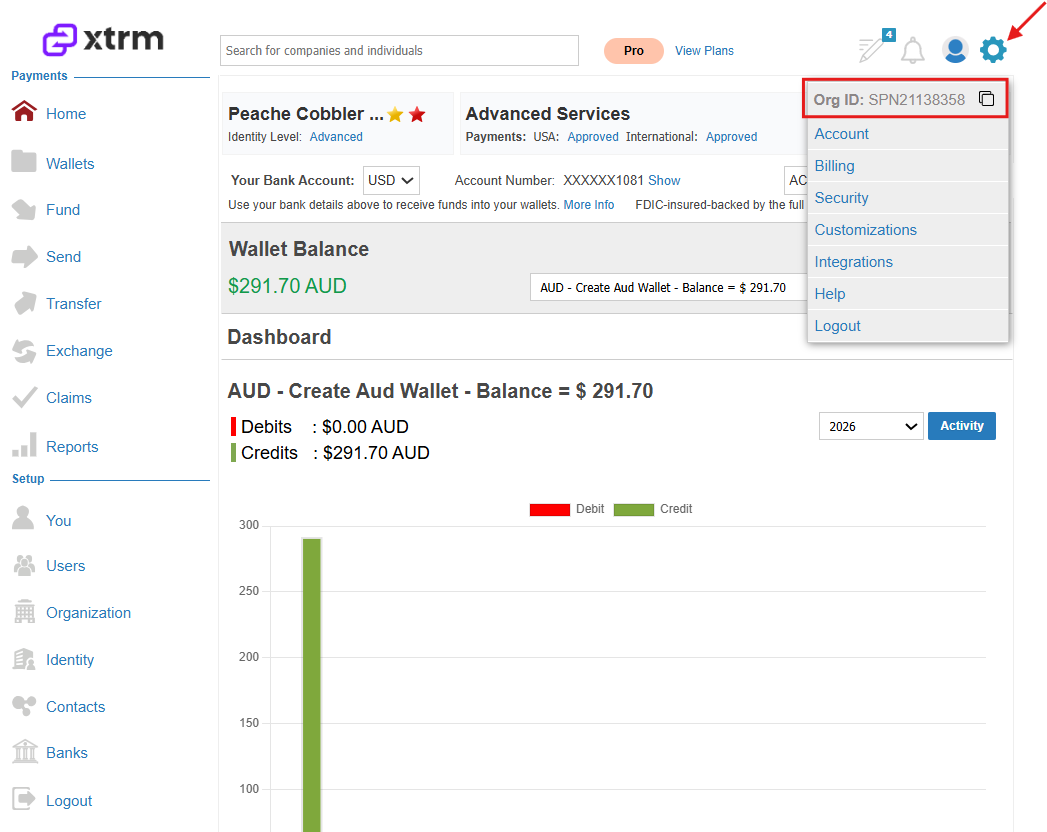
There are two places where you can locate the SPN or Organization ID:
Click on the Settings cog, where you can click to Copy the Organization ID/SPN associated with the company account.
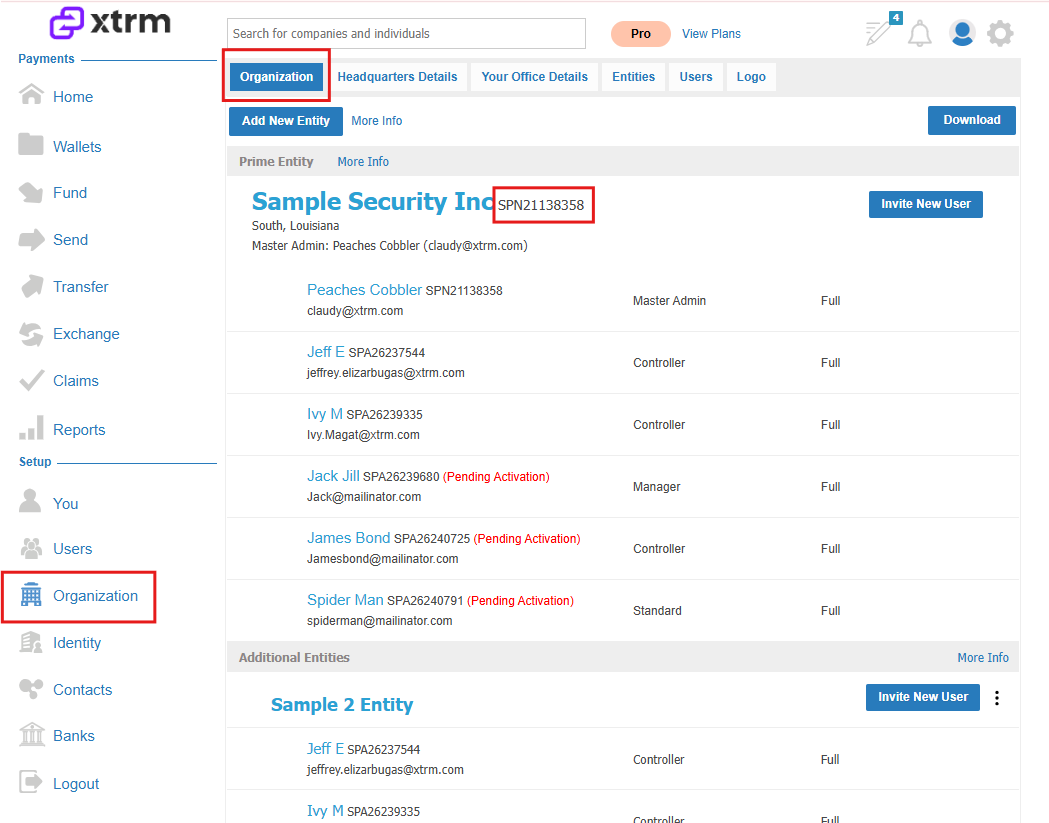
Alternatively, you can follow the steps below to locate the SPN under the Organization tab.
Log in to Xtrm.com
Click on Organization
View your organization/company account number
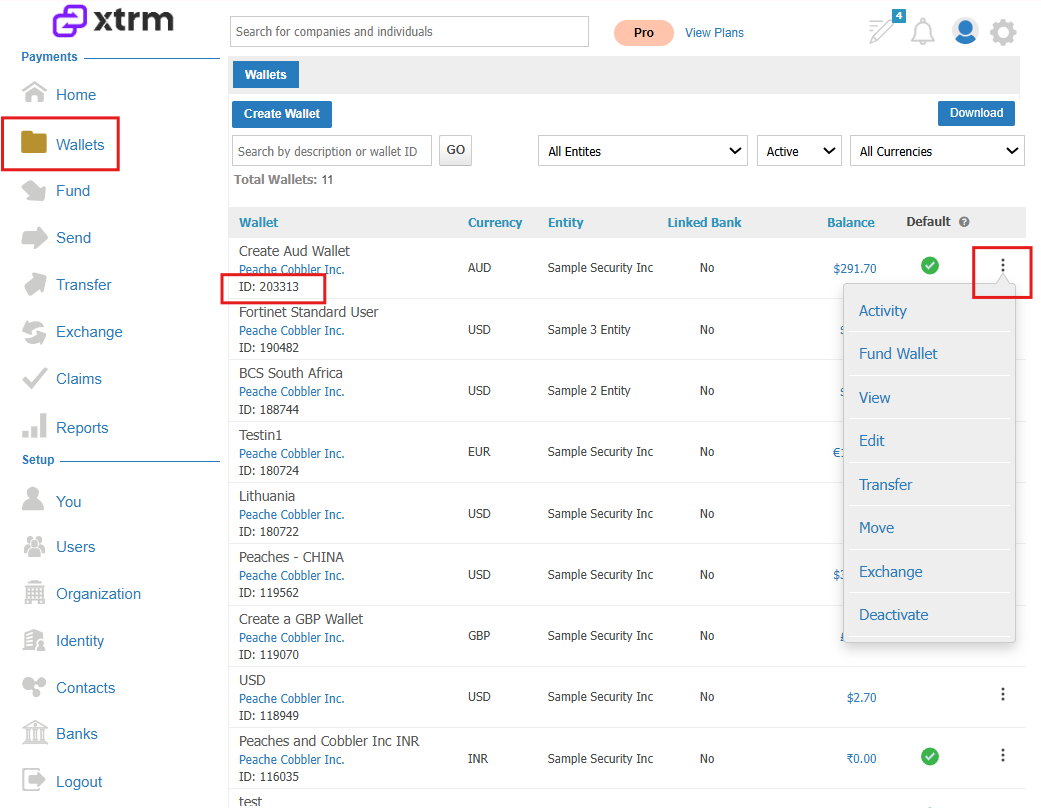
To locate your Wallet ID, click on Wallets, you will find your wallet ID numbers and access your wallet activity.
Troubleshooting Payment Holds Due to Missing Wallets
If partner payments are on hold due to closed Xtrm accounts or missing wallet information, follow these steps to resolve the issue:
Contact your organization's Xtrm admin to create a specific wallet for your entity.
Contact Xtrm Support at [email protected] for assistance.
Once a USD wallet is created for the entity, share the wallet ID with the relevant team to release the payment.
You can track every transaction in your wallet, including all debits and credits, currency exchanges, wallet funding, and wallet transfers.
How to Find the SPN Number Associated with an Xtrm Account
When a partner needs to claim a rebate through the Xtrm payment platform, they will be prompted to enter an SPN (Supplier/Partner Number) associated with their Xtrm account. If a partner cannot locate their SPN number, you can request it from Xtrm Support.
What is an SPN Number?
The SPN number is a unique identifier tied to a partner's Xtrm account. Xtrm is the payment platform used to disburse rebates to partners. Once a rebate claim is approved and funds are credited to the partner's Xtrm account, the partner can then transfer the funds to their preferred bank account.
How to Obtain a Partner's SPN Number
If a partner is unable to locate their SPN number during the rebate claim process, follow these steps:
Contact Xtrm Support and provide the partner's account name as it appears in your CRM system.
Xtrm Support will look up the SPN number associated with the partner's Xtrm account and provide it to you.
Share the SPN number with the partner so they can complete their rebate claim submission.
Tips for Urgent Rebate Deadlines
If a partner is approaching a rebate claim deadline and is blocked by a missing SPN number, consider the following:
Contact Xtrm Support as soon as possible, clearly indicating the urgency and the deadline.
If needed, request a deadline extension internally while the SPN number is being retrieved, to give the partner additional time to complete their claim.