COMPANY032 — How to Delete Users and Entities
Last updated: August 26, 2026
Overview
Xtrm allows company administrators to manage users and entities within their organization account.
Only users with the appropriate administrative permissions can remove users or delete entities. The Master Admin has permission to delete entities within the organization.
Before deleting an entity, all users and wallets associated with that entity must first be reassigned to the Prime Entity or another active entity.
Deleting a User
Important Notes
Users should only be deleted when access is no longer required.
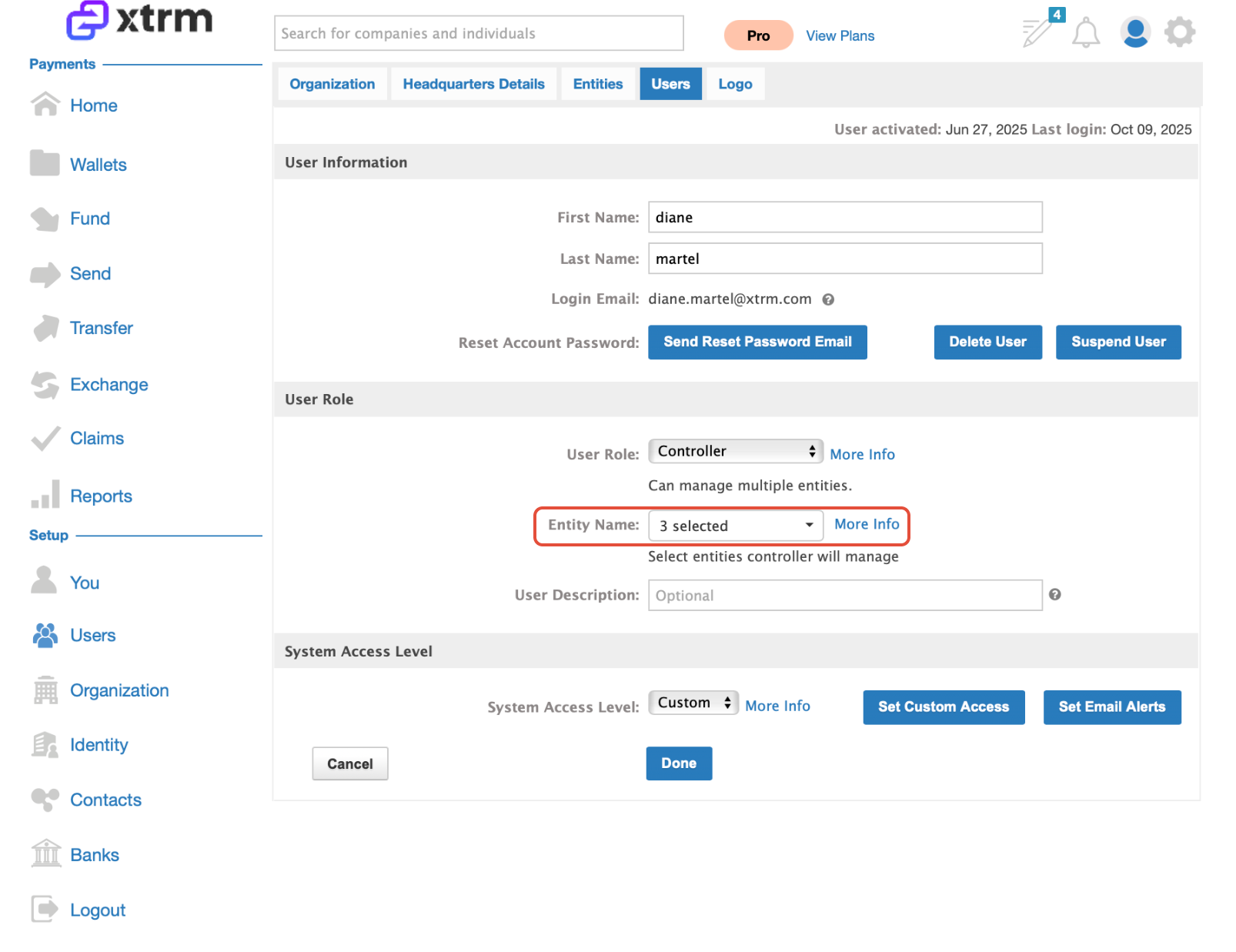
If a user is assigned to multiple entities, remove the user from the specific entity before deleting the user account.
A user can also be suspended if access needs to be temporarily disabled.
Steps to Delete a User
Navigate to Users, locate a user and click on Edit
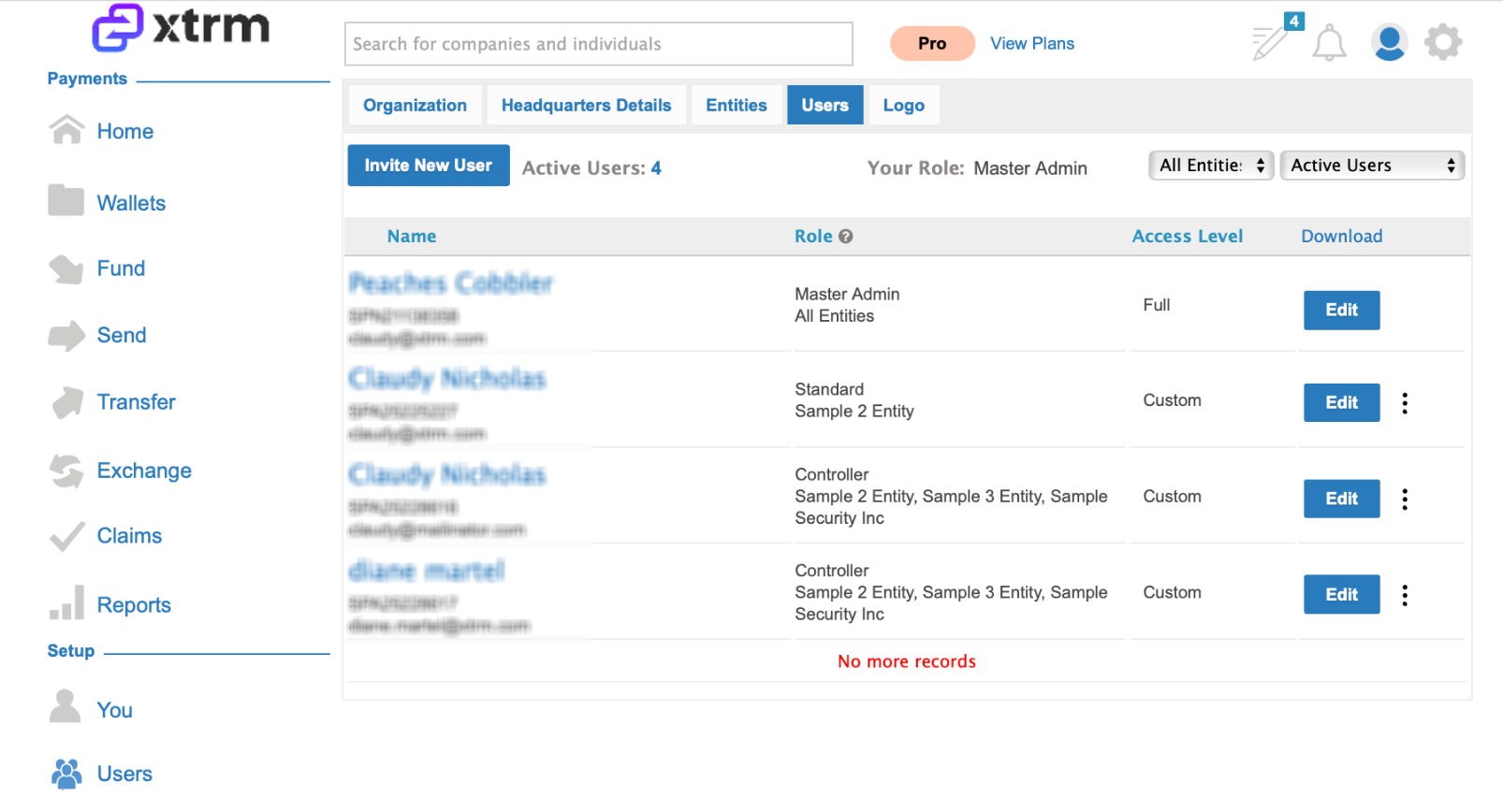
If the user is listed in more than one entity, deselect the specific User from the list of Entities and click on Delete or Suspend user.
Deleting an Entity
Important Notes
Before deleting an entity, ensure all associated users and wallets have been reassigned.
Only the Master Admin can complete the entity deletion process.
Steps to Delete an Entity
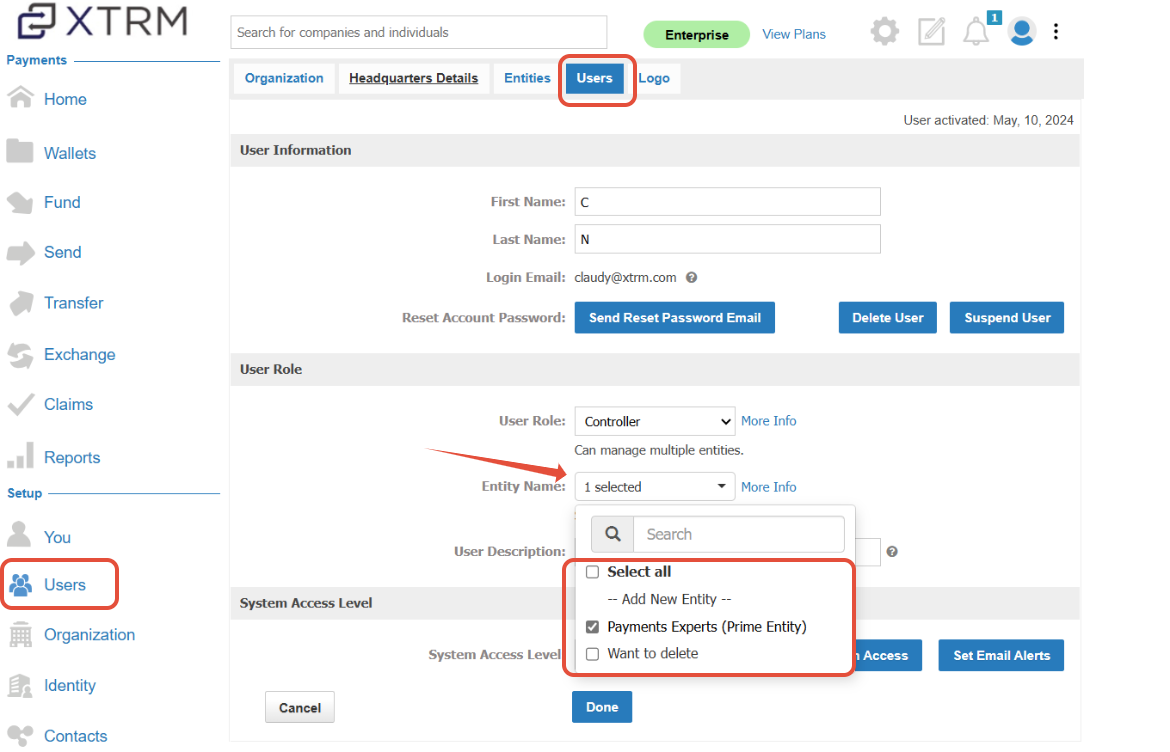
Edit Users under the entity by assigning them to the "Prime Entity" account.
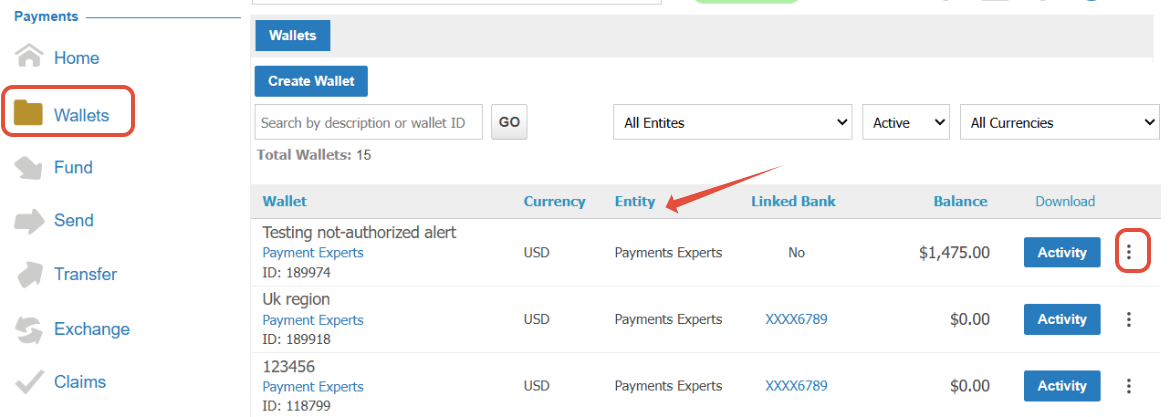
Edit the wallets, and assign the wallet to the Prime Entity.
Once the above steps have been completed, the Master Admin should navigate to "Organization." select "Entities." Locate the specific Entity, click on the ellipsis (⋮), and select "Delete."