TRANSFER005 — Company: How to Transfer Funds via Bank Check
Last updated: September 22, 2026
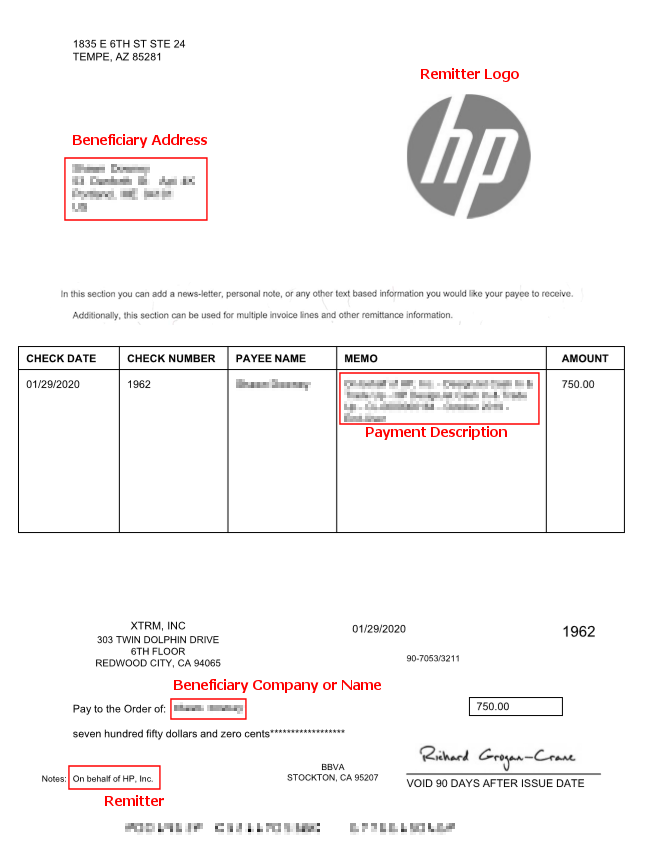
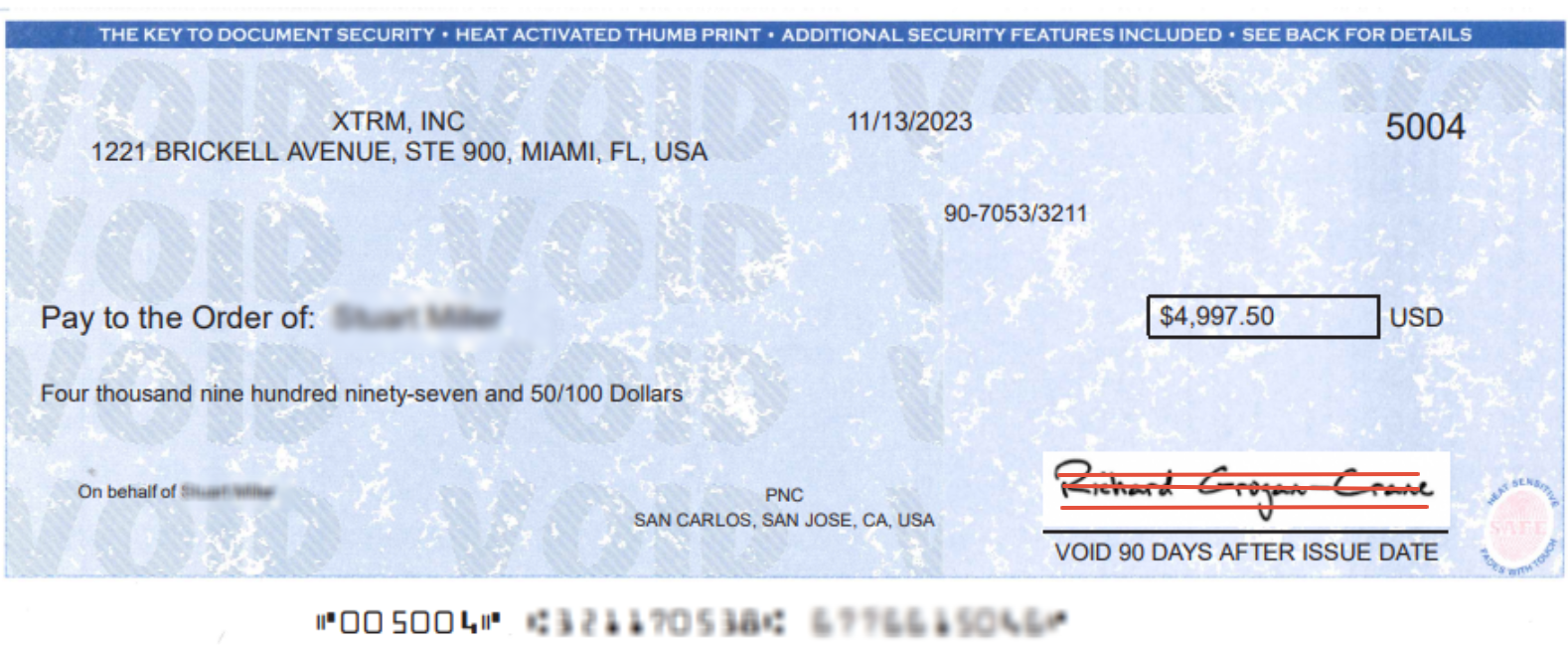
Xtrm allows companies to request and issue payments via Bank Checks (Paper Checks) directly from their digital wallet balances. Bank check transfers offer a secure alternative for paying vendors, employees, or recipients who prefer paper payment instruments.
Overview & Delivery Details
Issuance Type: Physical paper bank check mailed directly to the designated recipient's postal address.
Processing Time: Standard domestic and international postal mailing times apply (up to 10 business days depending on destination).
Fund Deduction: Wallet funds are reserved immediately upon submitting the check request.
Availability: Bank check transfers are only available for recipients with USA addresses.
How to Request a Bank Check Transfer
1. Navigate to Transfer:
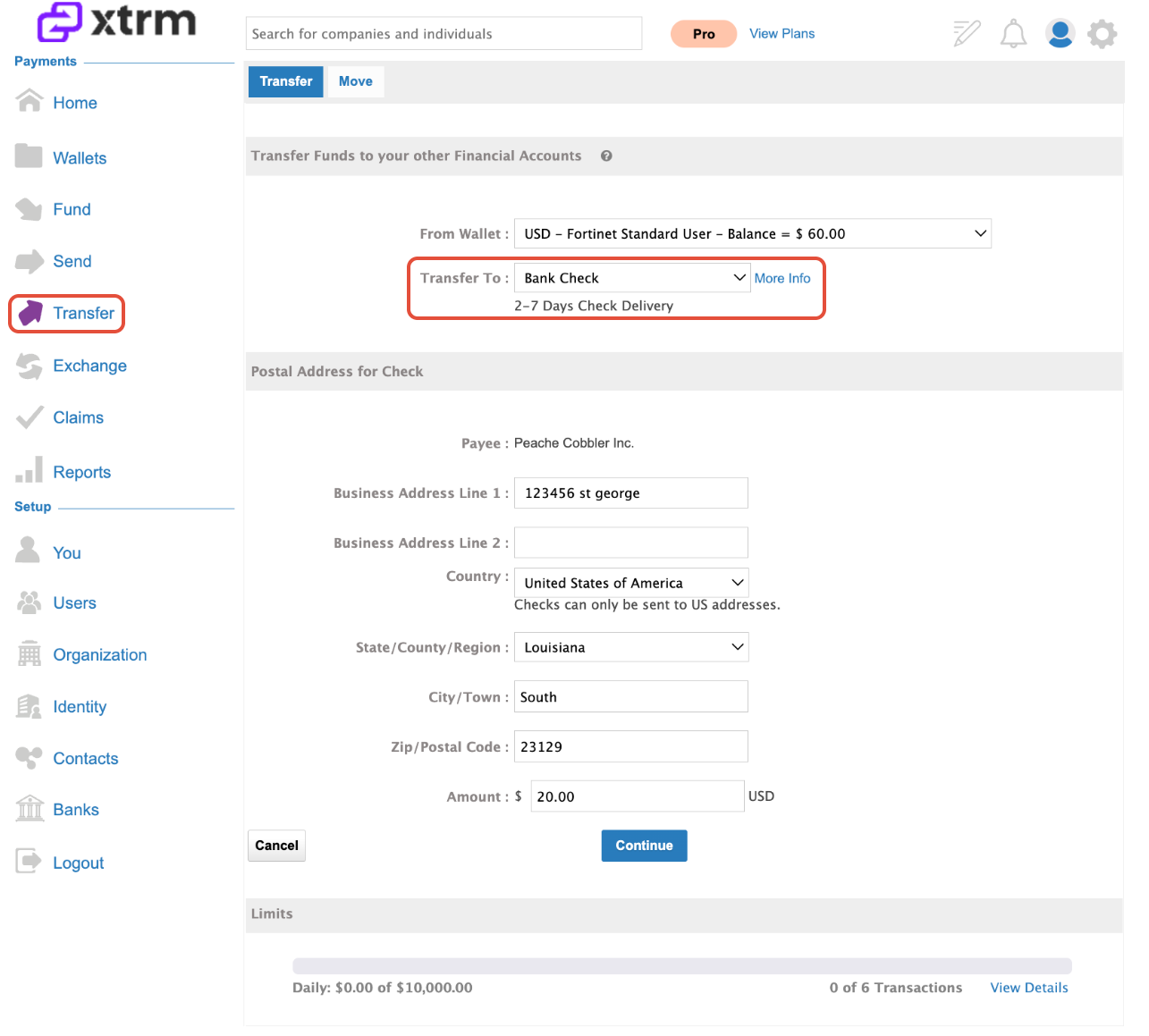
Log into your Xtrm account and click Transfer from the left-hand navigation menu.
2. Select Check Option:
From the Transfer To dropdown menu, select Bank Check.
3. Enter Recipient & Address Details:
Specify the recipient details:
Provide a complete and verified USA physical mailing address (P.O. Boxes may cause delivery delays or rejections depending on carrier requirements).
4. Enter Amount & Continue:
Enter the payment amount.
5. Verify and Submit:
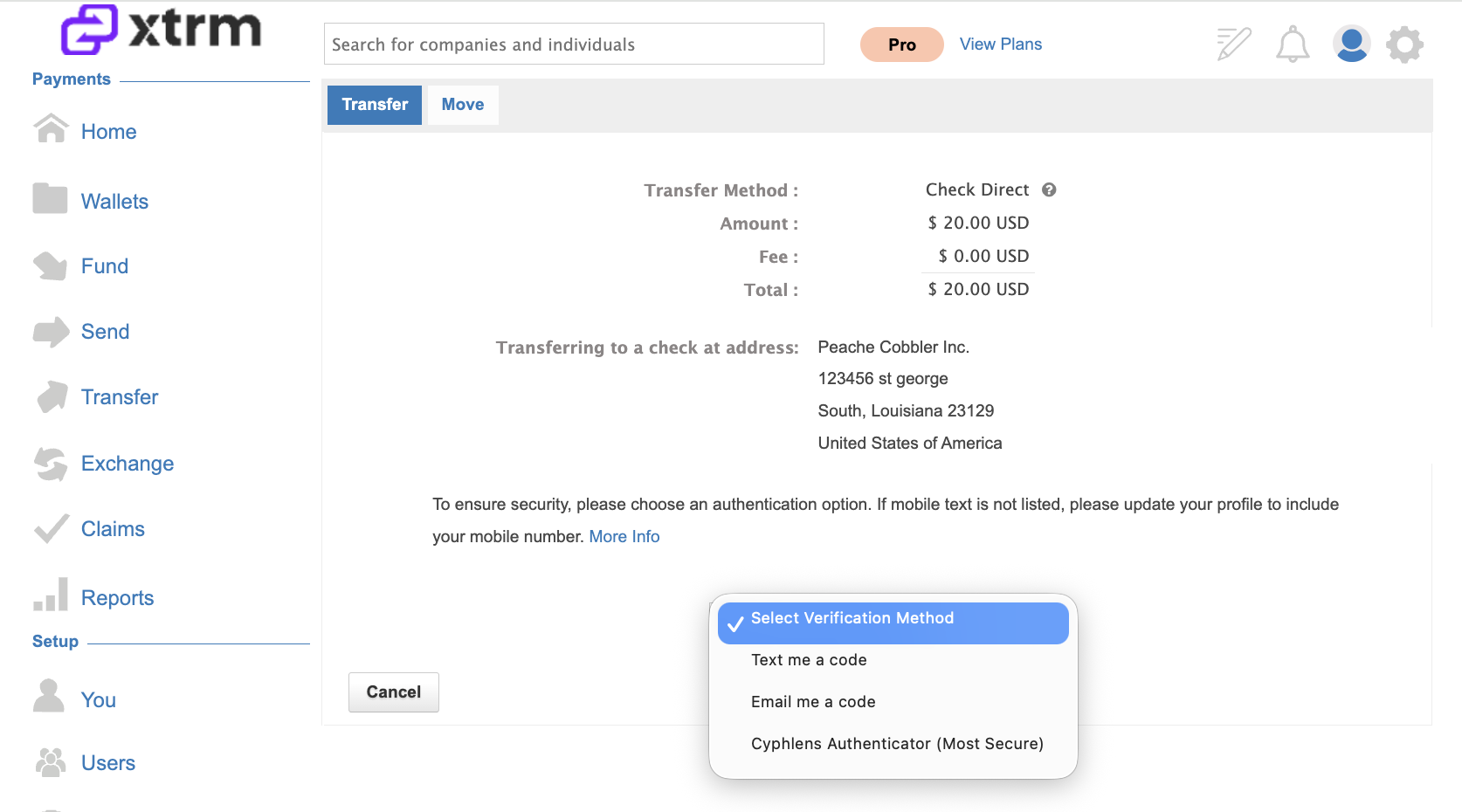
Review the transfer summary, including applicable postal/issuance fees, and click Submit to finalize the check issuance request.
6. Verify and Complete:
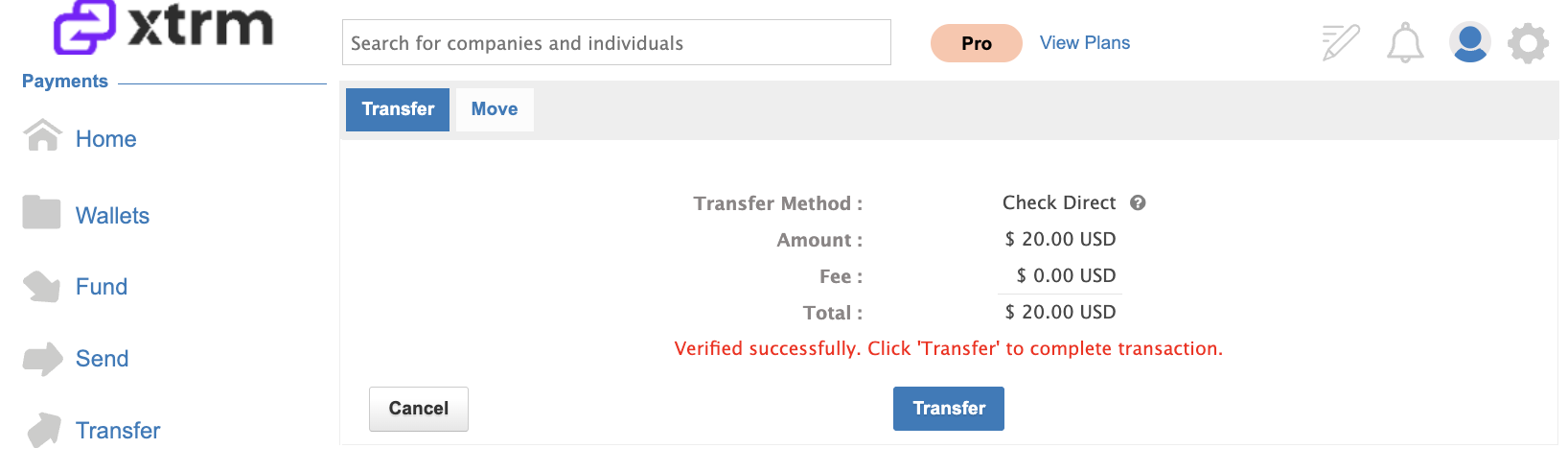
Enter the security code, then click Transfer to complete the transaction.
7. View Wallet Record:
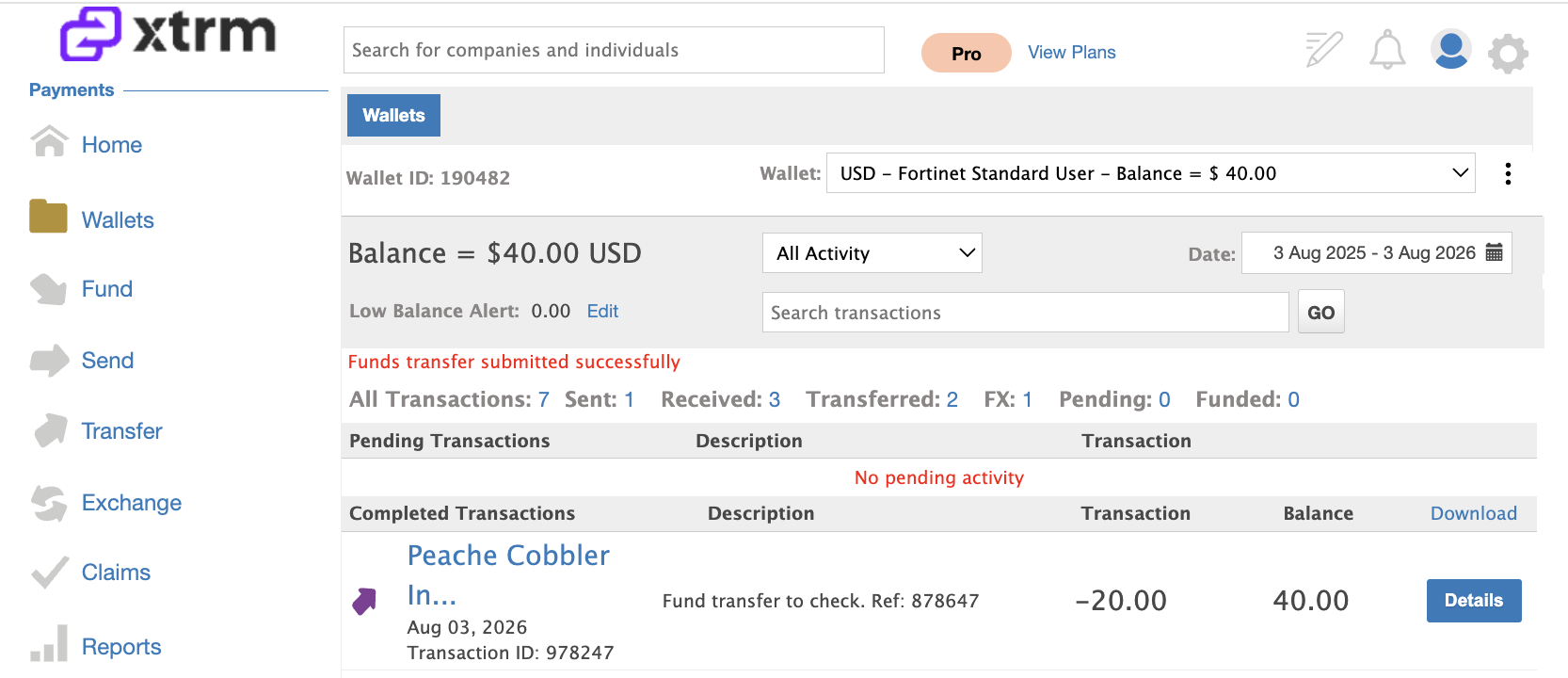
After the transaction is completed, you’ll be redirected to Wallets, where the successful transaction will be displayed.
8. Check Delivery & Arrival:
Checks will be mailed via USPS and can take up to 10 business days to arrive.
Managing Issued Checks
Tracking Status: You can track the issuance and clearing status of your check by going to Wallets → Transaction History.
Cancellations / Stop Payments: If a check is lost in transit or needs to be canceled, reach out to [email protected]
Transfer Limits: Check transfer limits can be increased upon request by contacting [email protected].